

Jump to a section:
For PC or laptop owners, there’s a single piece of hardware that can improve the performance of every game in your collection, and can even boost the whole machine. For consoles like the Xbox Series X or PS5 – or even handhelds like the ASUS ROG Xbox Ally and Steam Deck – this upgrade brings supercharged loading times plus more space for downloading those hefty AAA titles. We are of course talking about the deceptively humble solid state drive. The best SSD for gaming will blow any traditional hard disk drive out of the water for reliability, power use, operating noise and speed.
If you’ve ever wanted to speed up getting between the regions and rooms of RPGs, you’ll spend much less time waiting on loading screens. But an SSD also fast-tracks the loading of in-game content – making the draw distance in complex open worlds like Monster Hunter Wilds more seamless, or reducing the sudden pop-in of assets and textures in games like Cyberpunk 2077. Plus, PC gamers will even find an uptick in general performance, those superior SSD speeds allowing background applications and processes to run more efficiently.
Best SSDs for Gaming, at a glance
Regardless of what platform you play on, the best SSD for your games doesn’t have to cost a small fortune. While you’ll find ordinary hard drives with higher capacities at cheaper prices, you won’t get those lightning-fast read and write speeds. And this boost isn’t trivial, with SSDs typically being five to ten times quicker than the HDD equivalent, increasing to over 100 times faster for large data transfers.
If you’re a newcomer to this speedy storage tech it’s easy to drown in a sea of SSD-related acronyms, so we’ve included a jargon buster and buyer’s guide below. Whether you’re looking for your first solid state drive or upgrading for more space, the best SSDs for gaming can take your gaming setup to the next level.
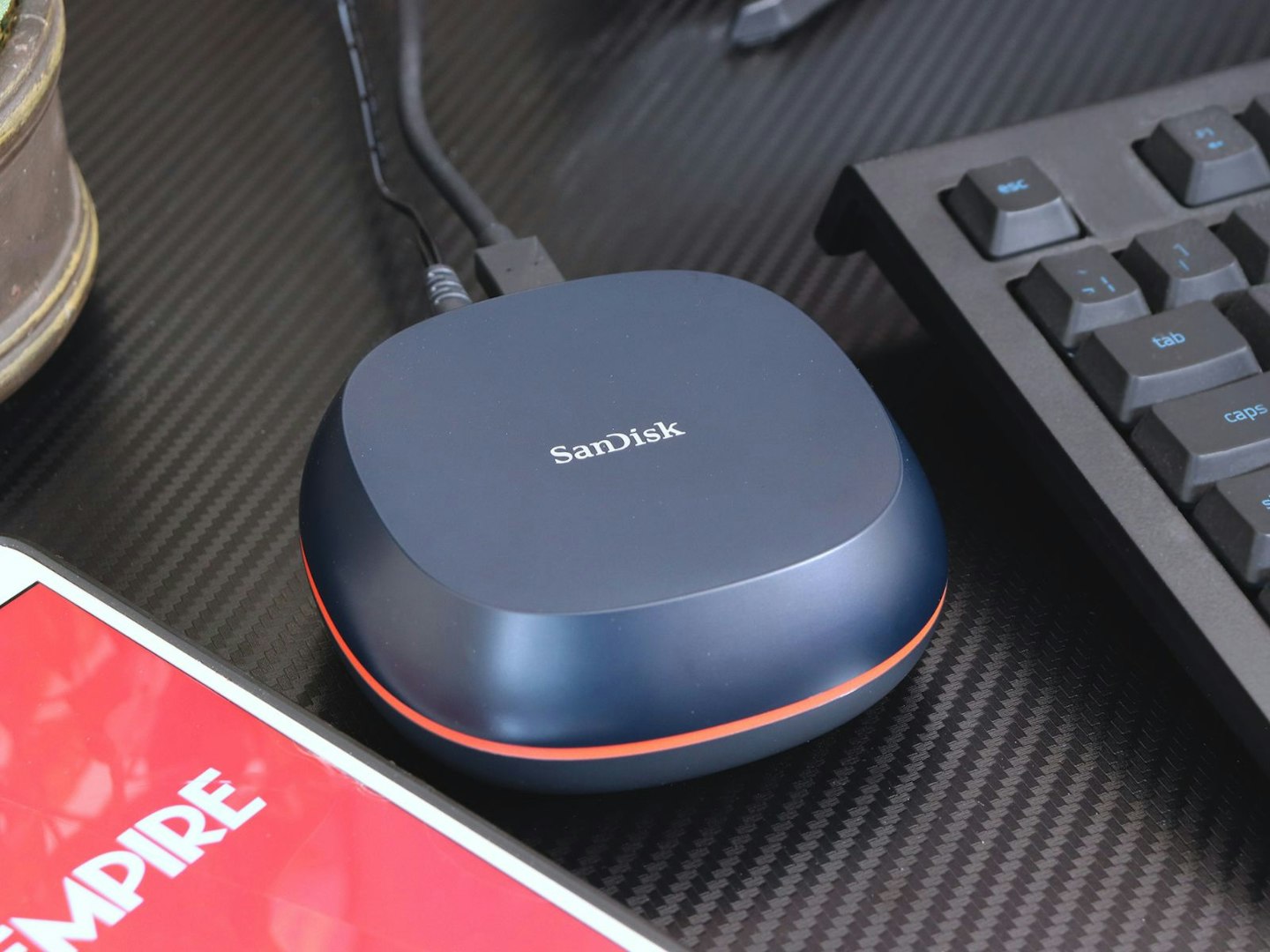
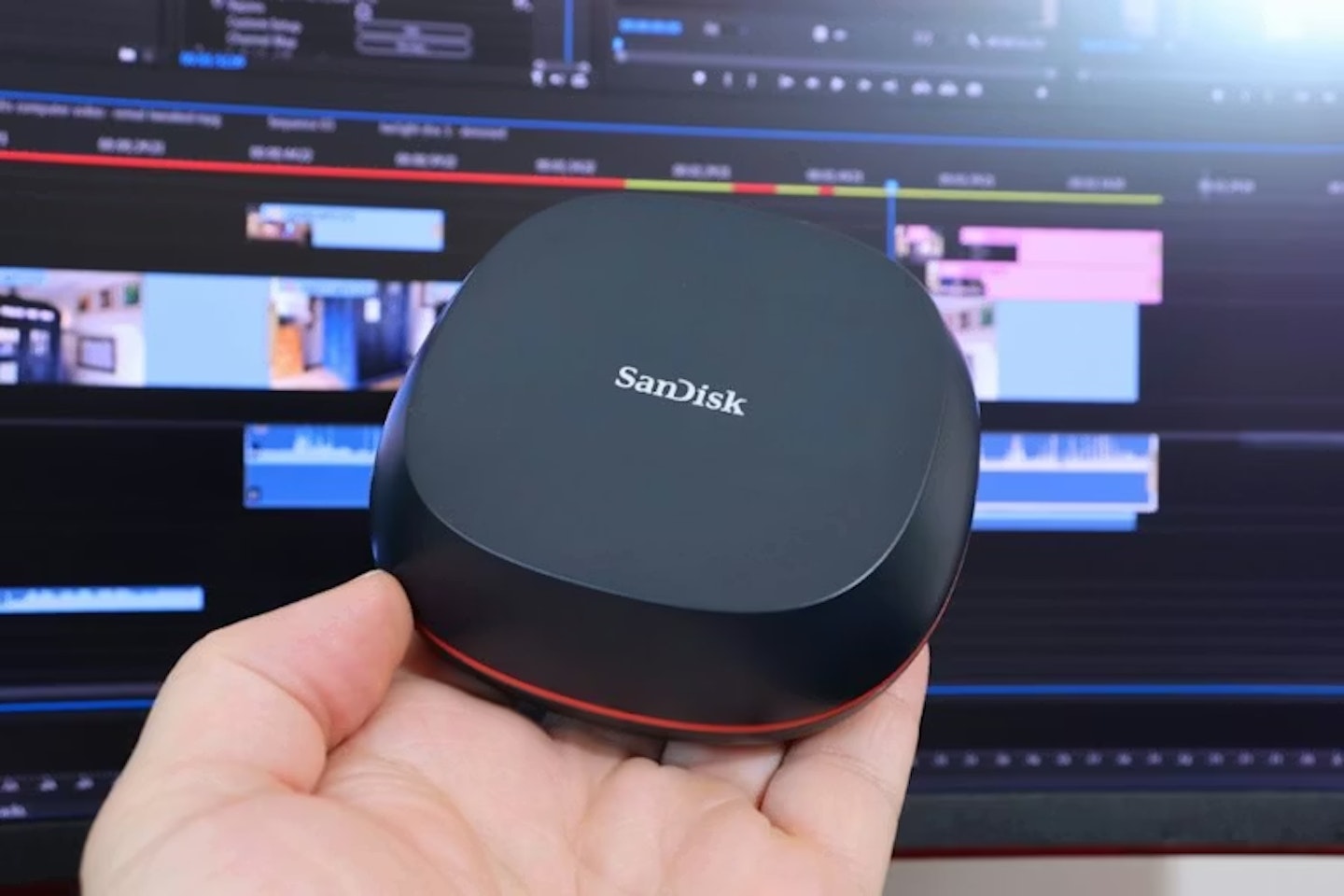
Not all external SSDs are small – this SanDisk Desk Drive has 8TB of games storage. ©Chris Duffill, Empire
How We Chose The Best SSD for Gaming
We’ve used SSDs of various types with our gaming rigs, including testing the massively capable SanDisk Desk Drive (part of our line-up below). With various types of internal and external drives on offer, we’ve found the best on the market and put them into helpful categories – including budget, ultra-budget and high-capacity options for those with deeper pockets – and have only recommended SSDs from renowned brands like Kingston, Samsung and Seagate. Beyond that, our selection of the best SSDs for gaming is based on average user reviews, price, and suitability for each use case. We’ve considered capacity, interface type, read/write speeds, design and build. Retailers are selected based on price, availability and reputation as reliable and trusted sellers. Find out more about how we recommend products.
Best SSD for Gaming of 2026
Researched & recommended
Best SSD for Gaming overall
 Samsung
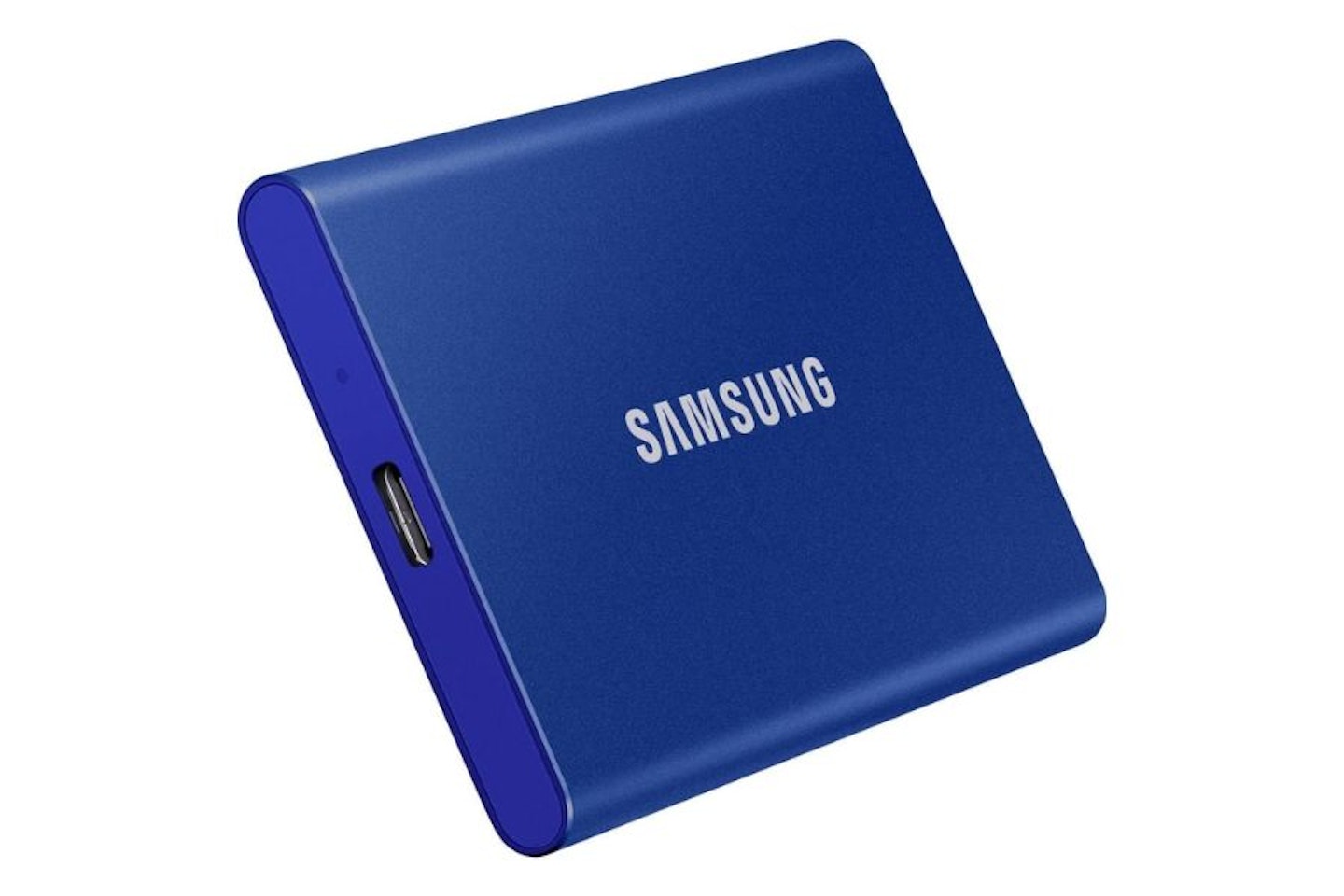
Newer games often reach or exceed the 70GB mark. With this Samsung T7 hooked up to your rig you could store that 28 times over. We think this is a brilliantly capable external SSD for a lot of extra storage in an instant. With 2TB of space and speedy USB-C read/write performance, its a perfect upgrade for any laptop, PC or handheld gaming machine equipped with USB-3 or USB-C ports. This much space will have you installing more games, downloading huge updates or transferring large files between systems if you need to.
Design-wise, we love the metal casing and slim lines here. It’s also small and light, allowing it to be placed out of sight. Some users report that the T7 can get warm during heavy use but that’s totally normal for these compact, passively-cooled drives. All in all, we think this hits the sweet spot when it comes to price, storage space, and performance – and all from an equally solid brand.
Pros
- Fast enough for gaming use thanks to ~1000 MB/s read write speeds
- A neat pocket-friendly design with a robust metal casing
- Huge compatibility across multiple devices thanks to USB connectivity
Cons
- No water or dust resistance rating, so despite the metal casing you’ll need to avoid spillages and exposure to dust, dirt and the elements
| Type | External SSD |
| Capacity | 2TB |
| Speed | Sequential read/write speeds of up to 1,050/1,000 MB/s |
| Controller | DRAMless NVMe controller (Samsung “Pablo”) |
| Onboard RAM | No – onboard TurboWrite SLC cache |
| Connectivity | USB 3.2 Gen 2 Type-C |
| Dimensions | 85 x 57 x 8 mm |
| Weight | 58g |
Researched & recommended
Best budget SSD for gaming
 Kingston
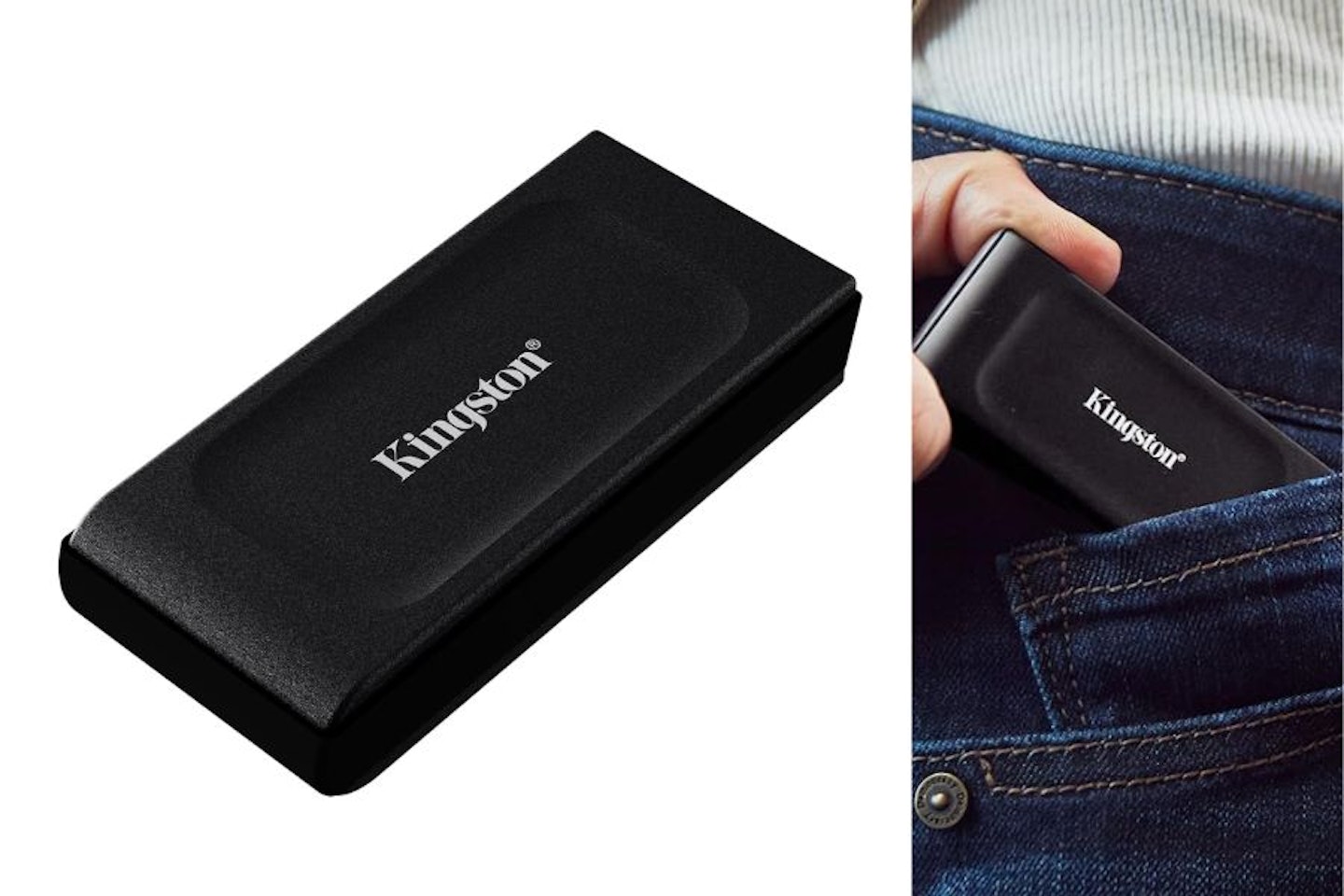
Not only is this pocket-sized, it’s also capable enough for faster saving, loading and game downloads. As a USB 3.2 drive it’s also highly practical – plug into the USB-3 port of any desktop, laptop, handheld PC or leading console and you’re good to go. Price is obviously a big draw here for any gamer looking to make the leap to SSD for less – but thankfully that doesn’t mean sacrificing speed.
Despite being only 7cm long, this Kingston has a 1000 MB/s read write rating which is on-par with other, larger external SSDs. That data rate is also more than enough for modern games to run at their best. Yes, internal SSDs run faster, but that only speeds up large file transfers and a handful of the most demanding titles. For the rest of us, this 1TB wonder is the budget plug-and-play answer to your storage limit woes. There’s no IP protection against water or dust though, so keep it safe when out and about.
Pros
- Extreme portability but with the speed and capacity of much larger external SSDs
- No extra cables required – plugs right in
- Includes a USB-C to USB-A adapter for use with other devices
Cons
- No IP resistance rating against water or dust, so keep this well protected when on the move
| Type | External portable SSD |
| Capacity | 1TB |
| Speed | Up to 1,050 MB/s read, 1,000 MB/s write |
| Controller | Silicon Motion SM2320 |
| Onboard RAM | None (DRAM-less) |
| Connectivity | USB 3.2 Gen 2 Type-C |
| Dimensions | 69.54 x 32.58 x 13.5 mm |
| Weight | 28.7 grams |
Researched & recommended
Best external SSD for gaming
 SanDisk
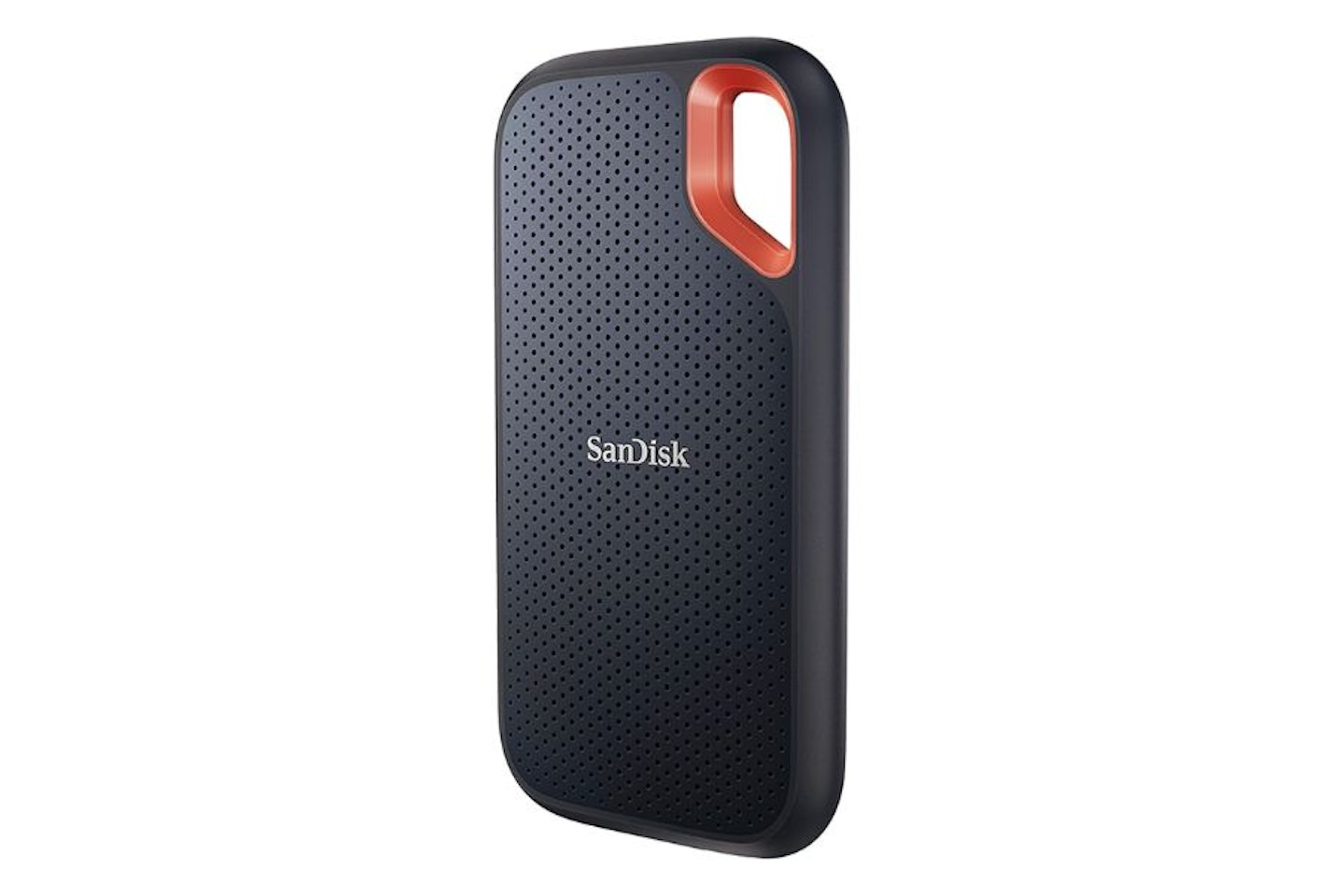
External SSDs are everywhere, but none tick quite as many boxes as this SanDisk Extreme. While any USB drive can be plugged in and sit quite happily on the desk, this one will travel extremely well too thanks to its IP65 water and dust resistance. The design gives away its portability, with a carabiner loop and rugged impact-resistant finish.
We love the slim case and solid build on offer – making it a practical and convenient addition to any laptop bag for players on the move. 2TB is also an excellent amount of extra room for multiple game downloads, so this will upgrade any gaming device with a USB-3 or C port. SanDisk is also a top-tier brand, so you can trust it to keep your precious game data safe.
Pros
- A meaningful amount of extra storage space for all gamers with low-hassle installation
- Slim enough to sit alongside any gaming laptop or desktop rig
- Strong and well designed for maximum strength and portability
- IP65 water and dust resistant
Cons
- The utilitarian design may not be for everyone
| Type | External portable SSD |
| Capacity | 2TB |
| Speed | Up to 1,050 MB/s read, 1,000 MB/s write |
| Controller | WD (SanDisk/WD proprietary, variant of SN550E) |
| Onboard RAM | None (DRAM-less for 2TB version) |
| Connectivity | USB 3.2 Gen 2 Type-C |
| Dimensions | 100.54 x 52.42 x 9.63 mm |
| Weight | 52 grams |
Researched & recommended
Best SSD for Xbox Series X
 WD_BLACK
Rrp: £149.99
Price: £119.99
Alternative retailers
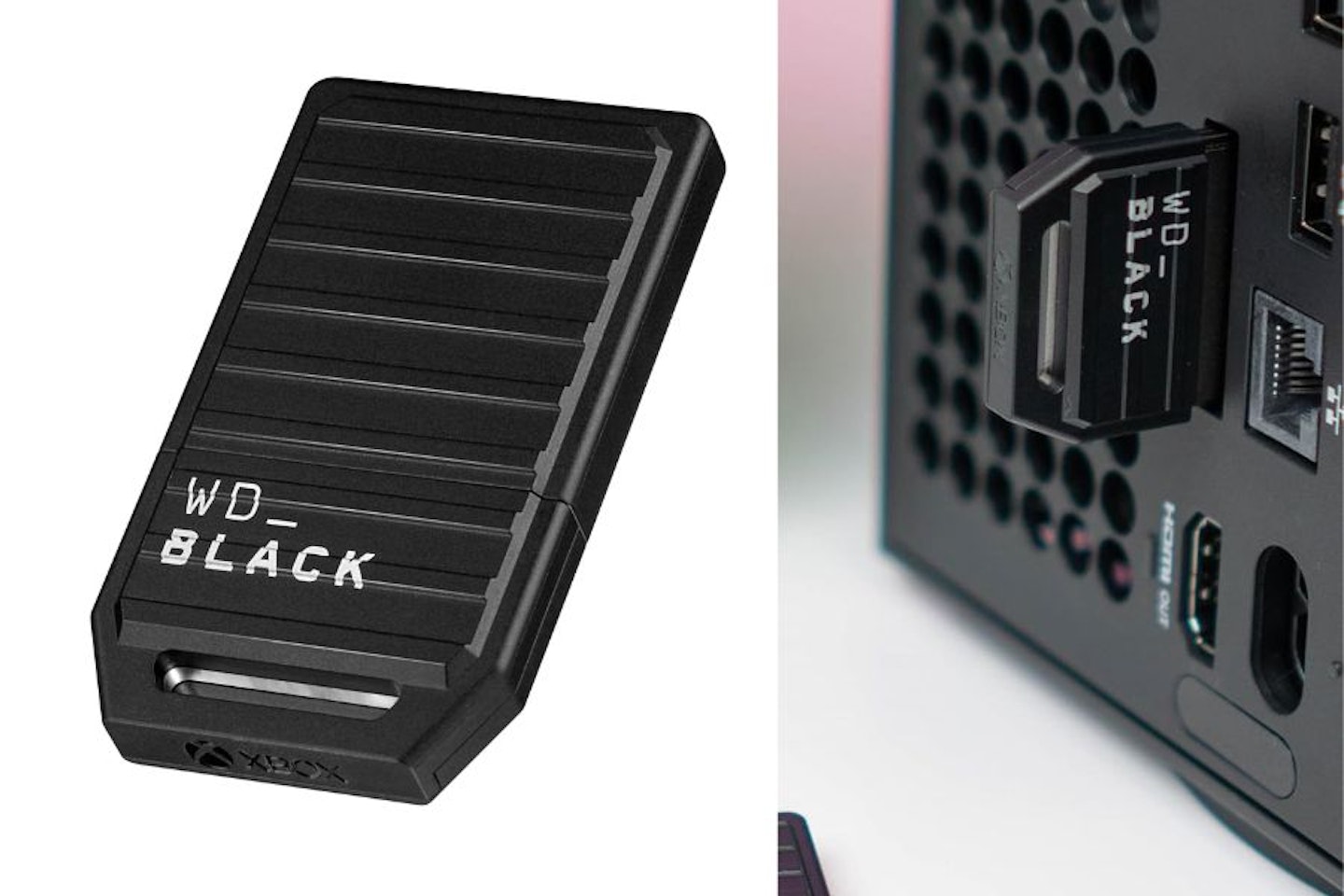
Consoles are famously under-specced when it comes to onboard storage. Other than a limited edition that came with 2TB, the standard Xbox Series X has 1TB. Fine for the most part, but with some modern AAA game downloads topping 200GB, even the average gamer can find themselves short on space. Enter the WD_BLACK C50 Expansion SSD.
WD_BLACK is a gaming-focused sub brand of Western Digital that appeals to gamers thanks to its understated ‘pro gamer’ design and high-end performance. What we love about this SSD is that it’s fully licensed by Xbox and works with the advanced architecture of the Series X and Series S. It does this by plugging directly into the expansion port, making for a neat install and supporting the highest speeds possible on the console – up to 2,400 MB/s. That’s over double the speed of the external drives on this list. And if this is a little too pricey, or not large enough, you’ll be glad to know that 512GB and 2TB versions are also available.
Pros
- Fast and seamless extension of Xbox storage without having to open any panels
- Retains full performance of the Xbox’s Velocity Architecture
- Instantly doubles the default internal storage space of Xbox Series X
- Officially licenced by Xbox for guaranteed compatibility
Cons
- Unlike others here, this is a proprietary interface so cannot be used with anything other than Xbox X or S
| Type | Xbox Series X/S Expansion Card (external) |
| Capacity | 1TB |
| Speed | Up to 2,400 MB/s (limited by Xbox interface) |
| Controller | Proprietary, Xbox compatible |
| Onboard RAM | Not disclosed |
| Connectivity | Xbox Expansion Slot (proprietary) |
| Dimensions | 55 x 32 x 8 mm |
| Weight | 28 grams |
Rrp: £149.99
Price: £119.99
Researched & recommended
Best SSD for PS5
 Acer
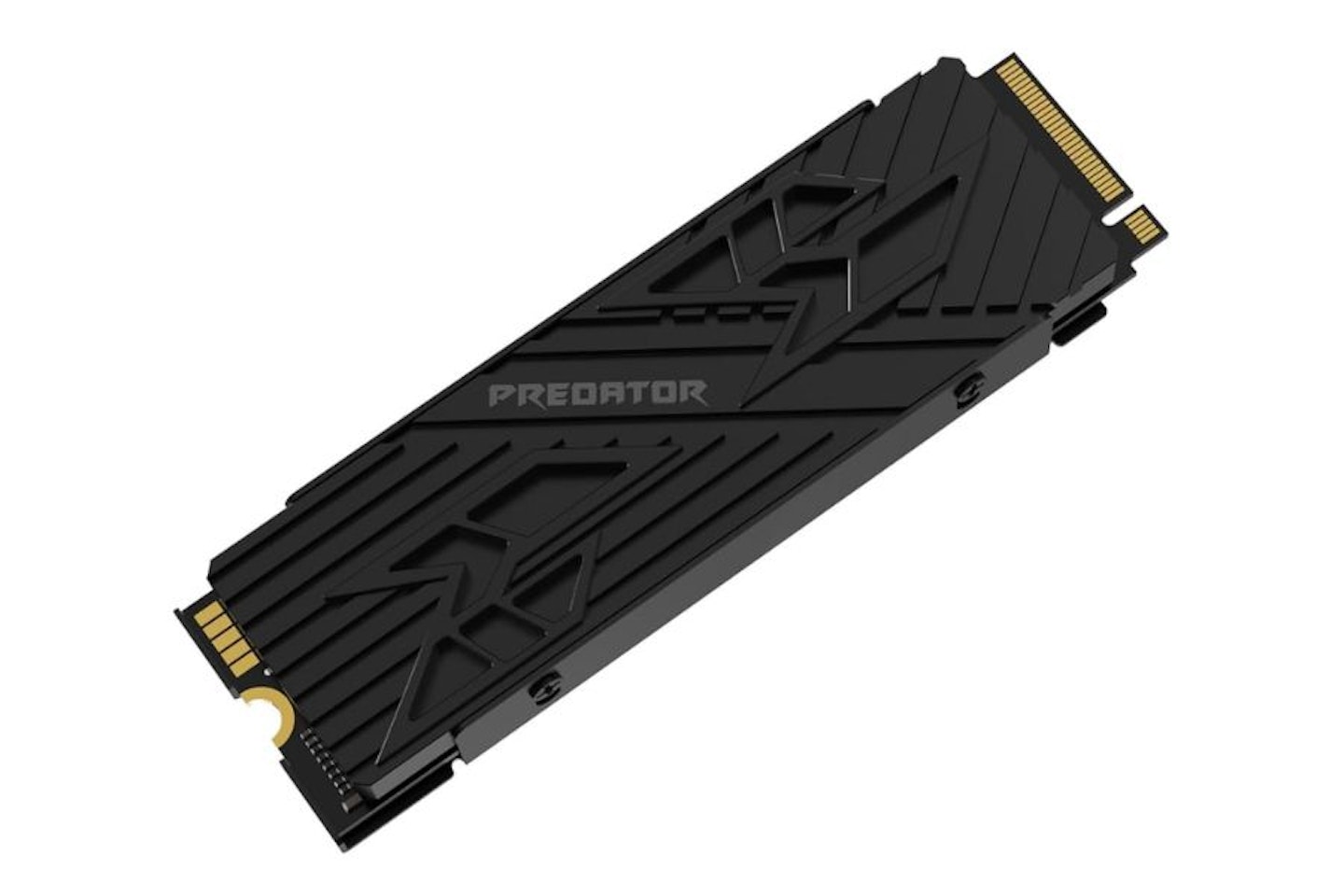
AcerPS5 owners get a neater solution than the Xbox and have a much easier time of it than PCs, laptops or handhelds like the Steam Deck when it comes to upgrading the internal SSD. Sony has handily placed the SSD expansion slot on the underside of the console. Simply pop off the case panel, unscrew the M.2 SSD slot cover, slide the new SSD inside and reboot the console. The slot could take any number of compatible M.2 gumsticks, but this Acer Predator GM7000 is the winning choice for us.
Other than coming from a renowned gamer-centric brand, the advanced heatsink on this SSD is a brilliant addition that will improve performance by keeping temps under control. Plus, this one has its own RAM – the 1GB DRAM onboard provides a bit more oomph for file transfers as well as overall performance. And speaking of performance, this SSD can achieve a staggering 7,400 MB/s read speed, putting it on a par with internal SSDs for PCs. Like the Xbox expansion, this extra 1TB of space is a welcome upgrade – just be aware that many PS5 game downloads are large, so some owners may soon need more. That said, this Acer Predator is a quick and easy expansion for most, the process being largely the same for the PS5 Slim as well. Sony has an excellent PS5 SSD installation guide video for newcomers. We think this is the ideal solution for any games library that’s bursting at the seams.
Pros
- Built-in heatsink helps to maximise performance
- High read/write speeds thanks to the PS5’s accessible internal M.2 slot
- 1GB of DRAM onboard will help with large file transfer speeds and general performance
- Top quality build from a renowned gaming brand
Cons
- Modern PS5 games are large, with some titles topping 200GB, so this 1TB drive may fill up quickly for some users
| Type | Internal M.2 2280 SSD (with heatsink) |
| Capacity | 1TB |
| Speed | Up to 7,400 MB/s read, up to 6,500 MB/s write |
| Controller | InnoGrit IG5236 |
| Onboard RAM | 1GB DRAM |
| Connectivity | M.2 PCIe Gen4 x4 NVMe |
| Dimensions | 80 x 22 x 10.4 mm |
| Weight | 33.5 grams |
Researched & recommended
Best SSD for gaming laptops
 Crucial
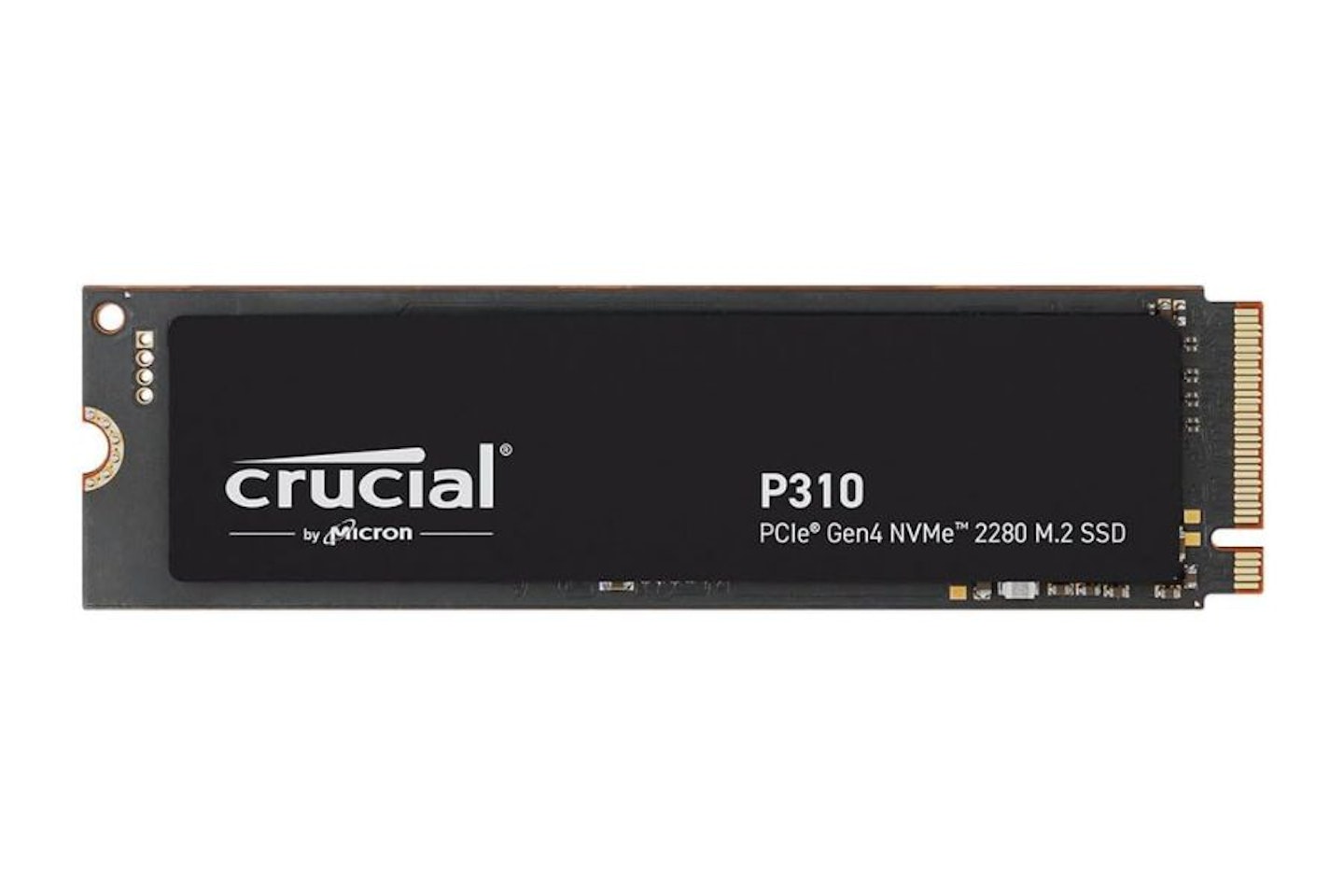
The vast majority of recent laptops have an M.2 2280 PCIe slot (2280 representing 22mm wide and 80mm long), so this P310 from Crucial is a fitting way to upgrade any laptop that currently has a small primary SSD. This gumstick will give you an instant 2TB of storage space – more than enough for your operating system (which will boot so much faster) plus a generous games library. With support for Gen 4 PCIe speeds, write speeds here are a brilliant 7,100 MB/s.
Also, you don’t ned to worry if your laptop has an older Gen 3 or 2 PCIe M.2 slot, as PCIe is backward compatible. As with most new high speed tech, just be aware that attaching a faster drive to a slower slot or port will limit its speed to that of the interface. At this price you won’t find any onboard RAM but, thanks to its high read/write speeds, that omission is far less important for gameplay. With chip maker Micron withdrawing the Crucial brand as part of a restructure, now is the time to buy this well-regarded SSD at a sensible price.
Pros
- Good compatibility across most laptops thanks to PCIe Gen 4 M.2 2280 slot
- The Micron NAND chip here is well regarded for reliability
- As a 2280 M.2 gumstick, this could be used in all kinds of computers as well as laptops if needed
Cons
- No onboard RAM (DRAM) which is something to consider if you need fast transfer speeds for large files
| Type | Internal M.2 2280 SSD |
| Capacity | 2TB |
| Speed | Up to 5,000 MB/s read, 4,200 MB/s write |
| Controller | Phison E21T |
| Onboard RAM | None (DRAM-less) |
| Connectivity | M.2 PCIe Gen4 x4 NVMe |
| Dimensions | 80 x 22 x 2.4 mm |
| Weight | 17 grams |
Researched & recommended
Best m.2 SSD for gaming desktops
 Samsung
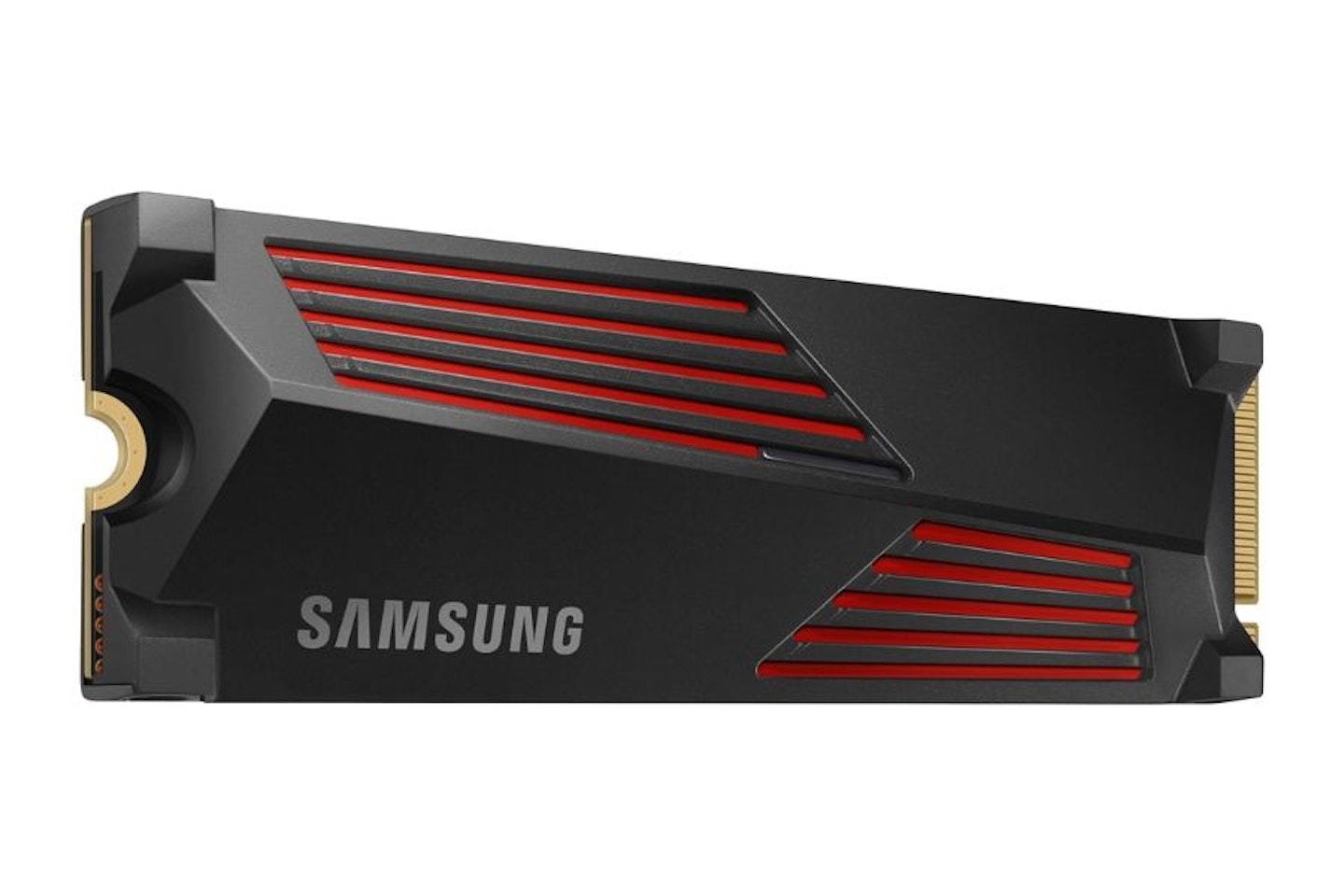
 Our pick for the best M.2 SSD for gaming on a desktop setup, this Samsung 990 PRO has a striking design and build. Every gamer takes pride in their rig, from the bends in their water-cooling system and colour-coordinated RGB to super-neat cable management, so Samsung’s gamer-centric angular heatsink with inset red accents is a fitting addition. Even if your motherboard’s M/2 slot is hidden by a panel, knowing that this 4TB self-cooling beast lies underneath make this a reassuring addition to any serious gaming desktop.
The only slight downside with this 990 PRO is that slightly chunky heatsink, so we recommend checking the measurements and making sure it’ll fit your system first. Elsewhere, there’s a huge 4GB of onboard DRAM to boost file transfers and general performance, supporting those lightning-fast 7,450 MB/s read, 6,900 MB/s write speeds. And if you like the Samsung 990 PRO’s heatsink technology but the 4TB version is outside of your budget, there are also 1TB and 2TB versions available.
Pros
- Excellent heatsink design to help maintain cooler temps for your rig
- A huge amount of extra storage with plenty of room for large libraries and future games downloads
- Large onboard DRAM for speedy file transfers and general performance boost
Cons
- Check you have the room on your motherboard for the slightly chunkier heatsink-based design
| Type | Internal M.2 2280 SSD (with heatsink) |
| Capacity | 4TB |
| Speed | Up to 7,450 MB/s read, up to 6,900 MB/s write |
| Controller | Samsung Pascal (Elpis) |
| Onboard RAM | 4GB LPDDR4 DRAM |
| Connectivity | M.2 PCIe Gen4 x4 NVMe |
| Dimensions | 80 x 25 x 8.2 mm |
| Weight | 30g |
Researched & recommended
Best ultra-budget SSD for gaming
 Integral
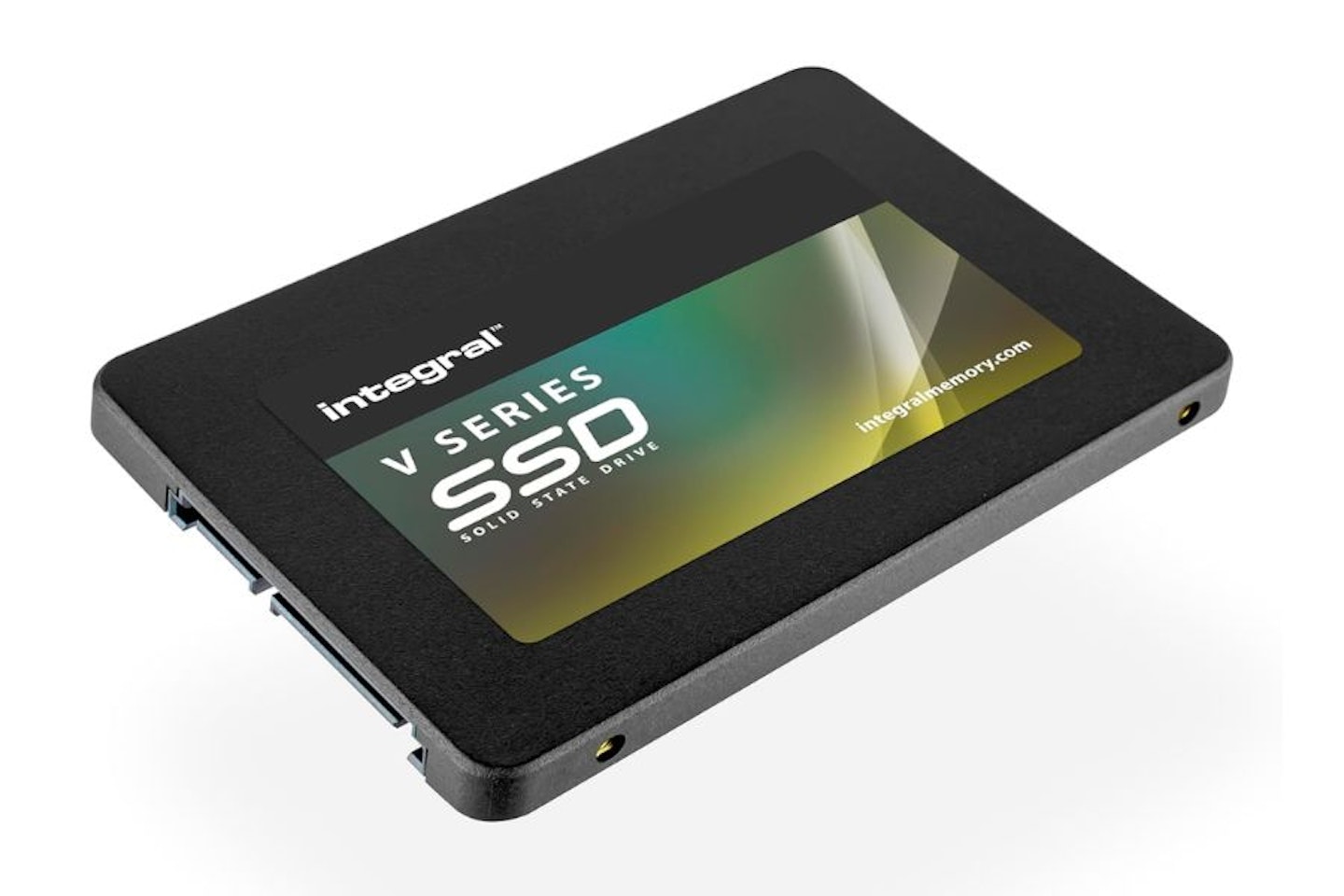
 Given the assortment of inferior external SSDs on the market from unknown brands, we’re looking at something different for our ultra-budget pick. Spending a small amount on an SSD can often be a cost-effective way of upgrading an older machine. For gaming PCs and laptops this may well mean swapping out a 2.5-inch SATA hard drive for an SSD equivalent. This Integral V Series S 1TB Internal Solid State Drive will do just that, thanks to its standard 2.5-inch form factor and SATA III connection.
Read and write speeds are around the 540 MB/s mark – close to the upper limit of the SATA III connection itself. So, if your aging gaming rig needs an extra terabyte of room for your downloads (or if you’re replacing the primary drive operating system) you’ll see faster load times all round. At a shade under £60 from such a renowned brand, this is a high-value low-cost upgrade.
Pros
- One of the simplest ways to upgrade an older PC or laptop to SSD
- Being solid state with silent operation, this is a good reason to swap out that noisy SATA HDD
- Lower power consumption that regular hard drives
- A solid 2.5-inch case from a reliable brand
Cons
- As a SATA III drive, your maximum speeds are still great but limited by the connection to the motherboard compared to M.2 SSDs
| Type | Internal 2.5-inch SATA SSD |
| Capacity | 1TB |
| Speed | Up to 520 MB/s read, 470 MB/s write |
| Controller | Silicon Motion SM2259XT |
| Onboard RAM | None (DRAM-less) |
| Connectivity | SATA III (6Gbps) |
| Dimensions | 100 x 69.85 x 7 mm |
| Weight | 40 grams |
Hands-on tested
Best high-capacity SSD for gaming
Rrp: £663.99
Price: £599.00
Alternative retailers
When we tested this SanDisk Desk Drive we found that it offered top-tier performance and enviable storage capacity with a whopping 8TB. We’re also fans of the small form factor and weighty, substantial build – as such it’s a silent and more attractive alternative to most of the desktop HDDs we’re used to.
The Desk Drive claims an impressive read speed of 1000 MB/s over a USB-C connection. We tested the read/write speeds with CrystalDiskMark and both came in at around the 900 MB/s mark. The only slight downside is that it relies on an external mains adapter. So, despite being palm-sized, it isn’t truly portable for gaming without mains power.
Make no mistake, the SanDisk Desk Drive is a costly top-tier solution. However, for gamers who need immense storage and easy access to their expanding collections it’s a wonderfully compact and attractive SSD that will liberate you from those large, noisy HDDs.
Pros
- Massive capacity for any PC or laptop gamer
- Extremely well built and designed – robust yet tactile SanDisk reliability
- Leading-edge read speeds of up to 1000 MB/s
Cons
- Small enough to travel with but not truly portable as it requires an external power supply
| Type | External SSD |
| Capacity | 8TB |
| Speed | Up to 1000 MB/s (read/write) – test results ~900 MB/s |
| Controller | Not disclosed |
| Onboard RAM | Not disclosed |
| Connectivity | USB 3.2 Gen 2 Type-C |
| Dimensions | 115 x 115 x 42 mm |
| Weight | 350g |
Rrp: £663.99
Price: £599.00
Researched & recommended
Best SSD for gaming handhelds
 Acer
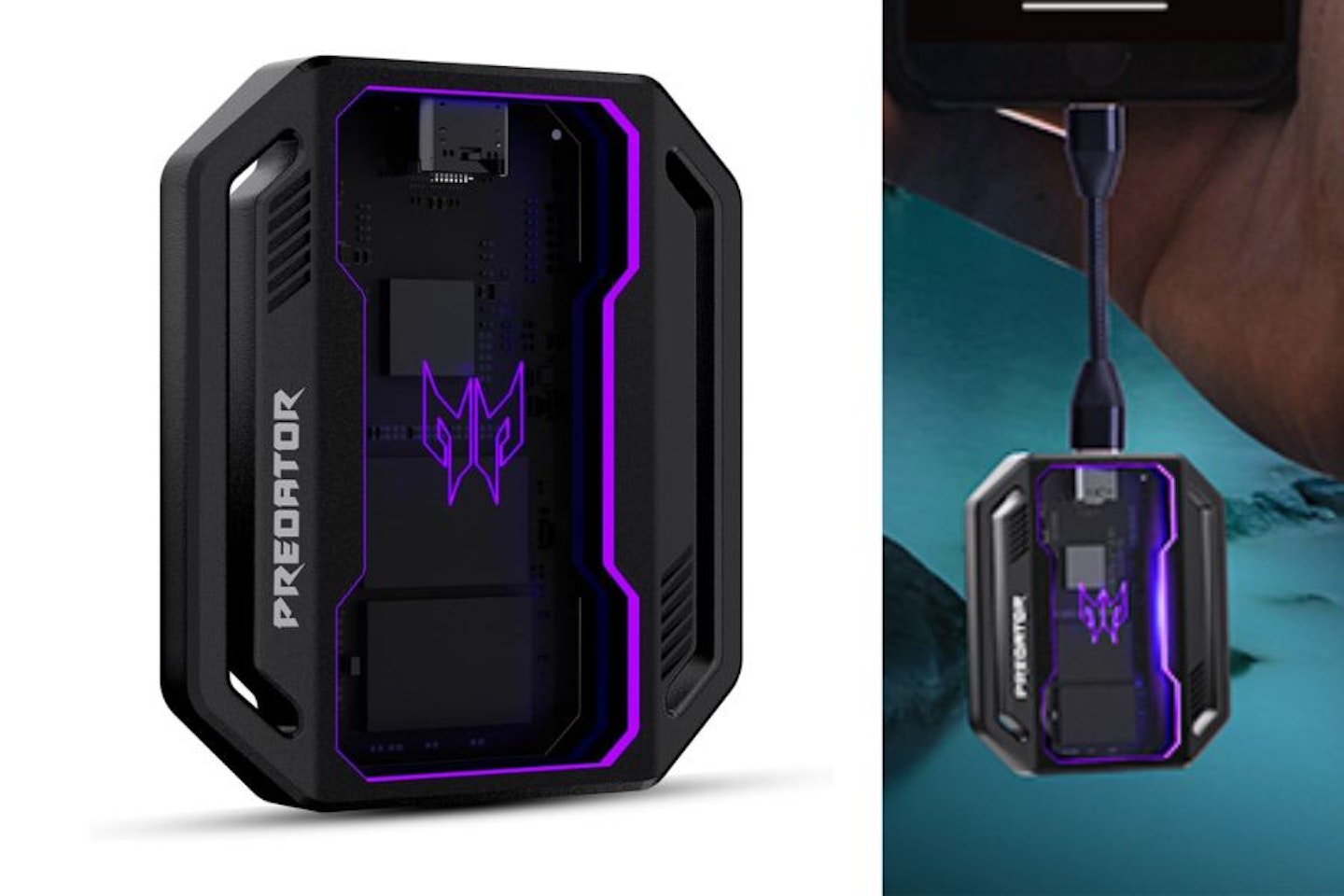
Acer The beauty of an SSD like this Predator GP30 from Acer is that it’s small enough to pack away with a handheld console without necessarily needing a larger case or bag. The joint stars of the show here are the robust gamer-orientated design and onboard RGB lighting. Plug this into any handheld gaming PC and, unlike the average portable SSD, it won’t look out of place. It has an excellent 1,000 MB/s read/write speed too.
And if you’re wondering how to add this neatly, you can still achieve a smart look with a compatible case that has built-in attachments for accessories – like the JSAUX ModCase for Steam Deck. However, if you are more technically inclined and fancy upgrading the internal SSD in your your Steam Deck or ROG Xbox Ally there’s an alternative: the small but mighty WD_BLACK internal NVMe 2TB SSD will fit perfectly. But for everyone else, this is a lit beast of an SSD for your handheld.
Pros
- Customisable RGB lighting adds some gamer bling to your handheld
- Solid metal shell – will put up with being taken out and about
- Compatible with a wide range of handhelds as well as any other computer with USB-C
Cons
- Lighting adds a little more bulk than others
| Type | External portable SSD |
| Capacity | 1TB |
| Speed | Up to 1,000 MB/s read, 1,000 MB/s write |
| Controller | Silicon Motion SM2320 |
| Onboard RAM | None (DRAM-less) |
| Connectivity | USB 3.2 Gen 2 Type-C |
| Dimensions | 109 x 40 x 15 mm |
| Weight | 90g |
Expert’s Choice: The Best SSD for Gaming
For sheer value for money and flexibility, our favourite here is the Samsung T7 Portable SSD Indigo-blue 2 TB. It may not be quite as speedy as many internal SSDs, but with an impressive, gamer-friendly 1050 MB/s read speed (and no need to access the internal motherboard to upgrade your machine’s storage) we think this is a fantastic all-rounder and a meaningful storage upgrade. If you’re looking for an internal SSD the Crucial P310 2TB SSD M.2 is our best SSD for laptops pick. It’s 2TB capacity is enough to make a difference to your laptop (or PC) boot times if it’s the only drive in your system, as well as boost the performance of a large collection of AAA games.
| At a glance: Samsung T7 Portable SSD v Crucial P310 2TB SSD M.2 | ||
|---|---|---|
| Samsung T7 Portable SSD | Crucial P3 2TB SSD M.2 | |
| Form factor | External Portable SSD (2.5″ class, USB-C) | Internal SSD (M.2 2280) |
| Capacity | 2TB | 2TB |
| Read speed | Up to 1050 MB/s | Up to 7,100 MB/s/s |
| Write speed | Up to 1000 MB/s | Up to 6,000 MB/s |
| Connectivity | USB 3.2 Gen 2 (USB-C) | PCIe Gen3 NVMe (M.2 interface) |
| Verdict | ||
| For sheer value for money and flexibility, the Samsung T7 Portable SSD 2TB is a fantastic all-rounder, pairing respectable speeds with easy, plug-and-play expansion. The Crucial P3 2TB SSD M.2, meanwhile, delivers dramatically faster read and write speeds — ideal for internal upgrades that demand high performance for boot or game storage. Both make a meaningful upgrade, but the T7 excels at versatility and simplicity, while the P3 is best for those focused on speed above all. | ||
Best SSD for Gaming: What To Look For
Here are some of the things to consider before you buy. If you’re new to SSDs, you can read more about the core technology behind them, and more, in our jargon buster section.
Do you really need an SSD?
Unless you’re happy with your gaming experience just the way it is, we think that upgrading to an SSD from any HDD is a no-brainer. Reliability is excellent as they don’t rely on mechanical arms and spinning discs to read and write your files. That’s also why SSDs are much quicker for data retrieval thanks to those higher read/write speeds, as well as being smaller, cooler and more efficient to run.
Although SSDs are the clear winner in terms of portability and speed, terabyte-for-terabyte they’re still more expensive than normal hard drives – especially capacities over 2TB. All that said, if we had a choice between a 1TB SSD or a cheaper 2TB HDD for a gaming PC, we’d choose the SSD every time.
How much storage space do you really need?
While we think it’s almost always a great idea to go for more storage than you need to keep things as future-proof as possible, sometimes – and especially with SSDs – that can work out to be expensive. Speed aside, the most obvious reason to upgrade is to boost your game storage space, so it’s worth taking stock of your current games library and gauging how many games you regularly play. This can include new downloads and those old favourites you find yourself revisiting.
With most AAA game downloads topping 80GB (and titles like Call Of Duty: Black Ops 7 approaching or even exceeding the gargantuan 200GB mark), we recommend 1TB as a minimum and anything upward of 2TB as an ideal storage baseline for most players. And don’t forget expansion packs and updates either. If you’re used to settling down in your gaming chair while you wait for your update queue to finish, you’ll be glad of that extra speed and space. Gamers with very large libraries who don’t want to uninstall any titles are going to need the largest gaming SSD capacity – and aim equally high when it comes to their budget.
SSDs have different speeds
When it comes to the most responsive loading and saving times, SSD is the only game in town. But these drives are not all made equal. Usually there are two things that dictate the speed of an SSD: the hardware itself (the speed the manufacturer claims the drive will read and write at, measured in gigabits per second), and the connection type. More on that last one in a moment.
As for SSD speeds, this comes down to each manufacturer’s NAND chip design, but also depends on whether or not the SSD has its own dedicated RAM cache memory (which you may see listed as DRAM). This RAM enables the SSD to more efficiently read and write its data. SSDs without their own RAM can be cheaper and will work well – just not quite as fast as those that do have it.
If large file transfers such as game installs, downloads, updates, or copying libraries are important to you, look for PCIe 4.0 NVMe SSDs with read speeds around 7,000 MB/s. While this won’t noticeably increase in-game performance, it can significantly reduce install and transfer times. And remember that, in most cases, the write speed will be a little slower than the read speed.
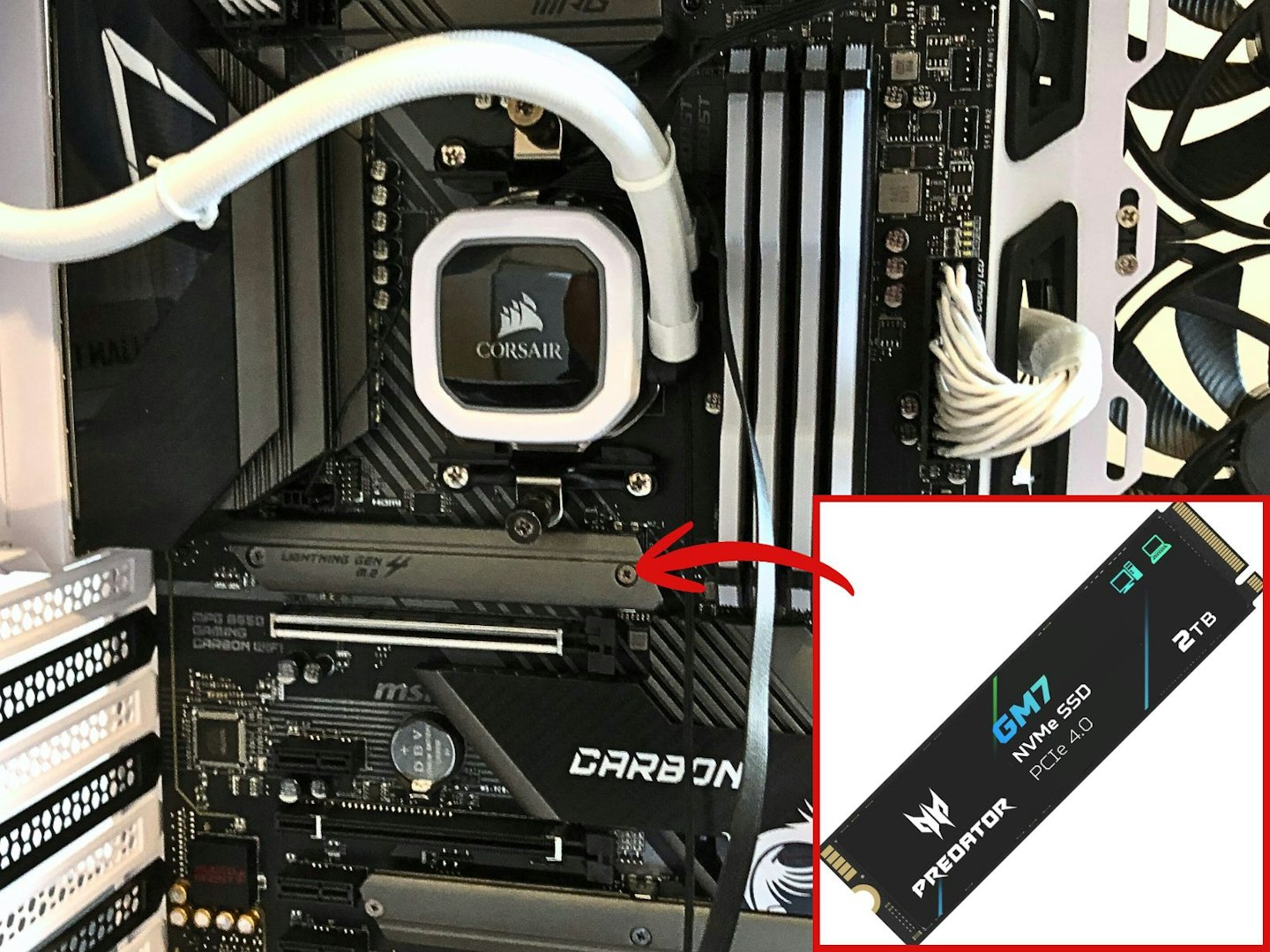
The M.2 slot on an MSI motherboard is concealed behind a removable panel. ©Chris Duffill, Empire
What interface does your SSD need?
While most consoles and PCs will have high speed USB-C or USB-3 ports available for external SSDs, internal versions are a more complex breed. For PC or laptop gamers, it’s crucial to know the interface of your SSD before you buy.
PCIe is the modern connection standard for both PCs and laptops when it comes to internal SSDs. An M.2 NVMe PCIe SSD plugs into the PCIe M.2 slot on your motherboard. To break that name down:
M.2 is the physical size of the slot (and therefore the M.2 SSD too). This can vary, as there are different widths and lengths of M.2, so check your motherboard first. Some shorter sticks will still fit in a 2280 slot. Due to their appearance, these are often called ‘gumstick’ SSDs.
NVMe is the communication method the SSD uses, enabling the best speeds.
PCIe describes the high-speed data pathway of a slot on the motherboard that supports the SSD’s NVMe protocol.
However, the crucial thing to look for here is the PCIe version. The vast majority of modern tech will support PCIe 4.0 (including the PS5) and the latest high-end PCs and laptops will go as high as version 5.0. The good news is that if your gaming rig has a motherboard with a PCIe 5.0 M.2 slot, it’s backwards compatible. So, as long as you buy the right M.2 SSD size for the slot, you’ll be able to use the more cost-friendly PCIe 4.0 SSDs with it. At the moment, at over twice the speed of its predecessor, PCIe 5.0 is a pricey option, mostly appearing in cutting edge media-authoring systems or pro gaming rigs.
SATA is a communication language rather than a ‘port type’. If your machine is slightly older, you may find your motherboard only has SATA connections for its 2.5-inch drives. You’ll find plenty of 2.5-inch SATA SSD internal drives that will slot right in. Thankfully, you may find a SATA slot in your laptop’s motherboard that takes an M.2 SATA SSD. As always, check your PC or laptop specs to find out if you need a SATA drive before you buy.
As for installation, instructions vary depending on your PC laptop or console – but Kingston has an excellent generic SSD installation guide.
External SSDs can only operate at peak speeds if the connection cable and port on your device supports it. Using a USB-A/Type 2.0 cable with a USB-3 drive may limit your data throughput, as would plugging a USB-3 cable and SSD drive into a USB-2.0 port. So, check your PC, laptop or games console for its connection types and pick the fastest one.
Portability
Those who regularly take their games library, saves and updates between two or more setups will need their SSD to be light and tough. If you have extra room in your laptop bag, it would be better used for a decent gaming headset than an oversized external HDD. Our picks of portable SSDs above all have build features that will help protect your precious data while gaming on the move.
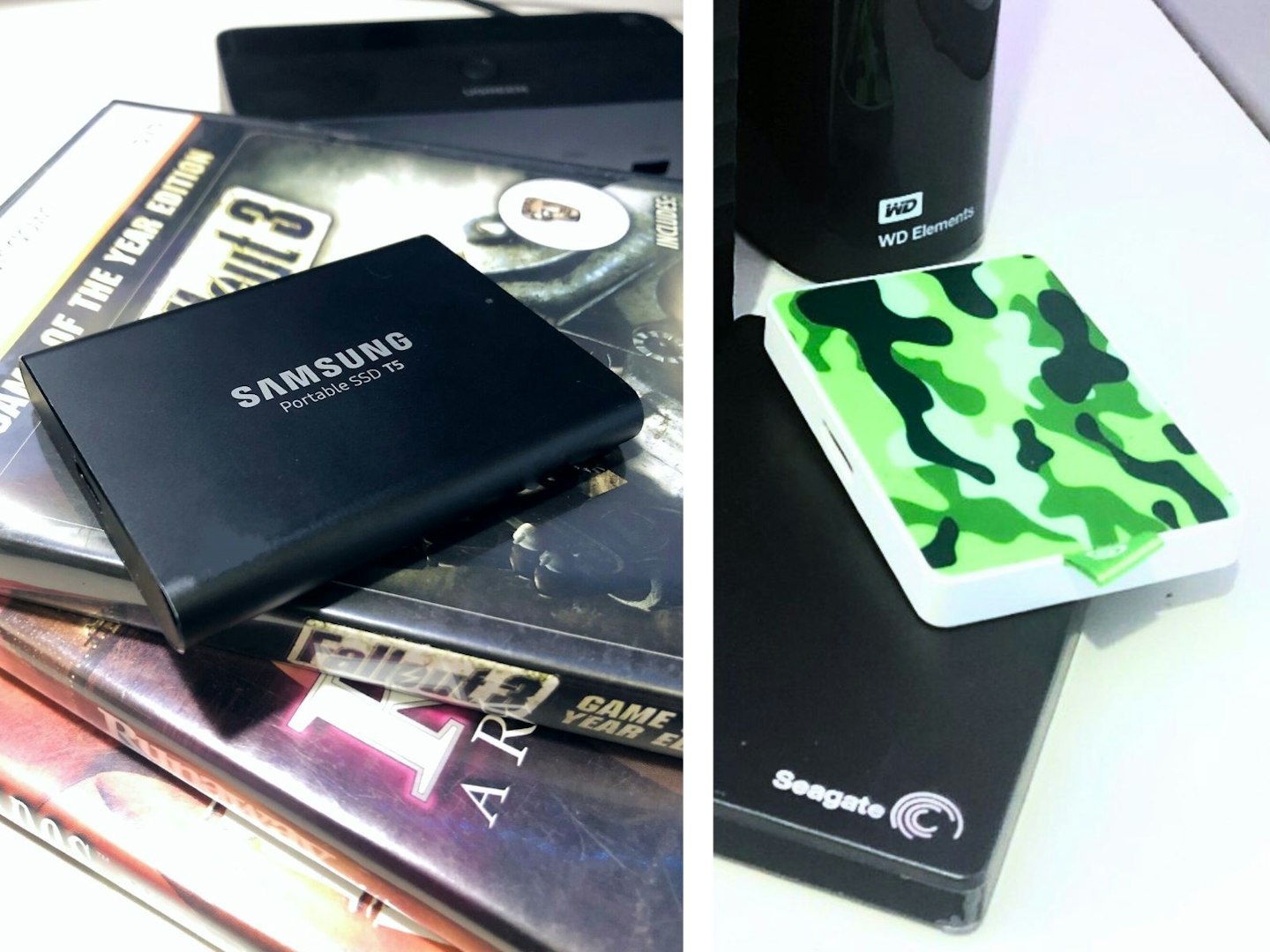
Two small external SSDs from Samsung and Seagate ©Chris Duffill, Empire
Gaming SSD Terminology
SSD (Solid State Drive)
SSDs write and read using flash memory, much like USB flash drives. Data is stored permanently (non-volatile) so is available even after the drive has been unplugged from its power source. Based around NAND chips, they have no moving parts.
HDD (Hard Disk Drive)
HDDs are mechanical storage devices that read and write information to spinning disks (or platters) via an actuator arm with magnetic heads which moves across the platter. Although this storage medium also retains the data after disconnection from power, being mechanical they are larger, more power hungry and prone to shock or vibration damage.
SSD Controller
The typical gaming SSD is more than just a chip on a stick. Like regular HDDs, they are reliant on a controller for things like error-correction, managing data transfer and controlling the spread of wear across the NAND (wear levelling). It also controls the use of the DRAM cache if present.
DRAM (Dynamic Random Access Memory)
Not all SSDs have onboard RAM, but when it is it’s used as a temporary cache. It’s really a convenient and fast area of the SSD that’s dedicated to quickly handling data as it’s being read or written. SSDs with DRAM cost more and are less power-efficient, but come with a significant speed boost for game-related tasks such as large file transfers and downloads. This is because SSDs without their own RAM simply ring-fence some of your system’s onboard RAM (or some of its own storage space) for this use. Both methods work well and on modern systems the difference is negligible and not critical for gaming.
Sequential Read/Write
This is the speed (measured in MB/s) that the SSD can read from, or write to, its internal memory in one continuous block. This is the most efficient method for transferring large amounts of data as it’s all stored in one place in the memory, as opposed to spread across it in smaller chunks. For gaming, many users look for the Random Read/Write speed (if listed) as this can be more beneficial in-game as opposed to large data transfers. This is also measured in IOPS (Input/Output Operations Per Second). This is a more relevant measure for random disk access capabilities as it counts the number of separate read/write per second. However, a better gauge of in-game performance is up is random latency.
Random latency
This measures, in microseconds, how quickly the drive can locate and access data scattered across its memory. NVMe SSDs can achieve low 20-100 microseconds of latency that translates into better performance for playing games as they often concurrently access a large amount of smaller chunks of data stored in various locations.
Form Factor
You’ll find SSDs in various shapes and sizes, from 2.5-inch internal SSD drives and M.2 (gumstick-sized) SSDs in various measurements that use codes like 2280 (meaning 22mm wide and 80mm long). External drives have the biggest size variation as they’re not restricted by having to fit inside a PC or laptop case or motherboard.
PCIe 5.0, 4.0 (and older)
Peripheral Component Interconnect Express loosely describes the expansion slots on the motherboards of consoles, laptops and PCs. However, the PCIe standard also describes the protocol it uses for high-speed data transfer. That said, most people know PCIe as a physical slot on a motherboard designed to accept expansion cards that extend the device’s capabilities. These slots can come in different sizes depending on the motherboard. The most common version of PCIe right now is Gen 4, with Gen 5 (5.0) being the cutting edge. Thankfully PCIe is backwards compatible, so new devices will work on older slots. The key benefit is that speeds are much higher than other types of connections (such as USB) because it is part of the motherboard. This is why internal PCIe SSDs are the optimum choice for gamers who want max read/write speeds.
NVMe
(Non-Volatile Memory Express) is a type of communication standard that an SSD uses when it’s connected to the motherboard via a PCIe slot. Think of it as the language used to help the PCIe connection work at its fastest rate.
NAND
The basis for SSD storage is NAND flash memory. This is the popular non-volatile storage (meaning, the data isn’t lost when the chip is unpowered) used in SSDs, and is named after the logic gate ‘NOT AND’.
USB Type A (USB 3.0 and USB 3.1)
These rectangular (Type A) connectors will work with any USB port that is this shape, though the speed of the data as it reads from and writes to the drive will vary. USB type A ports that are colour-coded blue inside are 3.0 or above. USB 3 will offer the quickest speeds, roughly double that of the black colour-coded USB ports, which are generally USB 2.0 – not fast enough to make full use of an external SSD.
USB-C
USB-C is a modern iteration of the standard USB connection. It supports the higher speeds and data bandwidth needed for SSDs and, depending on the port and the cable used, delivers higher power than standard USB-A ports.
Thunderbolt ports
Often confused with USB-C, the thing that the two have in common is the physical shape of the port. Thunderbolt (an Apple technology used in all kinds of tech, including non-Apple PCs) actually describes a faster data transfer protocol that also happens to use the USB-C port. So, all Thunderbolt ports are USB-C, but not all USB-C ports are Thunderbolt. The good news is that this port can be used with a USB-C SSD without any issues, but it’s still worth double checking that your external SSD is Thunderbolt compatible before you buy if you want the highest speeds.
Gaming SSD FAQs
What type of SSD is best for gaming?
This all depends on what system you’re gaming on. If you’re using a handheld console like the Steam Deck then, unless you’re experienced with dismantling and upgrading computers, swapping out the internal SSD isn’t for the faint-hearted. The easiest thing to do here is opt for an external SSD.
If you have the choice between an external SSD and an internal one that interfaces with the motherboard, choose the latter. You’ll get much faster speeds across the board.
As with any of these SSD options, it’s always a good idea to keep an eye on the read/write speeds we covered in our guide above to ensure great speeds for gaming. If you have the budget, go for an SSD with its own DRAM as that can seriously boost performance of the system when it comes to large file transfers.
How much should I spend on an SSD?
Opting for an SSD is always going to be more expensive than an HDD of the same storage capacity. That said, at lower capacities, the price of a gaming SSD isn’t too much more than a hard drive equivalent. However, SSD prices rise sharply once you get over the 2TB mark. Our advice is to gauge how much space you really need before you buy and avoid over-spending – unless you want to max-out your SSD storage and have the budget to match.
Is NVMe or M.2 faster?
M.2 is the form factor of an SSD, whereas NVMe is the communication method that delivers high speed operation. So, an M.2 NVMe is going to be faster than an M.2 SATA drive as NVMe is the faster protocol.
How much RAM do I need for my SSD?
This could be answered in two ways. If you know that your chosen SSD doesn’t have any working RAM of its own (such as DRAM), it may piggyback on your gaming PC or laptop’s RAM. This is a minimal concern for most gamers as the 16GB of RAM that most gaming systems have is more than capable of handling the slight overhead. The second answer relates to that onboard SSD RAM we mentioned, where 1 GB per TB is the standard rule-of-thumb.
What are the three types of SSDs?
In terms of general form factor, you’ll mainly find internal SSDs in two varieties: 2.5-inch (often also an M.2 SSD mounted in a 2.5-inch enclosure), and the M.2 ‘gumstick’ that comes in various measurements. Finally we have the external SSD that comes in multiple form factors that connect via USB or Thunderbolt.
How long do SSDs last?
Despite ‘solid state’ suggesting permanence, SSDs still have a natural lifespan that depends on the number of write operations it can take before failing. Thankfully this equates to between five and ten years of operation for the average user. Measured in TBW (Total Bytes Written), this rating is often far exceeded in practice. Compared with the similar lifespan of the average hard disk drive, SSDs are the more reliable option due to their lack of moving parts and resistance to shock or vibration.
Latest updates
This article was first published in January 2026. Future relevant additions and amendments will be noted here.
Chris Duffill is a senior tech reviewer, writing for Empire, What’s The Best, Yours, Closer, Heat and other brands. He specialises in home entertainment and audiovisual tech, including PCs and Consoles, TVs, projectors, speakers, amplifiers, turntables and more.
He’s a lifelong gamer, starting with the BBC Micro, Atari 2600, Sinclair ZX Spectrum, Commodore 64 and Nintendo Game & Watch. Now he games on Xbox Series X and PC, with a spot of retro gaming on modern recreations like TheC64, SNES Classic Mini and The Spectrum. He has decades of experience with a wide range of audio visual equipment, software and technologies thanks to a professional background in video production, photography and graphic design. He’s also a TV and movie fanatic with a Masters in Screenwriting from the UEA.