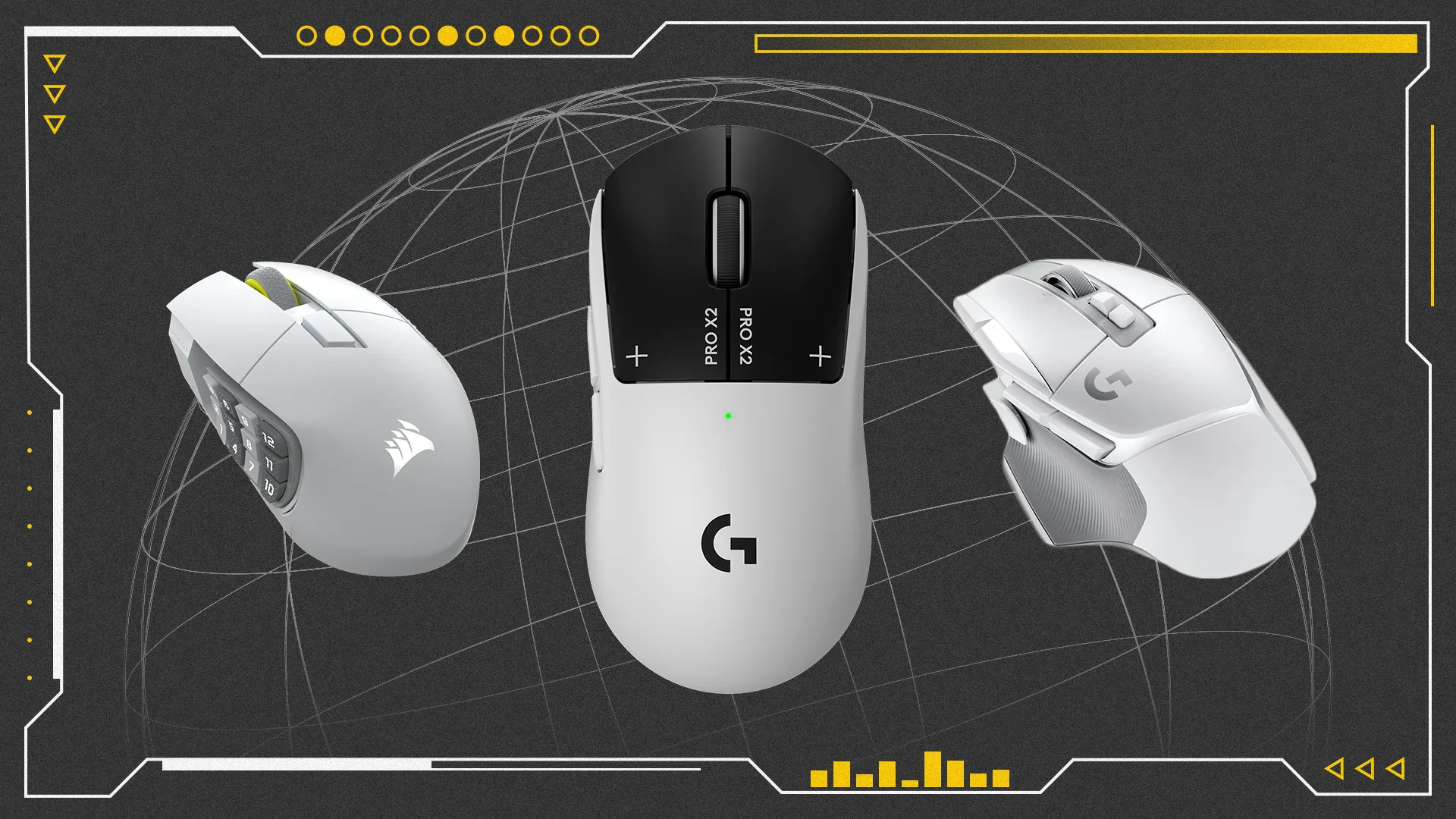


There’s a plethora of great gaming mice out there and the standard of sensors, batteries, and build quality is better than ever. Finding the right one has a lot to do with personal preference – don’t get us wrong, some are demonstrably better than others, but you’ll want to consider things like weight, size, ergonomics, extra buttons, or even what types of games you play. Because of this, we’ve broken down our picks for best gaming mouse into categories to help you make the best choice for your needs.
For example, the Logitech G502 X Lightspeed is one of the most comfortable mice that prioritizes ergonomics, but we’d recommend the ultra-light Corsair Sabre V2 Pro to those who want an edge in competitive rounds of Valorant. Meanwhile, those extra buttons on the Corsair Scimitar Elite sure look nice to those who want to program all their MMO/MOBA commands off the keyboard. But if we had to just choose one mouse as a blanket recommendation, the 10/10 Logitech Pro X2 Superstrike or the DeathAdder V4 Pro from Razer gets our vote. Throughout this guide, we break down our hands-on experience with each of the gaming mice recommended to showcase why they’re the right fit for their category.
TL;DR – These Are the Best Gaming Mice
At the end of the guide we’ve outlined some important questions to ask when looking for a gaming mouse on your own. And as always, we’ll update this guide with new recommendations as we get hands on and review more gaming mice in the future, so be sure to check back whenever you need some buying advice.
See our list of the best gaming mouse pads, too!
1. Logitech Pro X2 SuperStrike
The Best Gaming Mouse
Best Overall
Logitech Pro X2 SuperStrike
0
This lightweight gaming mouse uses new HITS mouse sensors that feel excellent in high-intensity esports games. And, well, the haptic feedback just feels cool.
Product Specifications
Connectivity
2.4GHz Wireless up to 8K polling rate (Lightspeed), USB wired
Sensor / DPI
Logitech Hero 2 (up to 44,000 DPI)
Battery life
Up to 90 hours
Incredibly lightweight
New HITS button sensors are incredible
Beautiful black-and-white colorway
It’s a little on the expensive end (but still worth it)
For the last few years, it seems like the best gaming mice have been coming from the world of esports. It’s not hard to see why – after all, esport athletes need peripherals with the best possible performance, and that obviously spills over to less professional gamers. And that’s what makes the Logitech Pro X2 SuperStrike so good.
When my colleague Will Judd reviewed the X2 SuperStrike, he was blown away by how reactive the mouse felt when playing games. That reactivity comes from the new button sensors that Logitech calls “HITS” – subtle, right? That stands for Haptic Inductive Trigger System, and it uses special sensors that can tell how far a button has been clicked, while using the same kind of haptic feedback found in a MacBook keyboard to give you immediate confirmation that the mouse button has, in fact, been clicked.
That’s exciting technology for a gaming mouse either way, but it’s impressive that Logitech was able to fit it in such a thin and light package that weighs just 61g. It doesn’t hurt that it also has incredibly long battery life, lasting through 20 hours of testing, according to the reviewer.
Still, this is an expensive gaming mouse, coming in at $180. But that cost might be worth it, especially if you play a lot of Counter-Strike or Overwatch.
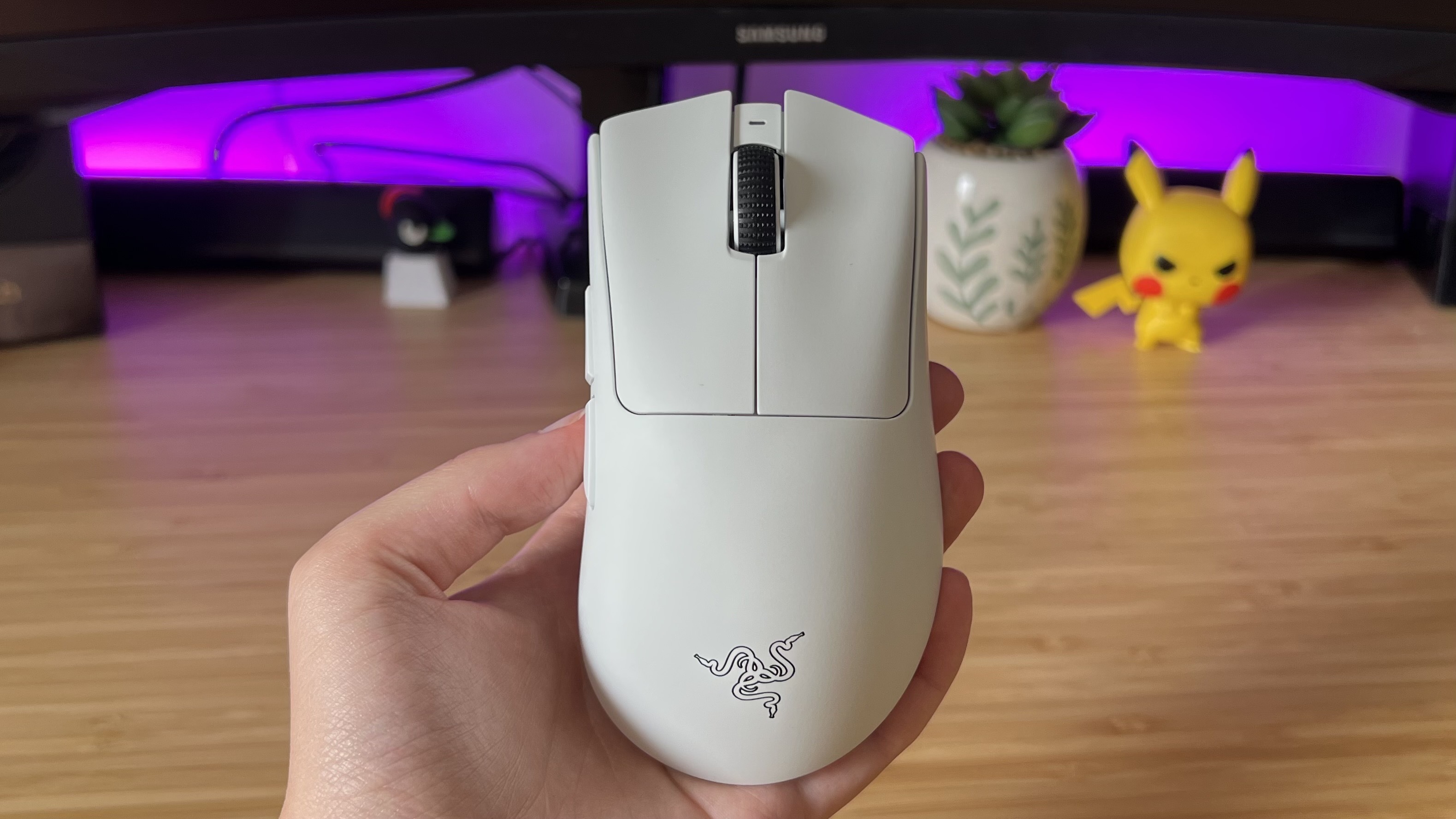
2. Razer Deathadder V4 Pro
The Runner-Up
Razer Deathadder V4 Pro
26
Incremental improvements over the V3 make this Razer’s best-ever mouse, with flawless gaming performance and long battery life.
Product Specifications
Connectivity
2.4GHz Wireless up to 8K polling rate, USB wired
Sensor / DPI
Razer Focus Pro 45K (up to 45,000 DPI)
Battery life
Up to 150 hours (22 hours at 8K polling)
Comfortable, sturdy body
Impressive battery life
Flawless tracking and responsiveness
You’re paying more for some features that are overkill / Expensive
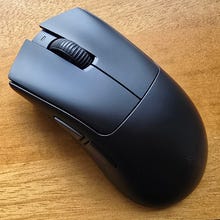
Razer’s Deathadder has lived high on this list for years, and each version just gets better. The V4 Pro is no exception: Razer has upgraded everything from the sensor to the scrollwheel, and although some of the changes are incremental they add up to a noticeable leap forward.
This is a light, comfortable, sturdy, competitive gaming mouse that doesn’t look flashy – no RGB or obnoxious logos – but has specs you can boast about. The 45K sensor is overkill, as is the 8K polling rate, but this is the kind of mouse you could buy and keep for years as you upgrade the rest of your setup.
I gave it a 9 in our review: It performed flawlessly in every game, with precise tracking and ultra-responsive clicks on both its main two buttons and the two side buttons. It’s comfortable to use for hours at a time no matter what grip you favor, and I even like the USB dongle it comes with, which has three indicator lights to tell you everything you need about your mouse at a glance. The cherry on top is the battery, which will last 150 hours at 1K polling rate. That’s more than I’ll ever need.
It is expensive, but $169.99 is by no means absurd for a mouse that feels cutting edge. It’s going to take something special to knock it off the top spot.
3. SteelSeries Rival 3 Gen 2
Best Budget Gaming Mouse

SteelSeries Rival 3 Gen 2
17
Save with this impressively capable wired mouse offering six programmable buttons and a TrueMove Core Optical sensor for outstanding tracking.
Product Specifications
Connectivity
USB wired / Bluetooth and 2.4GHz
Sensor / DPI
8.5K DPI TrueMove Optical (wired) / 18K TrueMove Air Optical Sensor (wireless)
Battery life
Wireless up to 450 hours Bluetooth, 150 hours on 2.4GHz
Weight
77g (wired), 105g (wireless)
Great value for the performanc
Solidly built
RGB lighting is tasteful on wired version
Tech lags behind higher-end mice
Wireless variant is heavy
The specs sheet of the SteelSeries Rival 3 Gen 2 is unremarkable, and you’ll find lower latency mice on this list, but it’s still more than accurate and responsive enough for competitive gaming, and the max 1,000Hz polling rate is plenty for most people. Plus, the price is hard to beat: The wired version is just $35/£35, and the wireless version regularly dips below $50/£50.
The Gen 2 is an upgrade because of lower click latency, smooth-glide 100% PTFE feet, and, for the wired version, a cord that tangles less often. Both versions of this mouse are comfortable to use for claw and fingertip grip (if you’re a palmer, look elsewhere), and both are solidly built, feeling far more premium than their price tag suggests.
So, wired or wireless? The wireless version boasts impressive battery life – 100 hours on 1,000Hz polling rate, longer if you turn that down or connect via Bluetooth – but it’s very heavy at more than 100g, making it feel less agile in your hand than the wired version. It also lacks the customizable RGB on the base of the wired version, if you care about that.
The wired version is therefore easier to recommend but the wireless version is still a very good affordable mouse.
4. SteelSeries Aerox 3 Wireless
Best Budget Wireless Gaming Mouse
SteelSeries Aerox 3 Wireless
15
The Aerox 3 is one of SteelSeries’ best gaming mice; it’s super lightweight, has a long-lasting battery, and sports a great optical sensor that allows for lightning-fast, yet accurate swipes.
Product Specifications
Connectivity
2.4GHz, USB wired
Sensor / DPI
TrueMove Air optical (18,000 DPI)
Battery life
50 hours
Flashy, attractive aesthetic
High-performance sensor keeps you competitive
Light weight
Grip and ergonomics could be a bit better
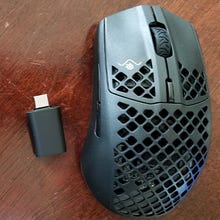
Sticking with SteelSeries, the Aerox 3 is a flashy mouse that looks loud. The triangular cutouts at the palm and the bright RGB may seem over the top, but in actual use, its effects are quite nice (which you can customize through SteelSeries’ software). If you’re worried about damaging the internals, they’re guarded so it’s not actually exposed. None of that would matter if the Aerox 3 wasn’t fit for gaming, and thankfully it’s one of my favorite wireless mice you can get on sale for around $50 to $60. That makes it a great value for an all-rounder.
In our Aerox 3 gaming mouse review, it earned a 9 for holding its own in competitive shooters with SteelSeries’ TrueMove Air optical sensor (topping out at 18,000 DPI) while not having to eat up too much battery – although battery life has evolved in brand new wireless mice, the Aerox 3 still isn’t a slouch and charges fast, if anything. It’s a bit tough to find a flashy, high-performance wireless mouse at this price range, making the Aerox 3 my current recommendation for a budget wireless mouse.
5. Logitech G403 Hero
Best Wired Gaming Mouse
Logitech G403 Hero
8
With its ergonomic shape, rubberized texture for grip, and fast and accurate sensor, the G403 is one of the best all-around gaming mice available.
Product Specifications
Connectivity
USB wired
Sensor / DPI
Hero 25K optical (25,600 DPI)
Battery life
N/A
Cute, rounded ergonomic design
Hero sensor is still one of the best around
Chunky side buttons and tactile clicks
A bit on the heavier side
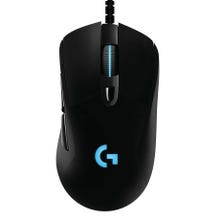
The Logitech G403 has been a personal favorite for many years as I see it as the spiritual successor to an all-time favorite, the MX 518 from decades ago. Its grooves and super grippy rubberized texture on the sides make it easy to pick up and swipe around despite it being a bit on the heavier side of mice (although I will admit that the material picks up grime more so than others). I really like how large the G403 is since I have big hands, and that makes a palm grip very comfortable. However, its size is something to note if you prefer something smaller.
One thing I’ve always loved about it more than even brand-new top-line mice is the chunky and clicky side buttons – this makes them easy to use and distinguish from one another, which is helpful since I use them often. It’s outfitted with the same super-accurate Hero sensor as all of Logitech’s high-performance mice, making it a great value to get the same quality sensor in a reasonably-priced wired mouse. I also just like the simple aesthetic of the Logitech G product line, especially with this one being rounded and elegant with just the Logitech “G” and scroll wheel strip giving a bit of RGB lighting to boot.
6. Corsair Scimitar Elite
Best MMO/MOBA Gaming Mouse
Corsair Scimitar Elite
5
The Scimitar Elite is one of the best multi-button gaming mice for its ergonomic design and adjustable textured side buttons. It’s easy to grip despite its extra features, making it perfect for MMOs/MOBAs and productivity.
Product Specifications
Connectivity
2.4GHz, Bluetooth (wireless), USB wired
Sensor / DPI
PMW3391 optical (18,000 DPI)
Battery life
Up to 100 hours
Weight
113g
Remains easy to grip despite its style
Tactility to side buttons makes them easy to use
Doubles up for productivity and in creative settings
Heavier than most mice
I tend to stick with normal-style mice regardless of the game I’m playing, but whenever I do try out a new multi-button mouse designed for MMORPGs or MOBAs, I always compare it to the Corsair Scimitar. And with the latest iteration in the Scimitar Elite, I’ve yet to find one that can top what Corsair seems to have perfected.
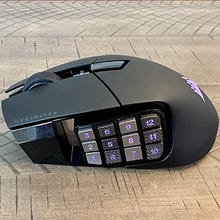
It’s a tricky thing to juggle; having upwards of 12 side buttons across your thumb while still being ergonomically sensible to use like a normal mouse is no easy feat. Still, I wasn’t afraid of accidentally activating one of the side buttons because they have a necessary firmness to them, which is what makes the Scimitar Elite so good. Those side buttons also have a nice tactile surface to them. By alternating the texture type of each column of buttons, it’s easy to distinguish which set of buttons you’re touching, and in turn, pressing down. It’s a simple and smart design, and I’d be hard-pressed to think of a way a new model or different brand can improve on what the Scimitar Elite already does.
Granted, this is a heavy mouse given all the buttons and additional internals required to make it all work, but this isn’t a mouse you’ll be swiping frantically for lining up flick shots in a Counter-Strike match. Although we’re here to focus on gaming, the 12 side buttons also come in handy in video production, photo editing, or data management since you can map shortcuts to them. It’s a pretty hyper-specific niche to fill, but after hands-on testing of the Corsair Scimitar Elite is an easy recommendation if you prefer this style of mouse and can benefit from its features in MMOs or MOBAs.
7. HyperX Pulsefire Haste 2 Mini
Best Small Gaming Mouse
HyperX Pulsefire Haste 2 Mini
5
Beyond just being the shrunken counterpart, the Pulsefire Haste 2 Mini is a solid all-rounder and fully featured gaming mouse.
Product Specifications
Connectivity
2.4GHz, Bluetooth, wired
Sensor / DPI
Precision 26K optical (26,000 DPI)
Battery life
Up to 80 hours
Fully featured despite its smaller size
Fast, accurate sensor keeps it competitive
Texture is a bit too slick for gripping
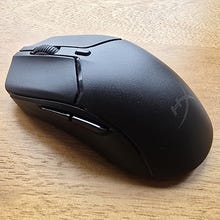
It’s a bit tough to find compact versions of popular gaming mice, which helps the HyperX Pulsefire Haste 2 Mini stand out and shine bright. The original Pulsefire Haste 2 is a great mouse to begin with (and oddly enough, its larger size was one of my favorite aspects about it), but shrinking that down to something noticeably smaller is more than just a novelty as I found in my review. It still sports a sleek look with a bit of RGB flair and still has a grippy material necessary for a fingertip-style grip, which is how I use a mouse this small. However, the reduction in overall height and depth (or rather, vertical length) make it easier to wield.
Those with smaller hands might not have fun with the likes of the larger Logitech G703 or Razer Viper V3 Pro, but with something like the Pulsefire Haste 2 Mini, they don’t have to make many (if any) compromises when it comes to gaming performance. You can find mice even smaller or lighter, but HyperX is able to include the high-performance Precision 26K sensor and long battery life, which are key features for a proper gaming mouse. It also includes Bluetooth connectivity which adds some versatility as a mouse to take on the go for work. So, beyond just being the shrunken counterpart, the Pulsefire Haste 2 Mini is a solid all-rounder as well.
8. Logitech G Pro X Superlight 2
Best Lightweight Gaming Mouse
Logitech G Pro X Superlight 2
0
Product Specifications
Connectivity
2.4GHz, high-polling dongle (up to 8K Hz), USB wired
Sensor / DPI
HERO 2 (44,000 DPI)
Battery life
95 hours
Comfortable shape for most hands
Responsive clicks and sensor
Logitech’s software
No Bluetooth
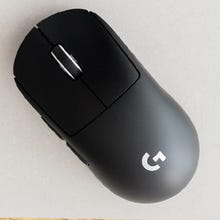
The Logitech G Pro X Superlight 2 might be the perfect lightweight gaming mouse. Its simple curved shape will fit most hands and most grips, and is comfortable for long sessions. The Hero 2 sensor is fast and responsive, the left and right mouse clicks are reliable, and the shell of the mouse is durable. At 60g, it’s light enough that you can whip it effortlessly around your mouse pad and it’ll feel like an extension of your hand.
There’s very little to criticize here, other than Logitech’s G Hub software – confusing and prone to bugs – and the lack of Bluetooth connectivity.
As our review noted, it’s not a massive upgrade to the original Superlight – but since we wrote that, Logitech has updated the mouse’s firmware to support 4K and 8K polling rates. Polling rate isn’t everything, as we’ll explain at the end of this list, but it does differentiate this mouse more from the original and make it a viable option for anyone who enjoys 4K or 8K.
And there’s now a smaller variant, the Logitech G Pro X Superlight 2c. It is every bit as good but more compact, in case that’s what you prefer.
9. Corsair Sabre V2 Pro
Best Ultra-Lightweight Gaming Mouse
Corsair Sabre V2 Pro
1
Product Specifications
Connectivity
2.4GHz, high-polling dongle (up to 8K Hz), USB wired
Sensor / DPI
Marksman 2 (33,000 DPI)
Battery life
60-70 hours
Ridiculously light
Comfortable for a variety of grips
Shorter battery life
Feels a little flimsy
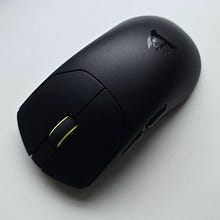
It’s 36g! Corsair’s Sabre V2 Pro really does need to be held to be believed. It puts other “lightweight” mice – often weighing between 50g and 60g – to shame. Lighter does not necessarily mean better, of course, but when combined with its comfortable shape and grippy coating it makes this mouse a joy to use.
All that weight-shedding does have a cost. You get no Bluetooth and a smaller battery than normal: Corsair says it will last up to 70 hours, but we got between 50 and 60 when we reviewed it. And although it generally feels sturdy, there’s a spot in the shell that you can press down if you try, which is quite alarming, and the scroll wheel press feels horrible, too.
But the drawbacks are worth it. If you know you like lighter mice, you’re bound to like the Sabre V2 Pro.
10. Logitech G502 X Lightspeed
Best Ergonomic Gaming Mouse
Logitech G502 X Lightspeed
16
Logitech brings its high-performance Hero sensor to the ergonomic workhorse in the G502. Its deep grooves, solid grip, and wide base make it super comfortable and the extra buttons elevate it as a productivity workhorse.
Product Specifications
Connectivity
2.4GHz, USB wired
Sensor / DPI
Hero 25K optical (25,600 DPI)
Battery life
Up to 60 hours
Weight
114g
More programmable buttons than most gaming mice
Wide base and deep grooves make it very comfortable
Won’t be the best option for intense, competitive settings
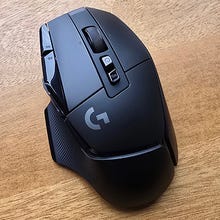
If you want a true ergonomic gaming mouse you’ll need an upright mouse or a trackball, but if you want a comfy mouse that will both cradle your hand and track your movements accurately, then the Logitech G502 X Lightspeed is a good pick. Its deep thumb groove and curvy body suit any grip, and when I tested it for my review I used it for multiple long gaming sessions without any aches or pains.
It has far more extra buttons than most gaming mice, with three on the side for your thumb and two on top, next to your main left click. Mapping controls to those buttons – or even commands outside of games – will help keep your keyboard hand rested, too. And although it’s slightly larger and heavier than most mice, it’s not as big and hefty as you might think by looking at it. If you’ve got slightly smaller-than-average hands, or bigger, you’ll be absolutely fine. My one gripe is that if you use a palm grip, you might find it tricky to reach one of the side thumb buttons, but that’s not a big enough flaw to stop me recommending it.
As a mouse from 2022, it’s starting to show its age: It only goes up to 1K polling rate, lower than many of its competitors, and none of its buttons feel quite as satisfying as the best more contemporary mice. But the benefit is that it’s often on sale, and you can regularly find it for around $100. It’s solid value at that price.
The X Plus is the version with RGB, but the Lightspeed has better battery life, is slightly lighter, and has a lower retail price.
Gaming Mouse FAQ
How do you determine what makes a good gaming mouse?
Much of what makes a good gaming mouse comes down to your personal preferences. The first thing you’ll want to consider is your preferred grip style: palm, claw, or fingertip. Generally, a bigger mouse is a better choice for palm grips while lighter and smaller mice are better suited for fingertip grips, although it varies mouse-to-mouse so it’s worth reading detailed reviews. Do you like having a more ergonomic feel with deep-set grooves for your thumb and pinky to help hold onto the mouse? Does using something super lightweight matter more for when you’re whipping the mouse around during clutch moments in Counter-Strike 2? For me, I gravitate towards the latter since I’m most comfortable with a claw grip.
Some mice are ambidextrous/symmetrical, which should work just fine for right-handed users while giving lefties out there a viable option, but watch out because a lot of symmetrically shaped mice still have the buttons positioned for right-handers.
Button feel is a tough thing to suss out when researching mice, but I make it a point in my mouse reviews to determine the squishiness or springiness of mouse clicks since that’s an important factor for both comfort and performance. Manufacturers tend to differ on the kinds of switches used from mouse to mouse, but the more firm and tactile the clicking feels, the better, since it helps with rapid firing in shooters or repeated clicks in MMOs/MOBAs.
Another feature that’s become standard is programmable side buttons. Most mice offer two around the thumb area, but they come in all shapes and sizes. Comfortable positioning and being easy to actuate in a moment’s notice are things we account for when determining whether or not a mouse’s side buttons are good. You may also be interested in mice that go the extra mile with additional buttons, such as the ergonomic-minded Logitech G502 or the MMO/MOBA powerhouse that is the Corsair Scimitar Elite – they’re nowhere near as nimble as other mice, but that’s the compromise they make to offer those unique benefits.
Another variable to account for is the sensor, which tracks movement. Almost every brand name gaming-grade mouse today is equipped with an accurate and fast optical sensor that’s more than enough to line up shots in a competitive shooter. A higher maximum DPI (dots-per-inch, which is one variable that affects sensitivity) used to be shorthand for a mouse’s performance ceiling, but it has gotten to the point of diminishing returns.
What’s the deal with high polling rate on gaming mice?
Gaming mice come standard with a 1000Hz polling rate nowadays, which means your mouse updates your PC with movements and inputs every millisecond (1 ms). That’s plenty fast for most gamers, but a recent trend born out of the esports world is equipping mice with higher polling rates – up to 8000 Hz. Nowadays, most high-end mice offer polling rates of 1000Hz, 2000Hz, 4000Hz, and 8000Hz. It’s technically impressive, but does it really affect performance? It can, under specific circumstances.
|
Polling Rate |
Response Time |
Battery Life* |
|
1,000Hz |
1ms |
100 hours |
|
2,000Hz |
0.5ms |
70 hours |
|
4,,000Hz |
0.25ms |
40 hours |
|
8000Hz |
0.125ms |
20 hours |
* General range using the Razer DeathAdder V3 HyperSpeed as an example.
Polling rate doesn’t necessarily reduce latency, rather it increases the frequency at which your mouse movements are read. This can lead to an increase in smoothness since your PC is picking up and tracking the more incremental movements. Basically, polling rate is the measurement of how often the mouse sends data to your device (see chart above).
However, you won’t be able to actually reap the benefits if the rest of the input pipeline isn’t up to snuff. Two things to keep in mind are the resolution you’re playing at and the refresh rate of your screen. With higher pixel density (and screen space), the more those incremental movements matter. But also, higher refresh rates (such as 144 Hz and above) are important too. To benefit from those high refresh rates, your PC needs to be powerful enough to produce the high frame rates to match. In other words, there’s a lot that goes into PC gaming before you can start to notice the advantage of a mouse’s higher polling rate.
Part of me thinks of it as tech simply striving for higher numbers, but I must admit I feel a difference when using a higher polling rate (when the aforementioned conditions are met). And in the esports scene, those seemingly negligible differences can certainly help. Which is to say, don’t go out and get a 8000 Hz mouse and think you’ll reach Radiant in ranked Valorant without putting in the work.
Should I go wired or wireless for a gaming mouse?
Similar to optical sensors with fast and accurate tracking, wireless technology has gotten to the point where it’s very much imperceptible to tell the difference in input latency between wired and wireless mice. The standardization of the 2.4 GHz wireless receiver makes mouse performance consistent across several brands and models, so it’s not something you’ll need to account for when looking for a good gaming mouse. Various brands will put fancy names on proprietary tech, like Razer’s HyperSpeed or Logitech’s Lightspeed, but those are wireless technologies that are legitimately high-performing. Some mice also come fitted with Bluetooth connectivity, which makes them versatile in work or casual settings, but under no circumstances should you use a mouse in Bluetooth mode for intense gaming scenarios.
Another feature that has evolved substantially over the years is battery life on wireless mice. Plenty of variables go into battery life, and usually the rating you get from a manufacturer’s website is likely under the best conditions. But even with RGB lighting and sophisticated sensors and wireless technologies, you can get decent battery life that’ll last for a few days of constant use before having to charge. Every modern gaming mouse is chargeable through USB-C and can be used like a wired mouse when plugged in, too. As indicated in the chart above with regards to polling rate, the higher it is, the more power it’ll drain since you’re essentially asking your mouse to work much harder.
Many flagship mice have wired and wireless versions available – such as the DeathAdder V4 or the Scimitar Elite, for example – and of course, the wireless ones are more expensive. So if you don’t really care much for having wireless capabilities, you can save some money by opting for the wired mice. Note that if you’re interested in higher polling rates, it’s currently restricted to wireless mice, which also tends to tack on a few extra bucks onto the price tag.
Michael Higham is the tech reviews editor at IGN and has been very particular about his gaming mice since rocking a Logitech MX 518 like a decade ago. Having grown up playing Counter-Strike 1.6, and now keeping up with the Valorant competitive scene, having the right mouse has been important in his mind, even though he should just get good first.