



Jump to a section:
We believe in genuine research and hands-on testing. If you do too, click here to add Empire as a preferred source on Google.
The lights are dimmed and you settle into your seat ready for some big-screen action. But there’s no queue for expensive popcorn, no trailers, no strangers rustling sweet wrappers or talking through the title sequence. And the screen? It’s filling an entire wall. Welcome to your living room, and the increasingly attainable world of high-end 4K home cinema projectors – this time courtesy of the Hisense M2 Pro.
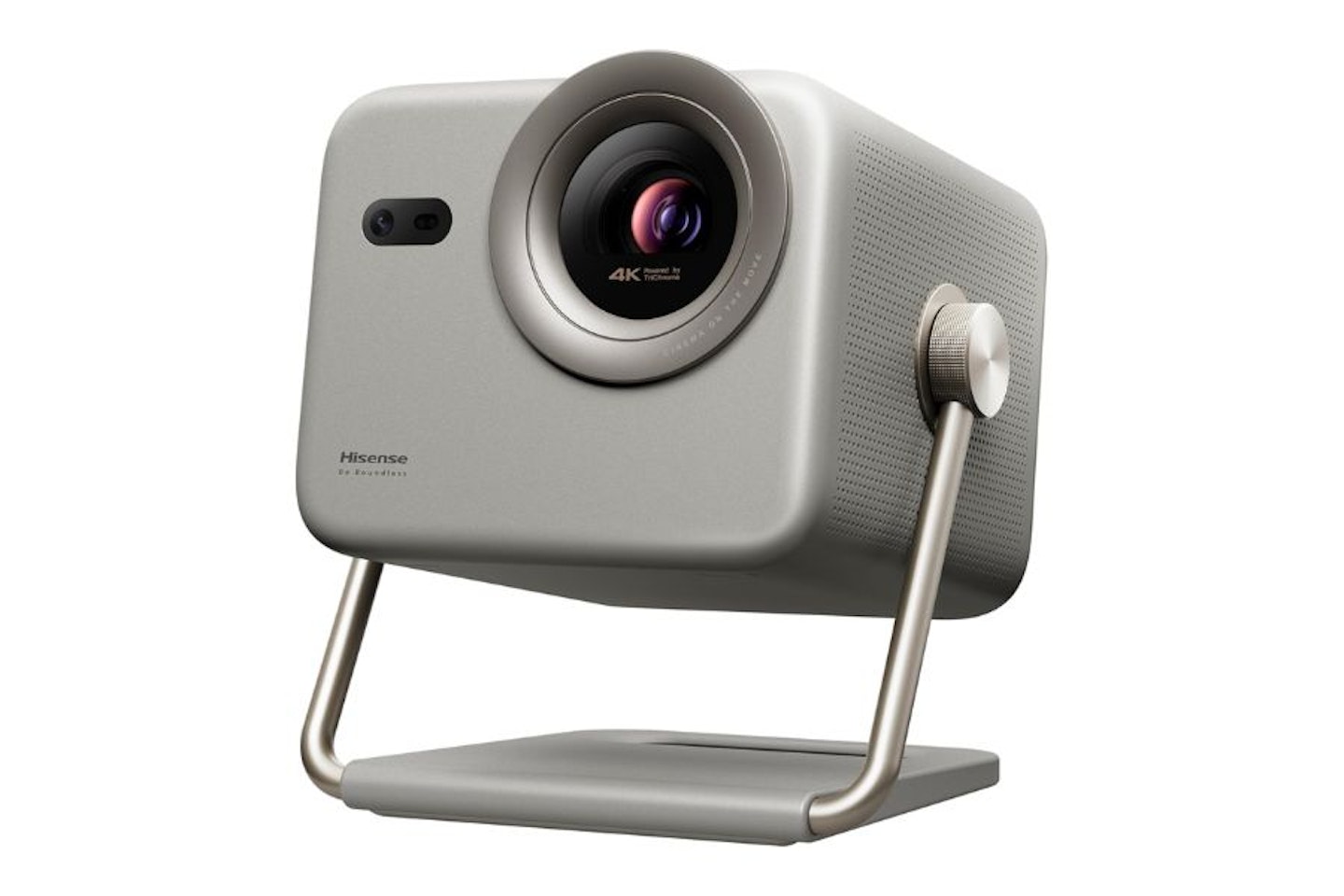
Hisense lists this product as a smart mini projector – at its largest just 23 centimetres high. While some other mini projectors will be even more diminutive, consider the high-end tech crammed inside this M2 Pro – something of a miracle for its size. Triple lasers, optical zoom, AI picture enhancements, AI auto-setup, built-in speakers with DTS Virtual X sound, and more. It’ll even throw out a 200-inch image if you need it to, all in glorious 4K with 1300 ANSI lumens of brightness. On paper it certainly seems to be worthy of its ‘smart mini’ epithet and multiple accolades as one of the best projectors under £1000.
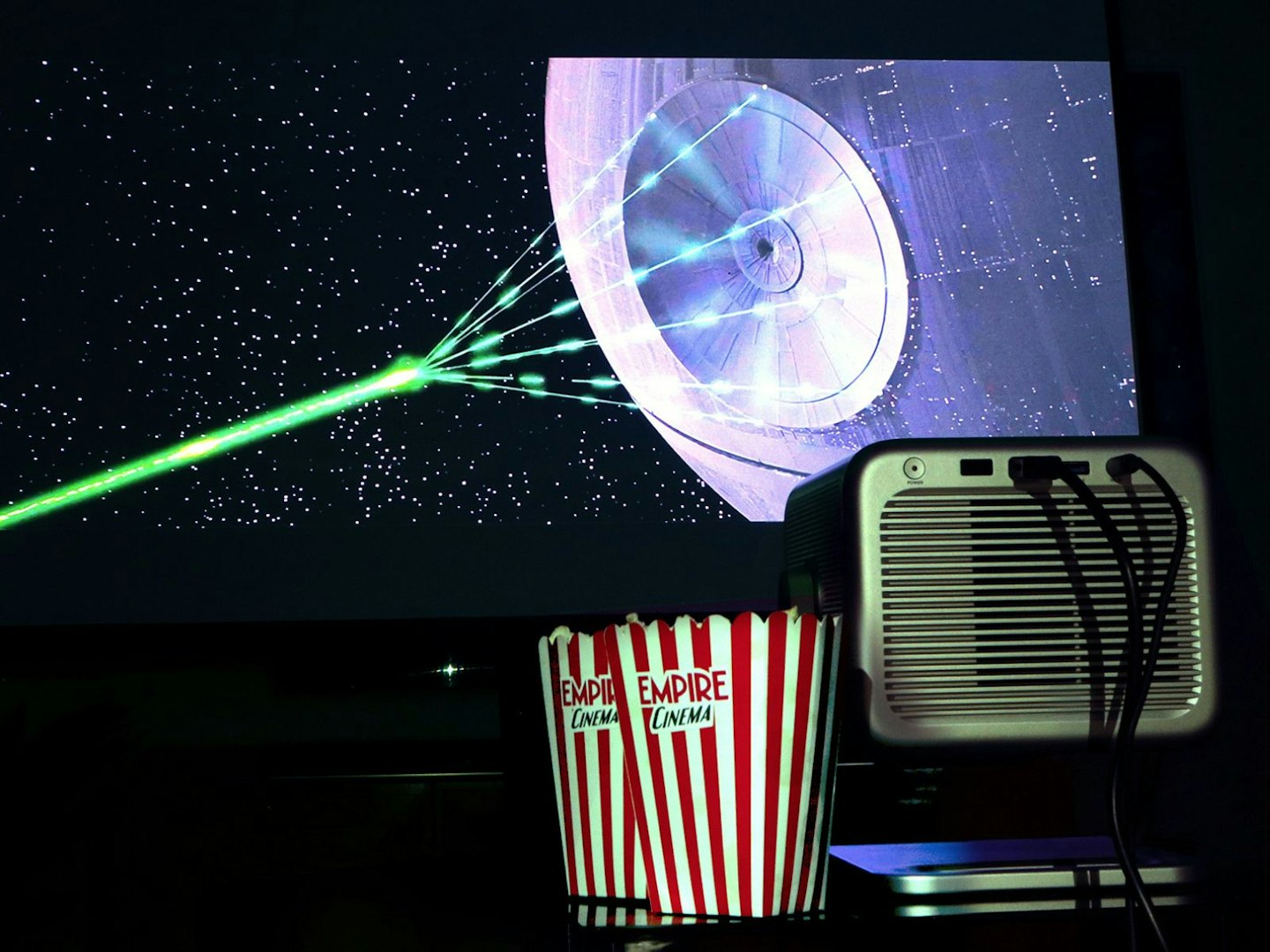
The M2 Pro doesn’t need as many lasers as the Death Star, thankfully. ©Chris Duffill, Empire
Hisense is no newcomer to entertainment hardware. The brand has a well-deserved reputation for excellent smart TVs, from budget sets to award-winning 65-inch TVs and larger. The brand also has an enviable line-up of soundbars and laser projectors, including high-end ultra‑short‑throw variety. However, set alongside these staple offerings, the M2 Pro is much less of a lounge fixture, instead offering a tonne of flexibility. This is a 4K laser projector that you can easily stow away if you need to, ready to be placed on a coffee table, shelf or move between rooms at a moment’s notice. Sounds great – but does it have what it takes to deliver a truly cinematic experience?
Under the hood, the M2 Pro is a 4K UHD DLP projector with a triple‑laser light source, rated at up to 1,300 ANSI lumens. It supports HDR10, HDR10+ and Dolby Vision – a rarity in this category. Throw in automatic keystone correction, autofocus, obstacle avoidance, integrated speakers and a VIDAA smart platform, and this reads like a projector that’s ready for anything.
Most lifestyle and budget projectors prioritise portability over performance, but we couldn’t wait to see if the M2 Pro hit the sweet spot between price, usability and genuine home cinema performance. With our 120-inch screen lowered into place and the Hisense fired-up, we grabbed our popcorn and hit play on some 4K goodness.
Researched & recommended
 Hisense
 Price: £939.00
Alternative retailers
The Hisense 4K Laser Projector M2 Pro does more than just tick the right boxes – it delivers the best all-round package for home cinema fans. This one stands out from the crowd thanks to its triple laser, 1300 ANSI lumens, DTS Virtual X and a pair of built-in 10-watt speakers, and an incredible 65 to 200 inch projection size.
Pros
- Compact and well-designed unit capable of a massive 65-200-inch projection range
- Solid 4K clarity and good brightness and contrast in rooms with well-controlled lighting
- Dolby Vision and HDR10 colour with lots of picture enhancements and customisation
- Triple laser system with Dolby Vision delivers superior colour and detail over single laser and lamp-based projectors
- VIDAA OS TV and voice assistant make this a compact and capable streamer
Cons
- Slightly limited inputs restrict ability to attach multiple accessories at once
- Not quite bright enough for rooms with ambient sunlight
| Resolution | 3840 × 2160 |
| Brightness | 1300 ANSI lumens |
| Maximum image size | 200 inches |
| Refresh rate | 60 Hz |
| Audio | Dual 10 W speakers – DTS Virtual X |
| HDR support | HDR, HDR10, HDR10+, HLG, Dolby Vision |
| Smart features | VIDAA OS Vidaa Voice Assistant |
| Connectivity | 1 × HDMI, 1 USB‑3.0, Wi‑Fi, Bluetooth 5.0 |
| Dimensions | 23 cm × 19.3 cm × 21.8 cm |
| Weight | 3.9 kg |
Price: £939.00
First impressions of the Hisense M2 Pro projector
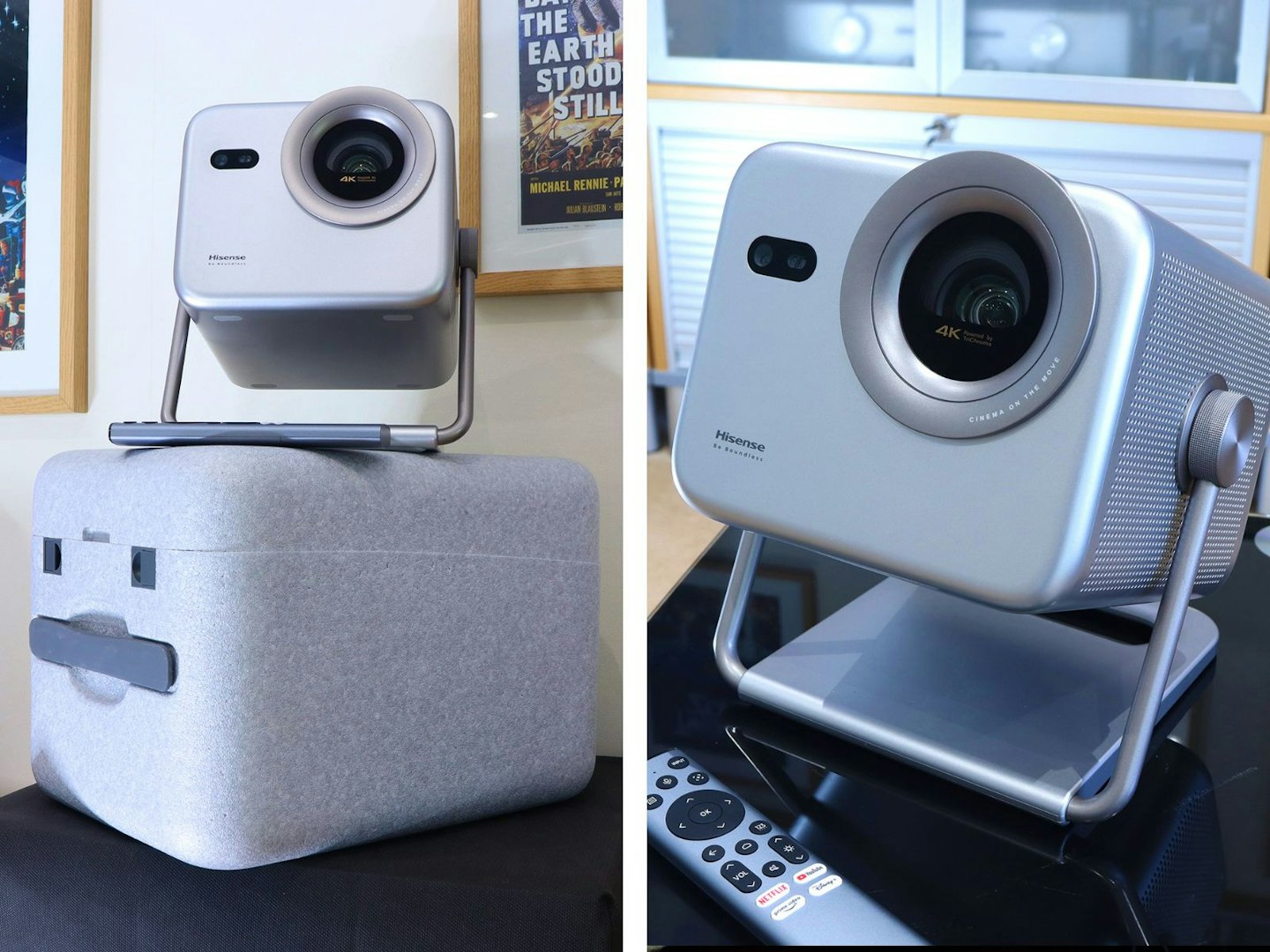
The Hisense M2 Pro is solid enough but still comes with a sturdy case. ©Chris Duffill, Empire
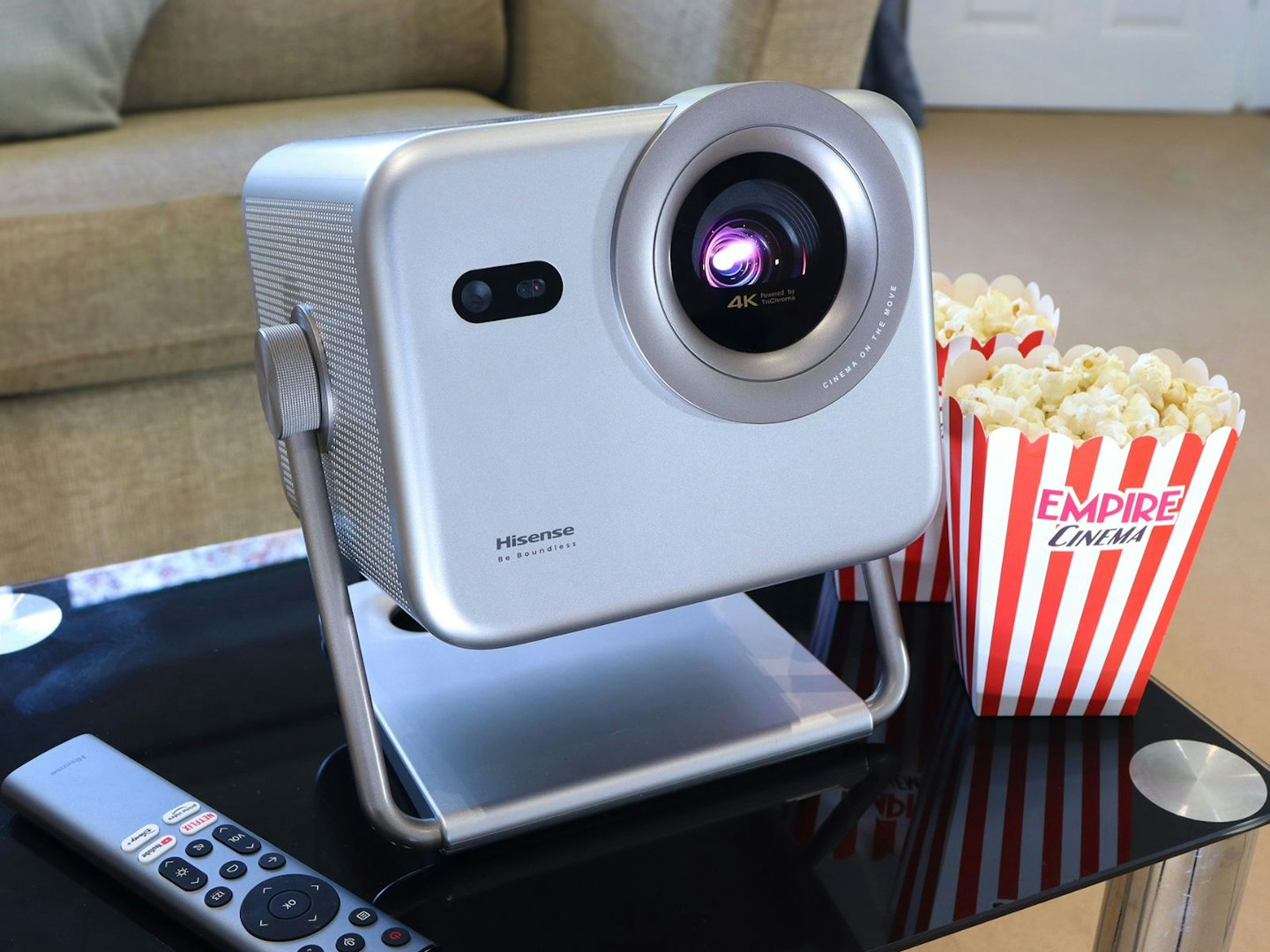
The M2 Pro comes in a sturdy crate-like case similar to other high‑end models. Inside lies a more compact projector than some of the promo photos might suggest. Lifting it out of the box, this isn’t style over substance either, there’s real build quality here. There’s a strength and rigidity to this, including the integrated stand, a feature we love to see in any projector. However, this one isn’t just the flip-out kick-stand we see in some others. The M2 Pro offers a massive 360-degree tilt range, which means it can be used for ceilings. Placing it onto a side-table we tilted it toward our screen, the function-led design, neat footprint and large well-integrated lens giving it something of an expectant look – perched on its stand, this wouldn’t look out of place as a background character in a cantina full of droids.
©Chris Duffill, Empire
Design and build
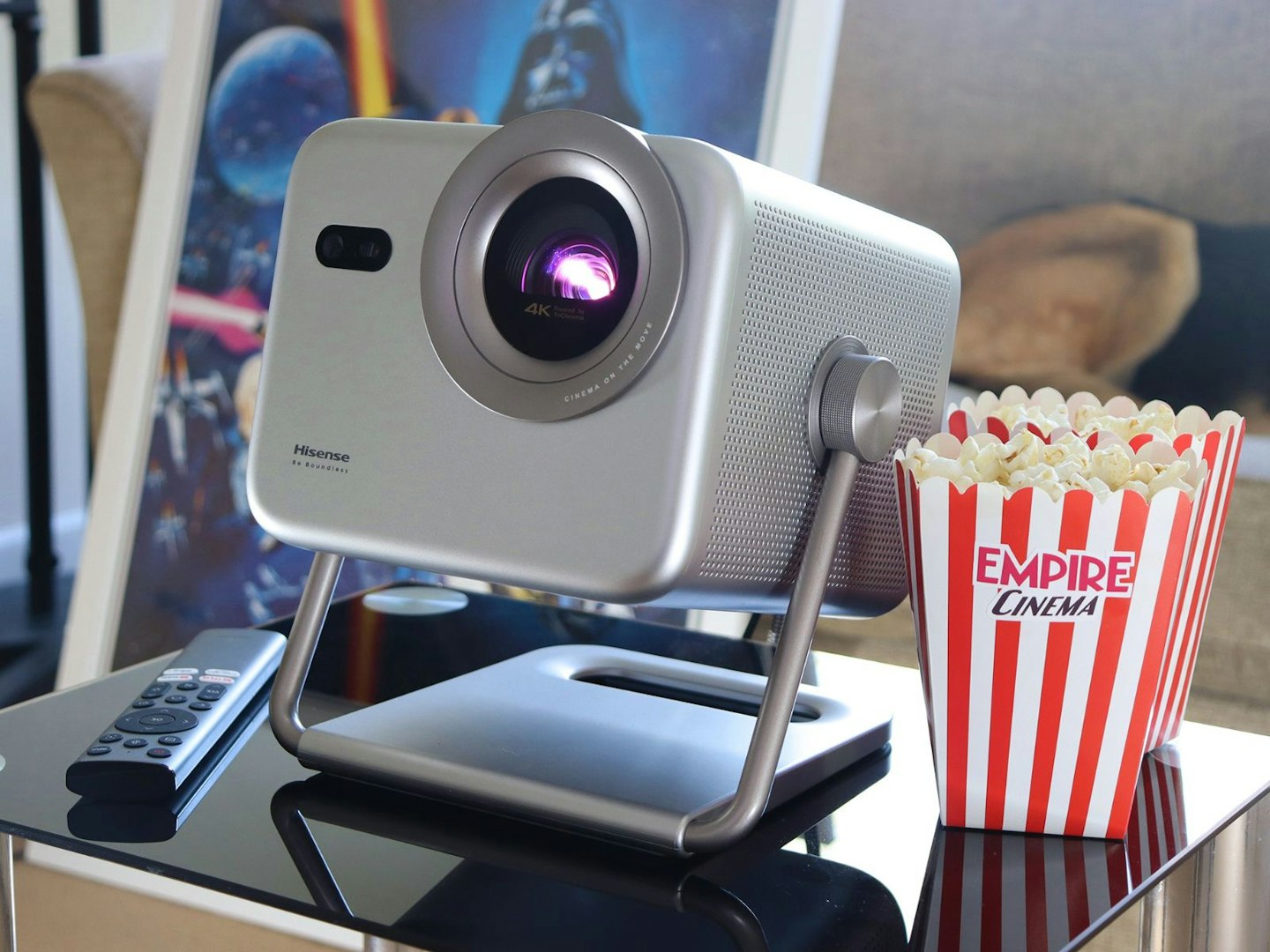
Looking closer at the M2 Pro, Hisense has delivered a softly-curved cuboid machine with a large lens, side and rear ventilation, and a small handful of inputs. We’ll be checking fan noise levels and control options later. Function aside, we think this fulfils the lifestyle aesthetic too, thanks to the satin-metallic finish and machined grilles on either side that vent the audio from a pair of built-in speakers. This has clearly been designed to be handled often, set up quickly and enjoyed as a piece of high-tech décor. All said, we think this looks and feels like something you’ll be proud to have on display as part of your home entertainment setup – much like the Valerion VisionMaster Pro 2 we reviewed (albeit two-thirds the size and without quite as much chrome bling).
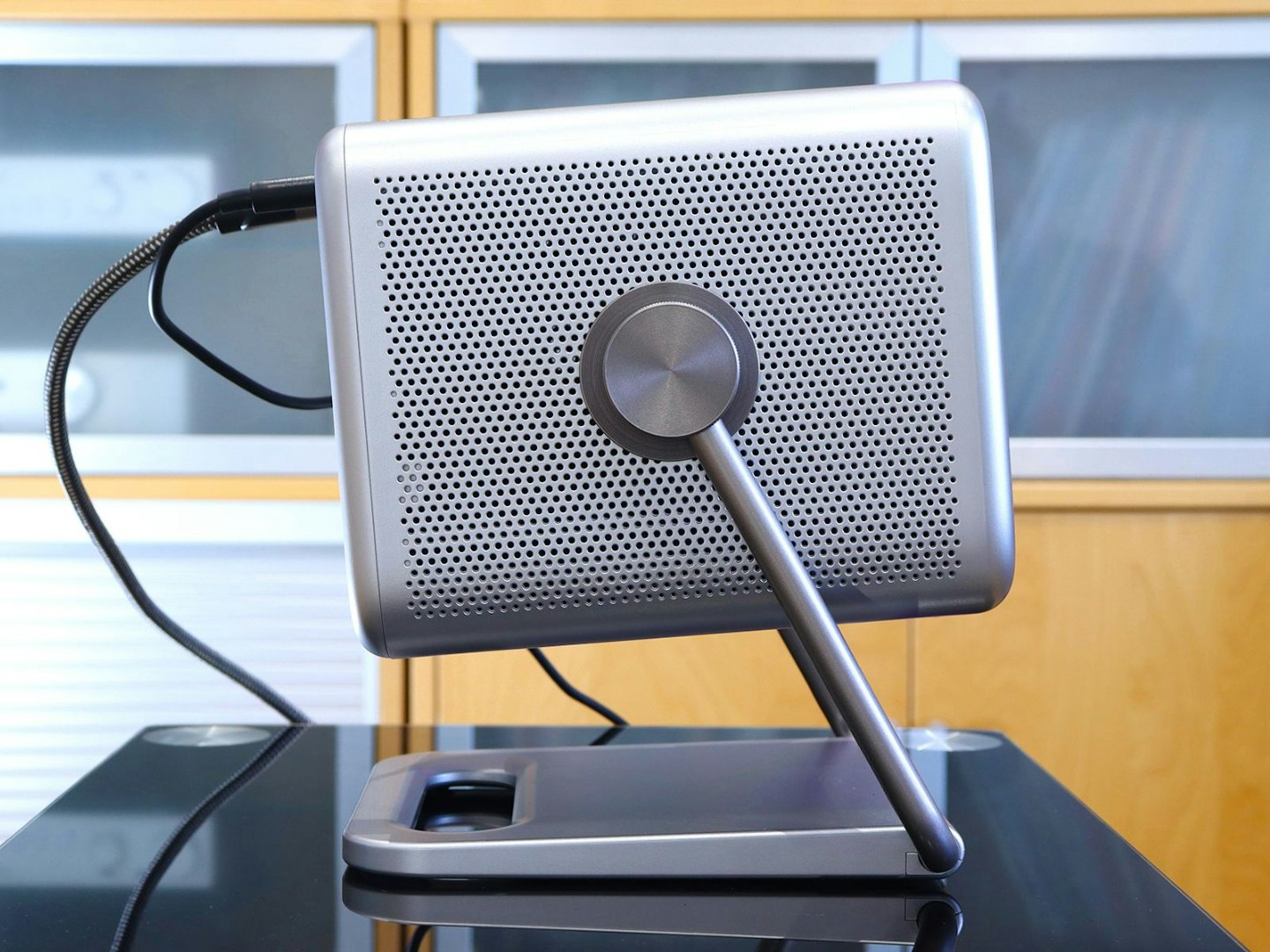
The M2 Pro has cleanly-machined side grilles for audio and cooling. ©Chris Duffill, Empire
As mentioned when we unboxed this projector, the M2 Pro is noticeably more compact than many traditional home cinema projectors, measuring roughly 19 centimetres square and 23 high. It weighs a reassuring 3.9 kilograms too, making it heavy enough to inspire confidence, but light enough to pack up and carry with one hand.
As good as the integrated stand is, the underside includes a standard threaded tripod mount which you can also use for installation on the ceiling. While we love the uncluttered look of a ceiling-mounted projector, this Hisense has clearly been designed to be easily moved. With flexible placement being one of its major strengths, we think a ceiling mount would remove some of that instant portability.
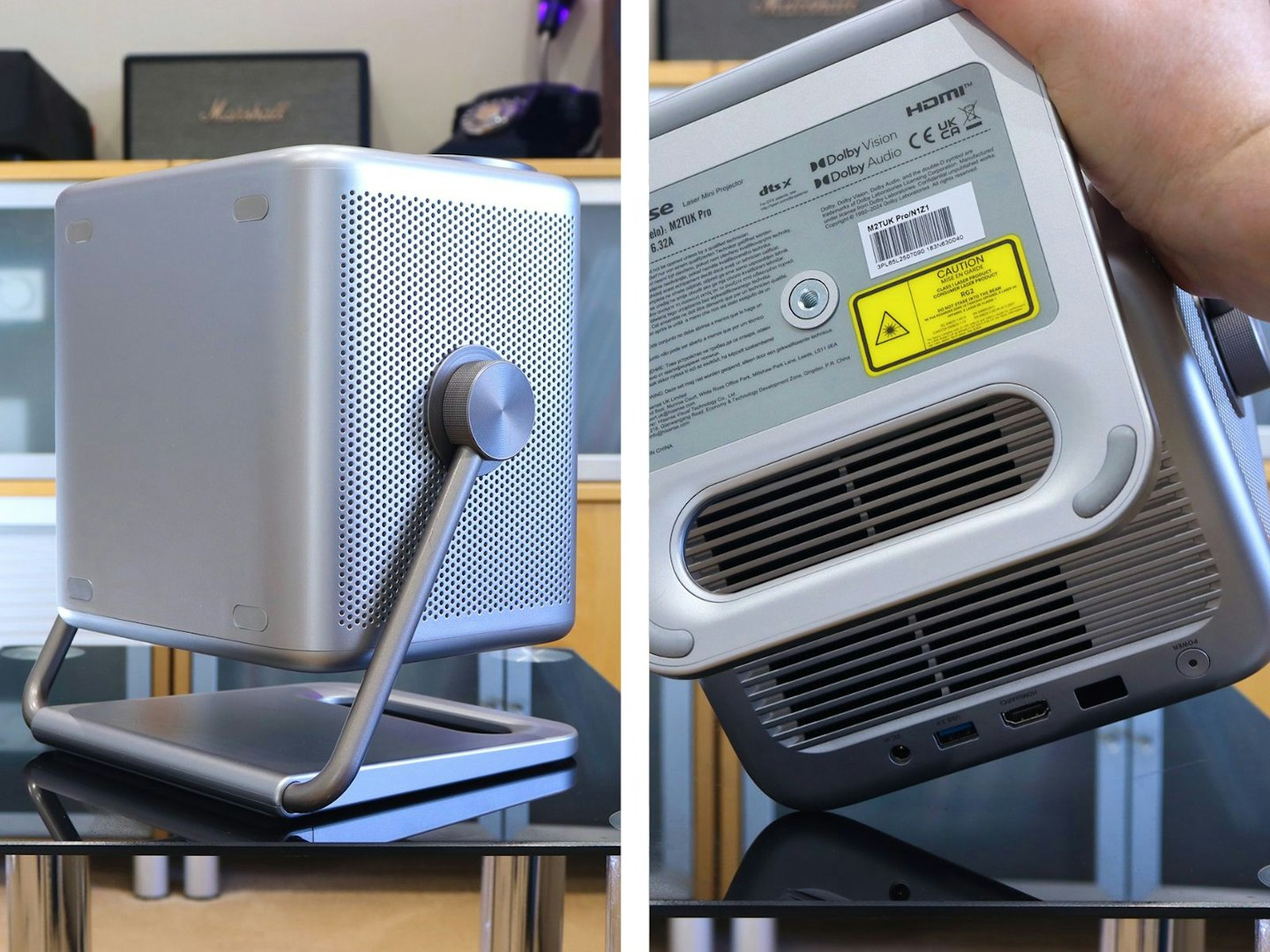
Hisense has thought of everything – including ceiling mounting. ©Chris Duffill, Empire
What’s the inside story?
The DLP chip here delivers a true 4K (3840 x 2160) image. This is also a triple-laser model, meaning it has separate red, green and blue lasers for superior colour performance without the dreaded ‘rainbow effect’ (the rainbow-like colour-fringing seen with single-laser or traditional lamp-based versions). It’s also better when it comes to colour performance, which is next on our spec rundown.
Hisense has HDR10 and Dolby Vision support – the latter being a gold standard when it comes to High Dynamic Range (aka a palette of over a billion colours). It also claims colour coverage at 100 per cent of the BT.2020 colour space, all of which adds up to more vibrant colours and realistic tones for your movies, shows and games. We’ll have one eye on colour performance when we do our test viewings later.
Controls
As with many compact projectors, onboard controls and inputs are minimal, arranged in a short row on the back. The only control is a multi-function power button that, once the unit is booted-up, cycles through basic options like source select, volume control, and of course power. The real work is done with the remote control.
Remote control
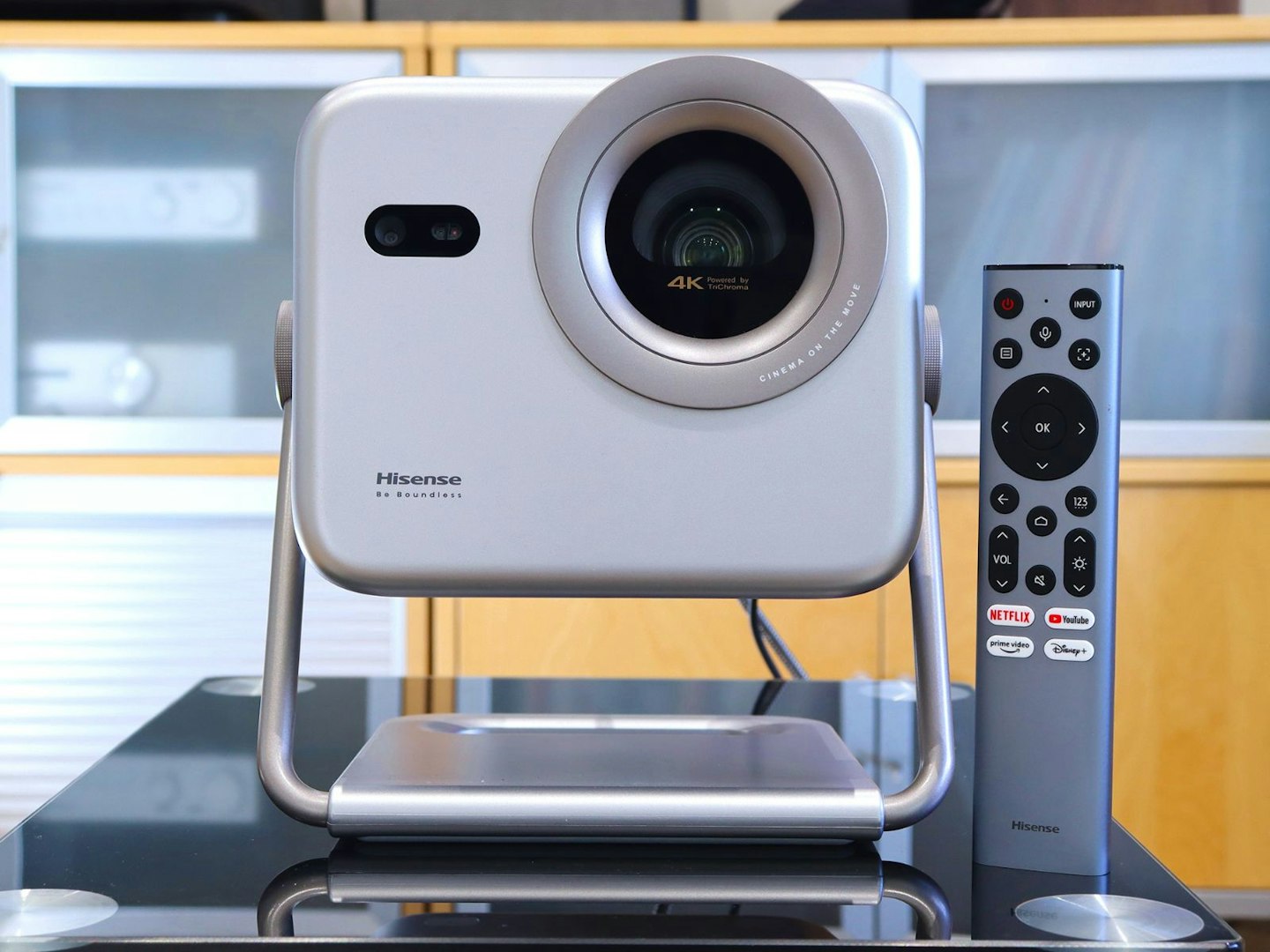
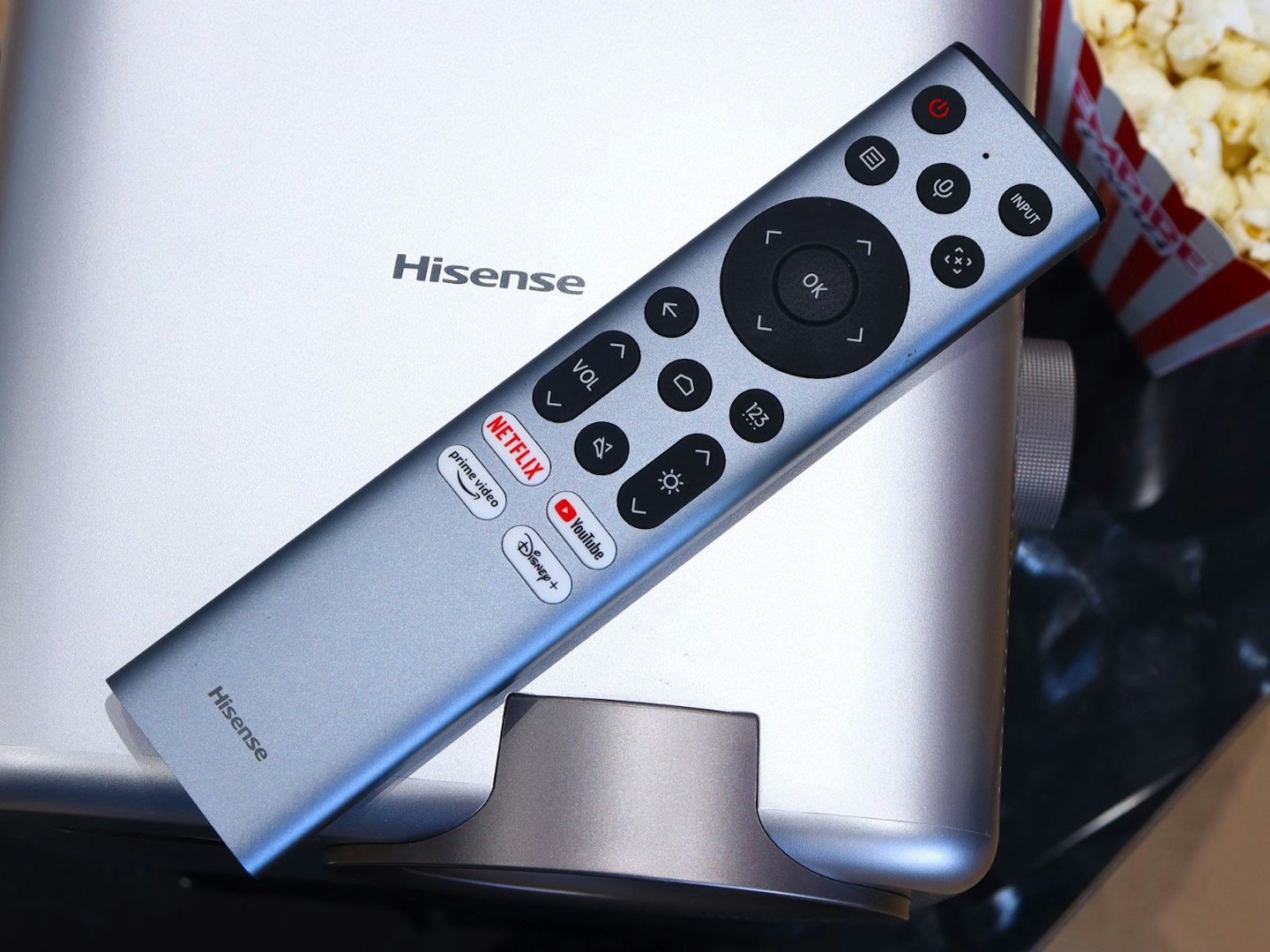
We like a solid remote with a metal casing, and this one doesn’t disappoint. It’s slim and responsive, too. Wearing our nitpicking hat for a moment, while we like the dark grey metallic colour Hisense chose for this, it’s a little incongruous when placed next to the bright silver shell of the projector itself. It’s not backlit either – a long-standing gripe of ours when it comes to projectors at all budgets. As it is, unlike more palm-sized offerings, this remote is long and weighty enough to avoid getting lost in a darkened room on movie night.
©Chris Duffill, Empire
The layout is familiar, as most brands borrow from each other in this area. You get the usual uppermost directional navigation wheel, flanked by power, input selection, voice control, settings and a Home button. They’re clearly marked too, helping to avoid confusion in dimly-lit rooms. Returning to that voice control button for a moment, we’ll be testing how well that works with Hisense’s VIDAA smart platform when searching for our favourite content later.
Inputs and connectivity
If you’re planning on plugging a Blu-ray player, a console and a digital media player into this projector at the same time you’re going to have to get used to juggling cables instead. This is no great surprise, given that the majority of compact projectors only provide one HDMI input, but our guide to the best 4K projectors features the Hisense 4K C2TUK and the Nebula Cosmos 4K SE – both of which provide two HDMI ports (one with eARC) for around the same price as the M2 Pro. It’s far from a deal-breaker, but we’d love to see Hisense squeeze one more HDMI input into the spec in a future version – if only to let us quickly plug a mini games console into the back while keeping our soundbar hooked up.
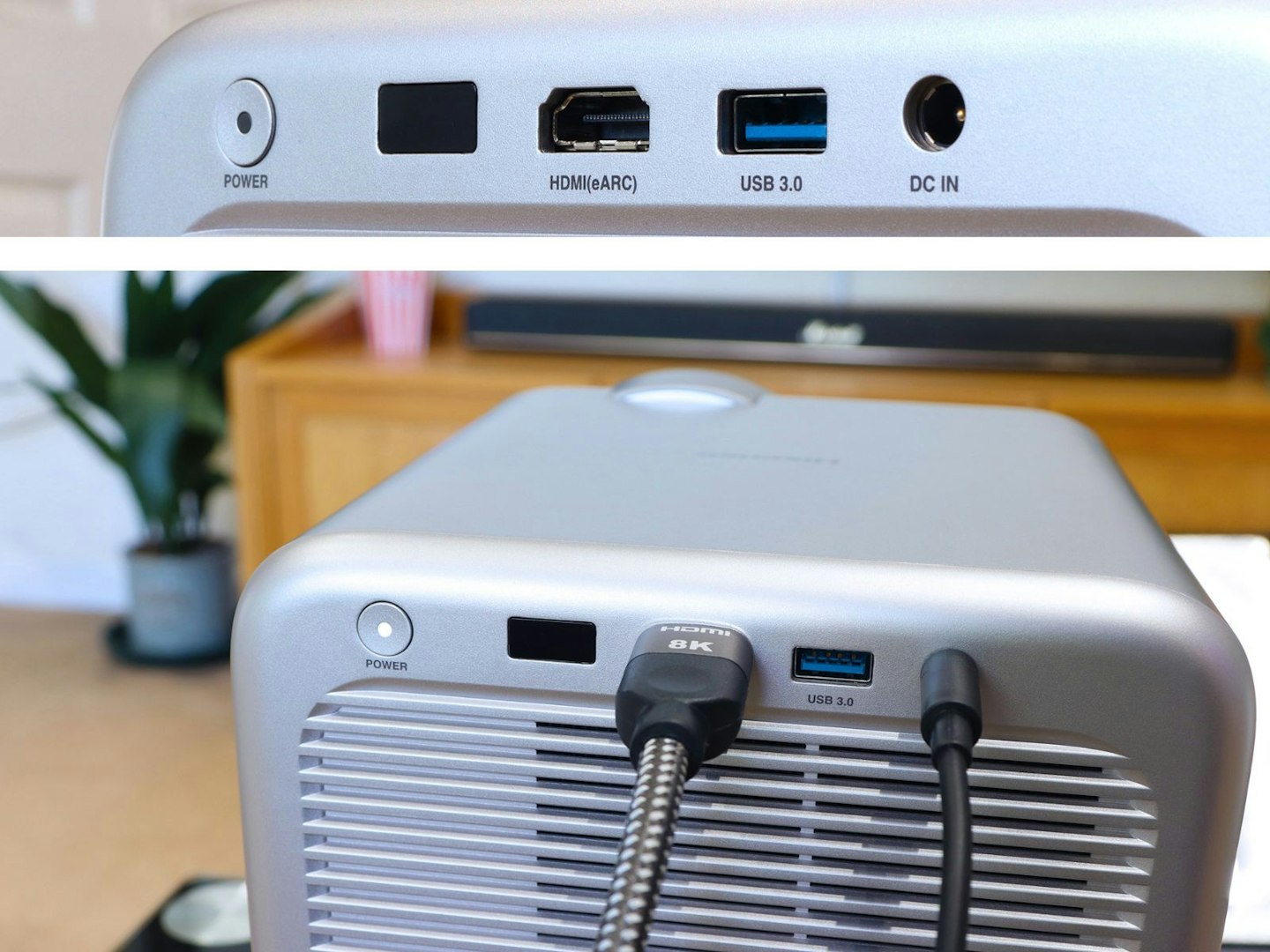
Rear ports are few so an extra long HDMI cable is your friend. ©Chris Duffill, Empire
Elsewhere you do get a USB 3.0 port for convenient playback from external drives, but that’s it for physical connectivity. Thankfully, given the limited port options, screen-sharing and Airplay 2 support are fast and easy ways to cast from mobile devices, but we’ll be focussing on streaming for our testing. Wireless methods are really the focus here, and we’ll be connecting it to our home network as we set things up.
Setting up the Hisense M2 Pro
Although we’d be doing the majority of our testing using streaming content and the projector’s built-in sound system, we connected the M2 Pro to a Dolby Atmos soundbar via the HDMI eARC port, using the bar as a hub for an Xbox Series X and 4K Blu‑ray player. The projector’s VIDAA OS lets you toggle the audio output between internal speakers and HDMI eARC easily too, which avoids having to unplug anything depending on your needs. As with any projector setup, cable length planning is crucial, and we’re using a five metre Southlight HDMI 2.1 Cable for neat cable-routing to the M2 Pro.
Screen on
Our screen is the affordable VonHaus 100-inch projector screen – it’s a 16:9 projection screen to match the projector’s native aspect ratio, which should also help with the auto-keystoning and screen detection features.
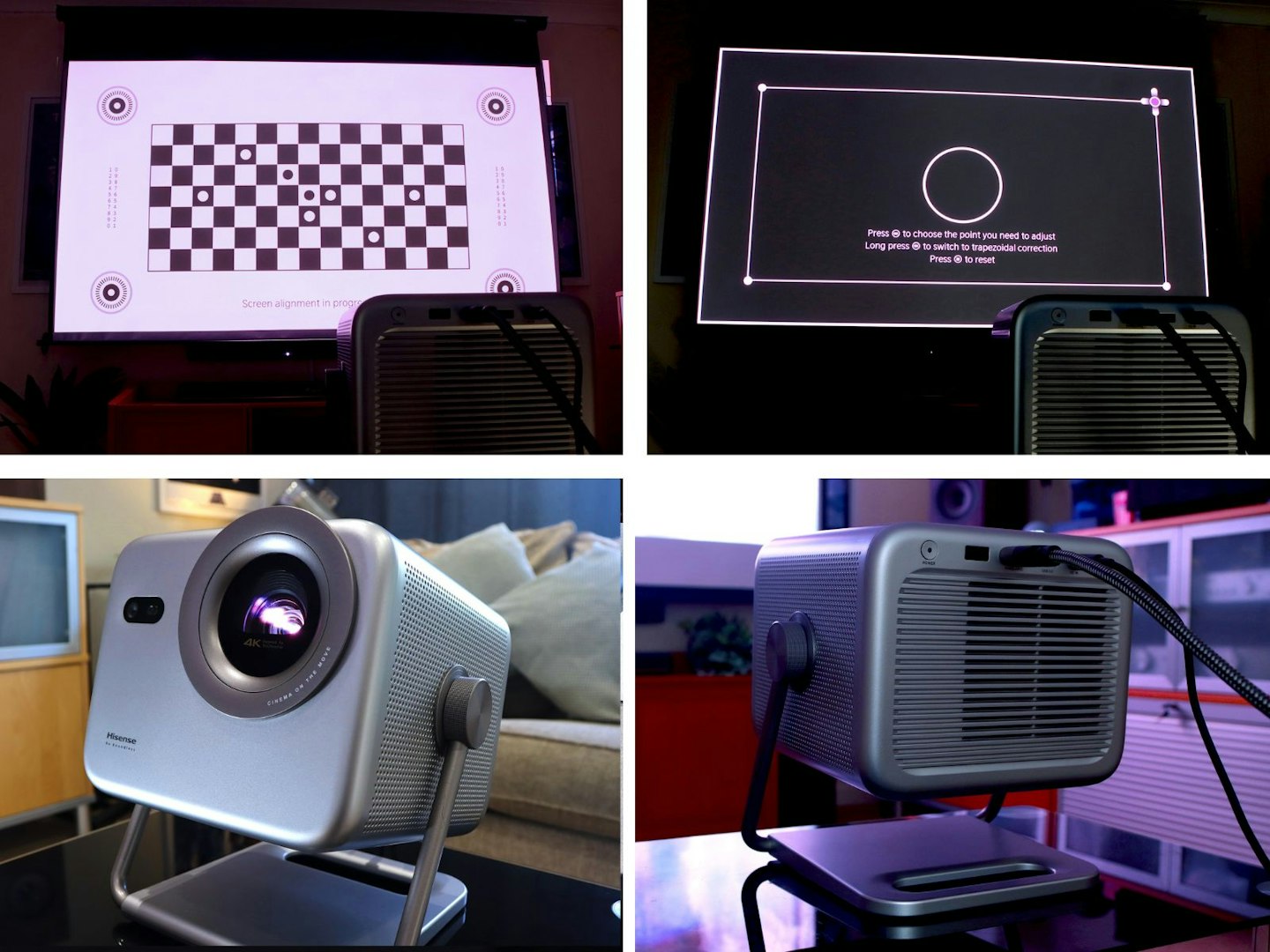
Auto screen setup and final tweaks were a breeze. ©Chris Duffill, Empire
Powering on for the first time, the M2 Pro instantly performed its ‘AutoMagic AI’ – one of the fastest auto-screen setups we’ve seen. It snapped the projection to the 100-inch screen and focussed it within seconds. That speed it partly down to the 1.3x optical zoom lens with its 1.0-1.3 throw ratio – firmly ticking the convenience box for the Hisense compared to fixed-lens models. The result? Our best guess placement (roughly centred around 2.5 metres from the screen) didn’t require any shuffling to get the right fit. That said, as with all projector brands, auto-screen detection and automatic keystoning always needs a small tweak to get it absolutely pixel perfect – no great hurdle, thanks to the simple manual adjustment feature.
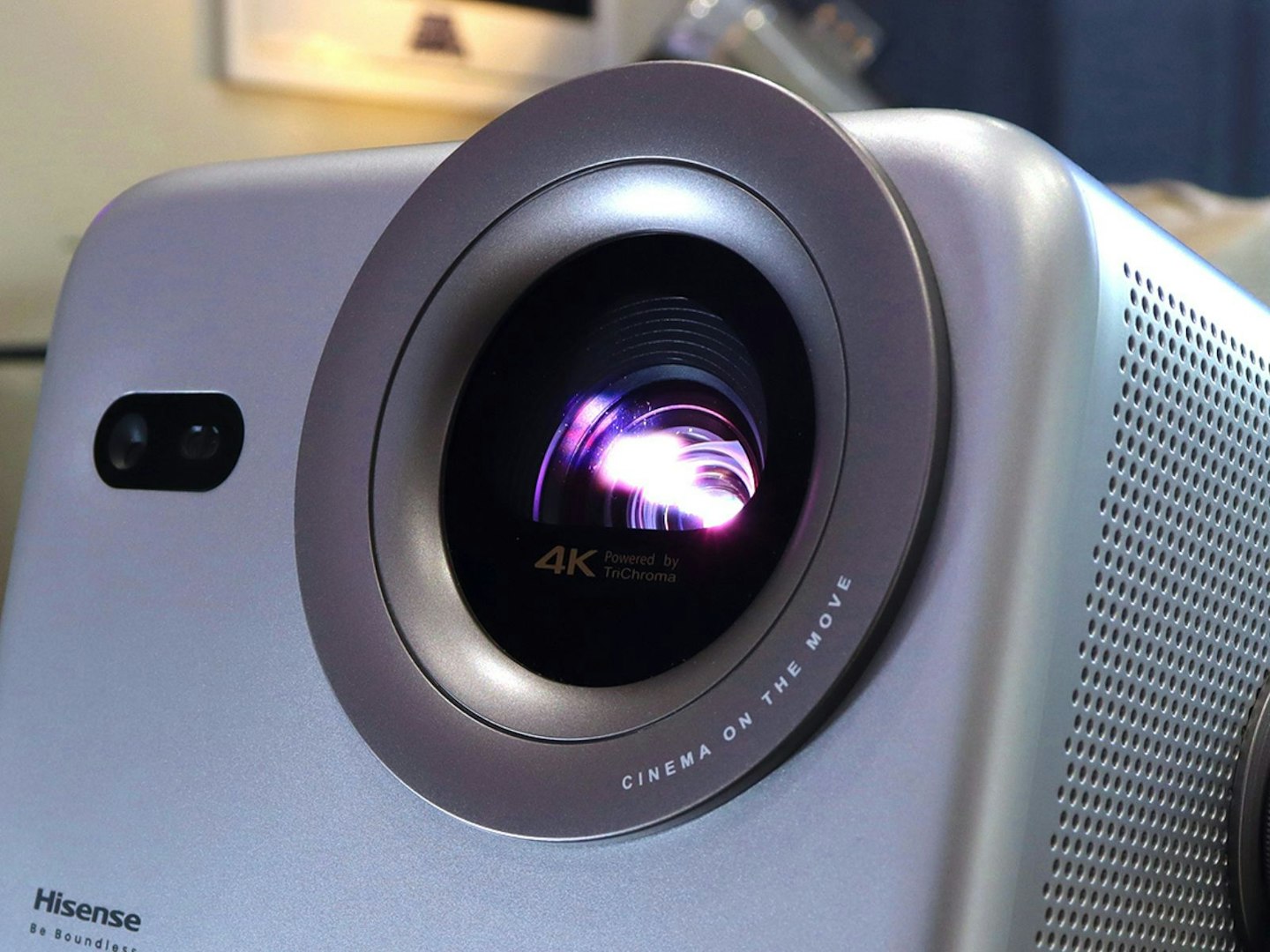
The M2 Pro’s messaging is discrete but clear: Cinema On The Move. ©Chris Duffill, Empire
Bright enough?
At 1300 ANSI lumens, the M2 Pro is better than average in the world of compact projectors, but it’s not going to be a TV replacement for those viewing in the daytime or in well-lit rooms. We set up this Hisense in a room with a large window opposite on an overcast afternoon and it was definitely time to draw the curtains. That said, by the early evening with the sun on its way down we could comfortably watch our screen with the curtains open. It was also perfectly watchable at night in a room with low-medium ambient light – a definite step-up from less powerful compact beamers.
Operating system, menus and apps
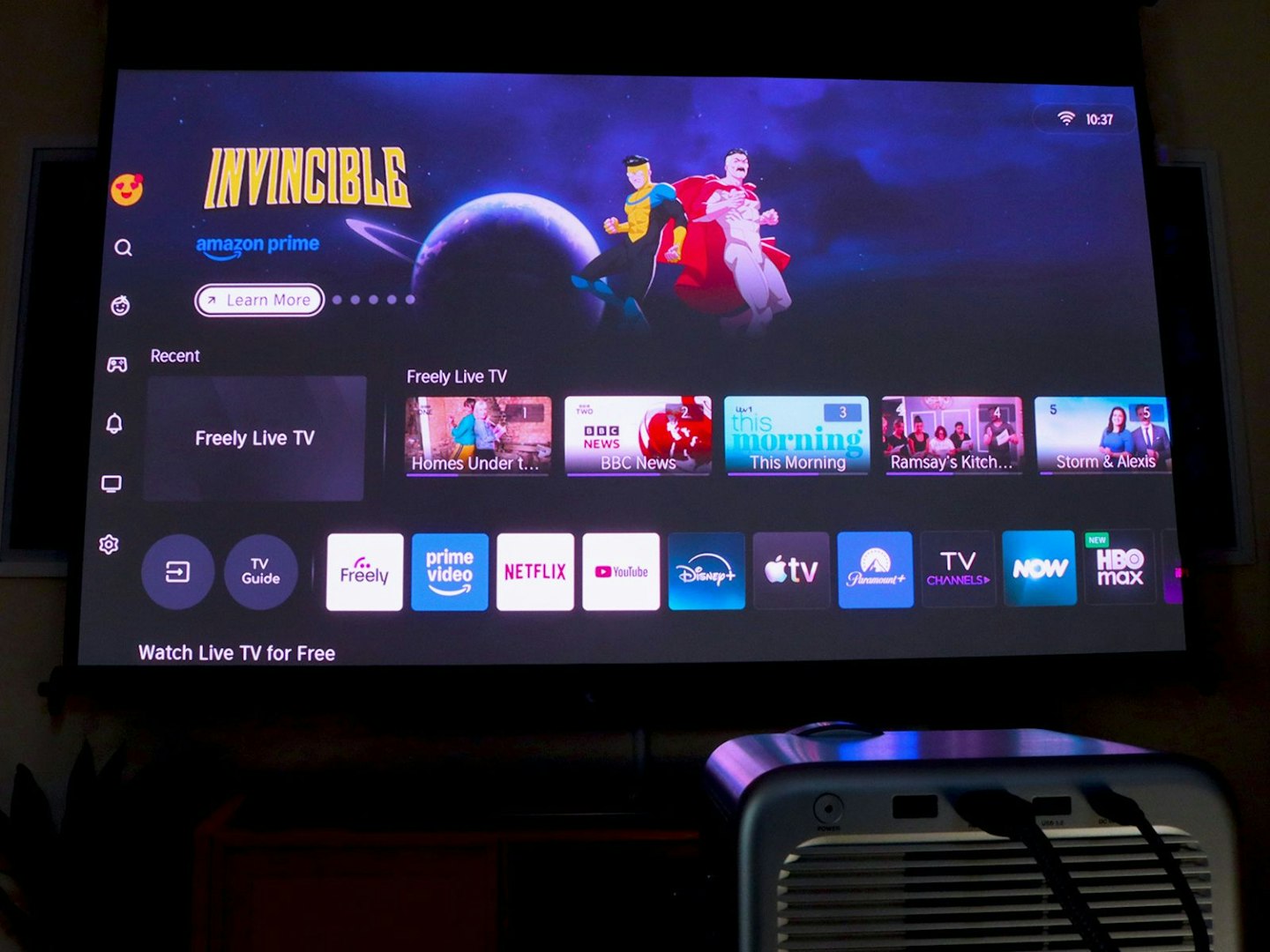
The home screen is cleanly designed and snappy. ©Chris Duffill, Empire
Connecting to Wi-Fi fast and seamless, and creating a free VIDAA account via an on-screen QR code was simple, and essential for building up your tailored content recommendations and using the optional VIDAA app for mobile control.
The VIDAA U9 OS here is snappy and easy to navigate, with a layout is similar to Google TV. Re-ordering the pre-populated app list on the home screen is as simple as holding down a button and moving the icon. Finding new apps from the store is equally slick.
App selection
The out of the box app selection on the home page is huge, and clicking on them triggers an instant download. We found our favourites quickly, from Netflix and Amazon Prime to Paramount+ and YouTube. It’s also refreshing to see Freely included here, which (for those who are new to it) provides a one-stop-shop for all free digital terrestrial channels like BBC, ITV and Channel 4. That means you don’t need to navigate between separate apps to watch live or on demand TV, instead using a traditional electronic programme guide and channel icons to get around. And the aforementioned remote control voice search worked very well, even when we mumbled “The X-Files season three” into it – ideal for anyone who dislikes those fiddly on-screen keyboards.
Menus and settings
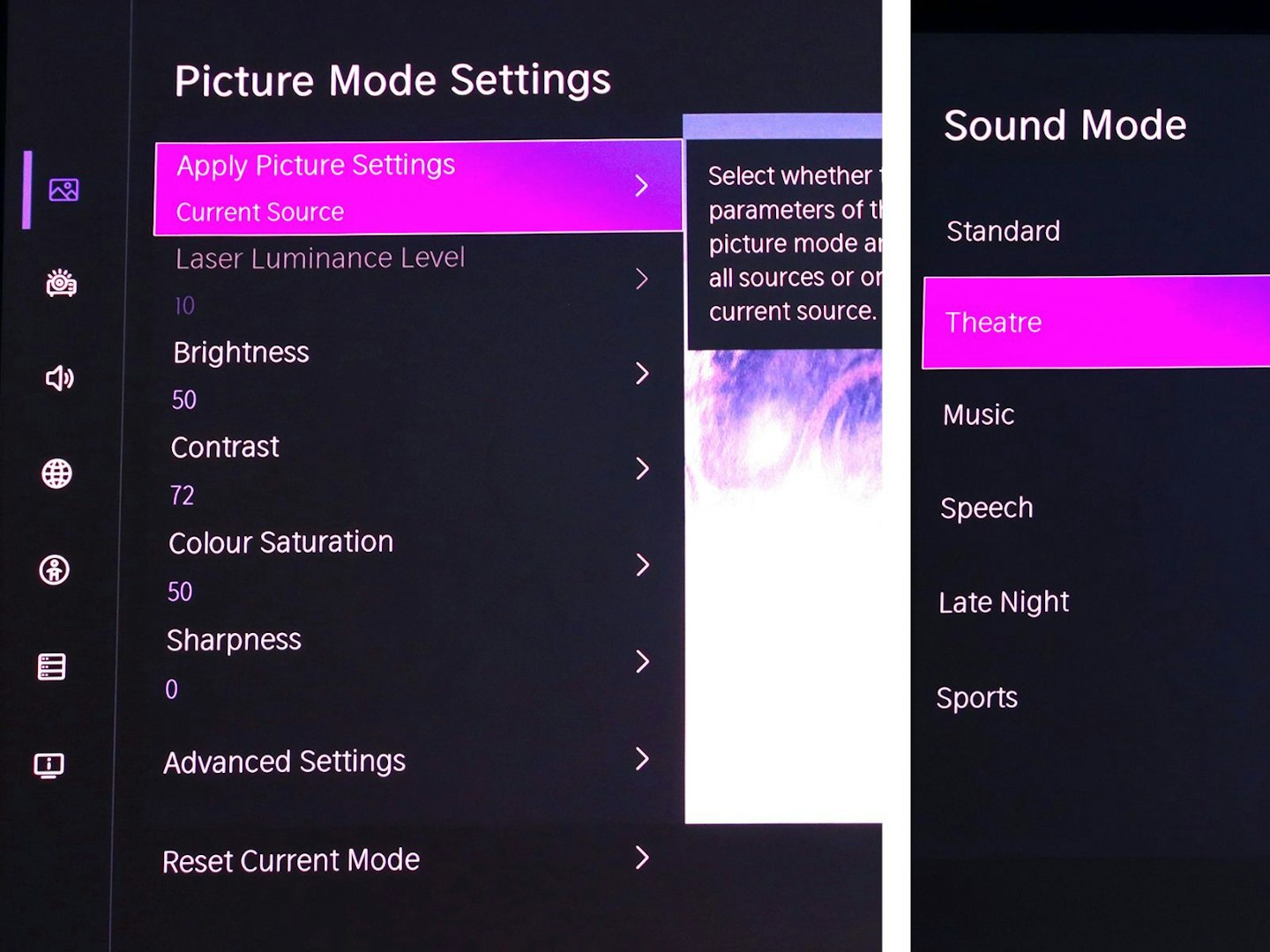
The VIDAA OS menus offer handy picture and sound options. ©Chris Duffill, Empire
Those familiar with the deep-end of TV menus will find all of the usual brightness, contrast and colour modes, picture presets like Standard, Cinema, Game and Filmmaker Mode and so on. We’re huge fans of the latter, as its the setting that will defeat any unwanted artificial enhancements (like motion smoothing and overzealous sharpening filters) to deliver an image the way the filmmakers intended and at the original unadulterated frame rate. The same goes for Game mode to instantly reduce input lag and give graphics extra brightness and punch. We’ll be putting all of that to the test later. As for audio there’s the usual range of audio EQ presets – like Theater, Enhanced, Music, Late Night and Speech.
A note on motion enhancement
Motion smoothing is present and adjustable, but as for most film and TV viewing, we prefer to disable it (as well as dialling-down the sharpening and noise-reduction filters to either off or ‘low’). With motion enhancement and excessive sharpening and noise reduction left on, 24 frames-per-second movies can take on that overly glossy ‘soap opera effect’ and eliminate detail along the way – including any authentic film grain.
Extra features
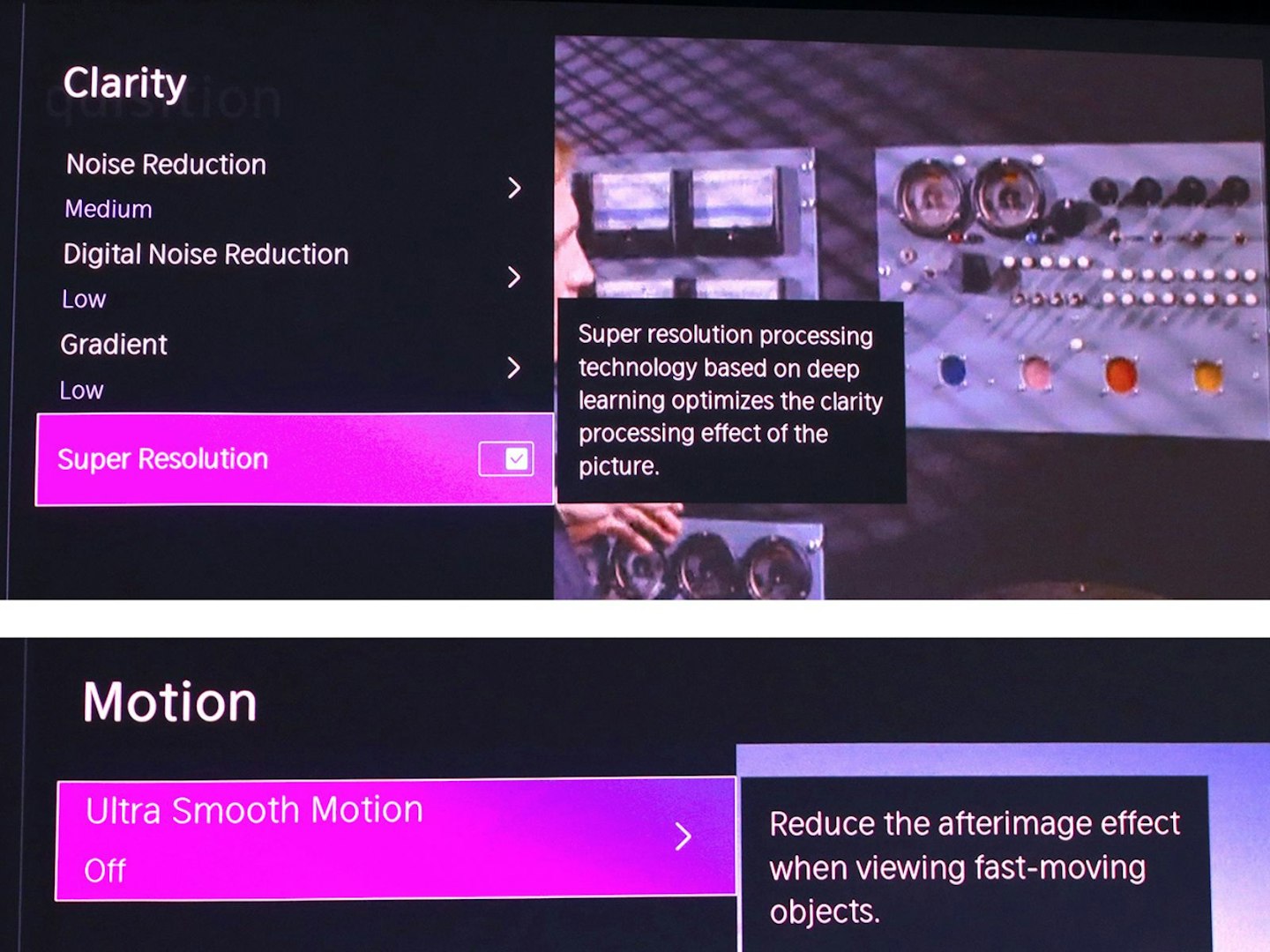
Some of the advanced features – and one to switch off… ©Chris Duffill, Empire
Digging deeper, anyone who’s tinkered with projectors will recognise some of the extra modes on offer here. Laser brightness can be adjusted, as can colour temperature, individual colour balance and other projector-centric features like Super Resolution, Dark Detail, AI Picture Adjustment, and Dynamic Tone Mapping for optimising HDR content. We particularly like being able to set all of these options per-source too, making switching between devices and sources simple when it comes to image quality.
Performance test: Movies
Star Wars: A New Hope (1977) – 4K Blu-ray, HDR10, Dolby Atmos
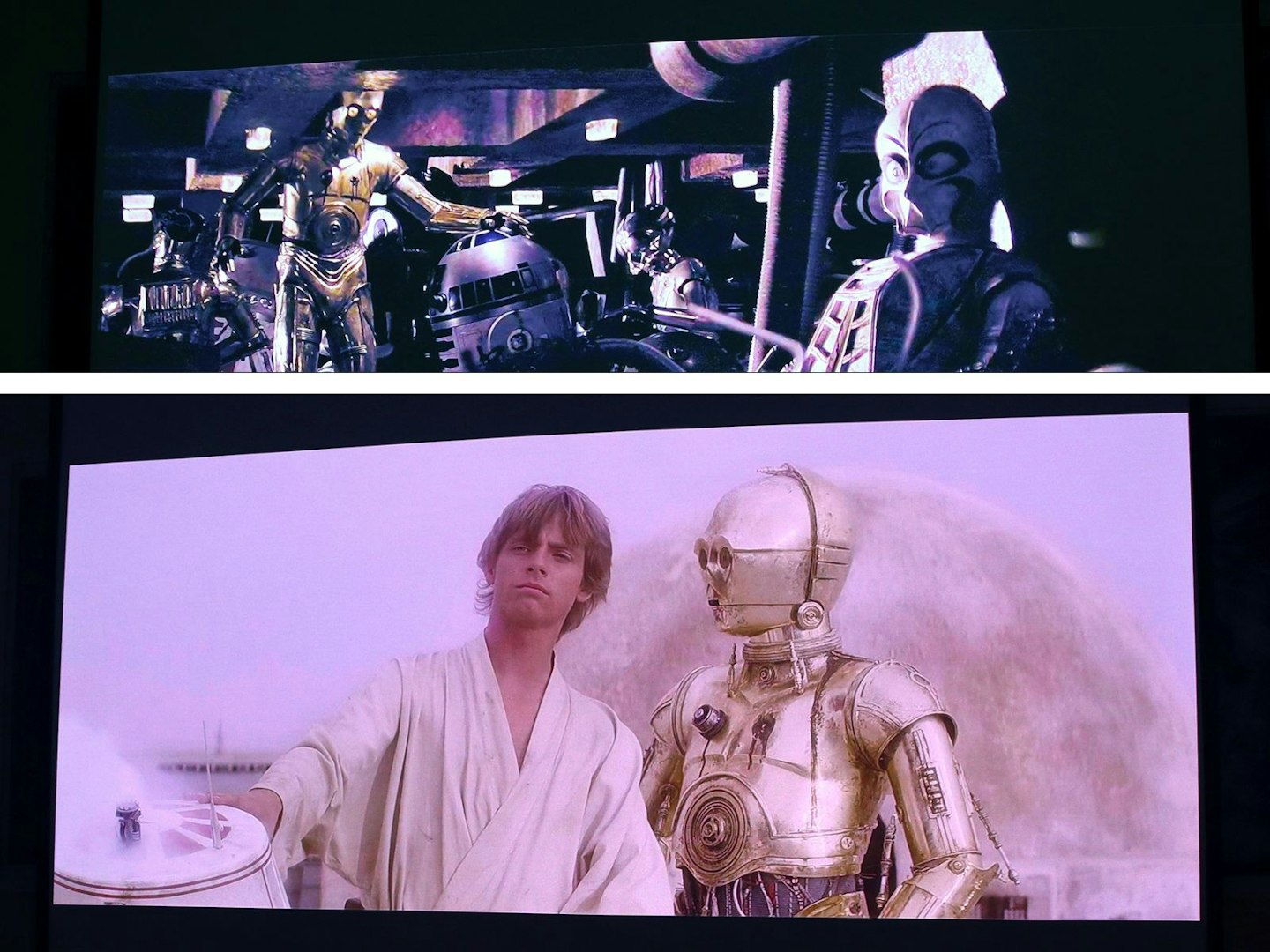
Artoo-Detoo, is is you, it is you! ©Chris Duffill, Empire
A great test for the Hisense’s brightness, contrast and extended HDR10 colour range, we returned to Tatooine, jumped into the landspeeder and headed straight for Mos Eisley. Not only would this give us a great view of the blue skies and sandy dunes of this planet, we’d also delve into the murky shadows of the cantina – not to mention the Jawa’s unnerving collection of droid parts in the depths of their Sandcrawler. Given its sci-fi looks, the M2 Pro may well have been quaking on its stand at the sight of R2 submerged in a pile of junk.
The result was just what we’d hoped for – excellent tonal range thanks to HDR, especially in brighter scenes, and offering plenty of well-defined shadow detail elsewhere. Atmos sound really only made proper sense once routed out to our soundbar, but the internal speakers did an admirable job here.
Predator Badlands (2026) – 4K Blu-ray, Dolby Vision, Dolby Atmos
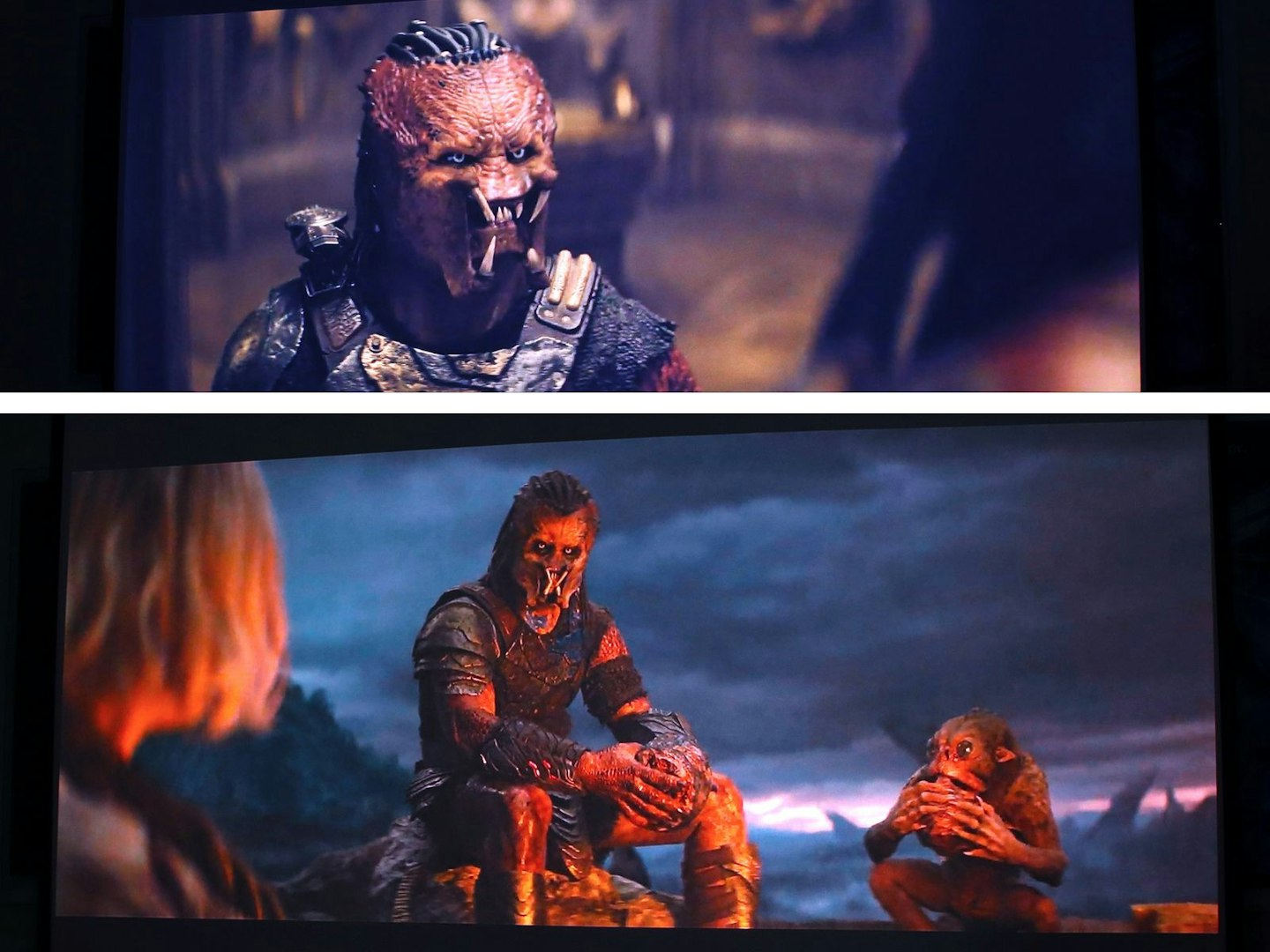
You won’t need Predator night vision to see during darker scenes. ©Chris Duffill, Empire
An apt choice for testing this projector’s shadow detail and contrast levels, we fully expected the extended colour accuracy of Dolby Vision to bring out subtleties in those dark corners of our favourite Yautja’s ship in Predator Badlands. Sure enough, the immersion-breaking colour banding we see on lesser projectors was banished by the M2 Pro’s skill set – especially with the flickering firelight and shadowy skies of the campsite scene. Spatial sound courtesy of Atmos is of course a tad more expansive than normal 5,1 or stereo via the Hisense’s internal speakers, but our soundbar was needed once again to bring out the true depth of the soundtrack here.
Performance test: TV shows
Memory of a Killer: ‘Dr. Parks’ (2026) – Amazon Prime, Full-HD, SDR, 5.1 surround sound
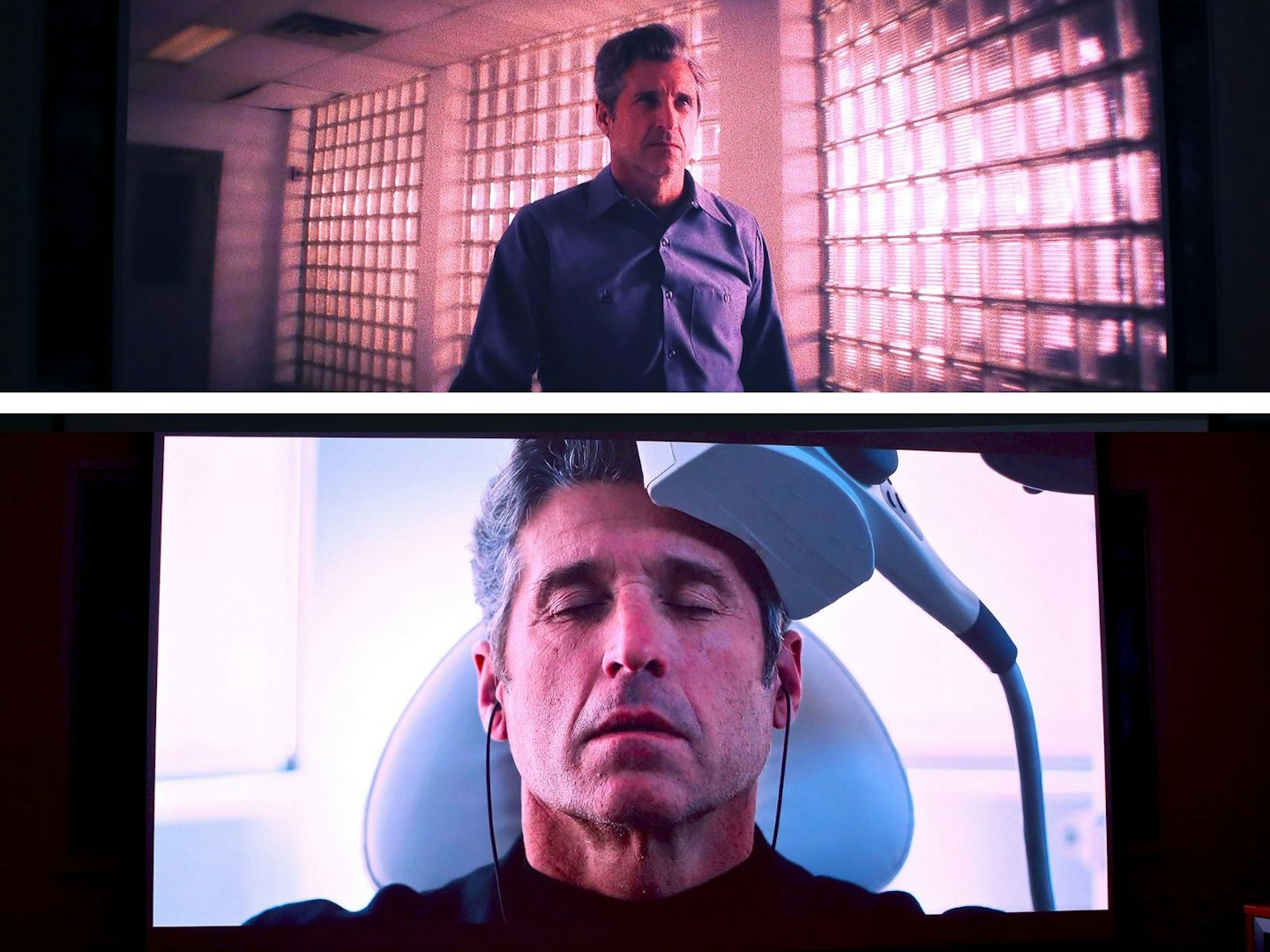
©Chris Duffill, Empire
Amazon Prime locks its 4K, HDR and Dolby Atmos content behind its premium subscription, which is fine for us – as we’re going to see how well the M2 Pro’s AI upscaling works – both the 4K uptick in resolution and the intelligent conversion to HDR colour. Watching Patrick Dempsey’s Angelo undergo treatment under clinical hospital lighting sharply intercut with sepia-toned flashbacks from his fractured mind showed off both the auto HDR and upscaling of the Hisense, with very little to complain about given the relatively quality of the source.
Audio performance was particularly strong, the twin internal speakers lending themselves very well to the 5.1 soundtrack here, with the Enhanced audio mode delivering a wide sound field and clear, well-positioned dialogue.
The Invaders (1967) – Freely App – Legend TV, Standard Definition, Stereo
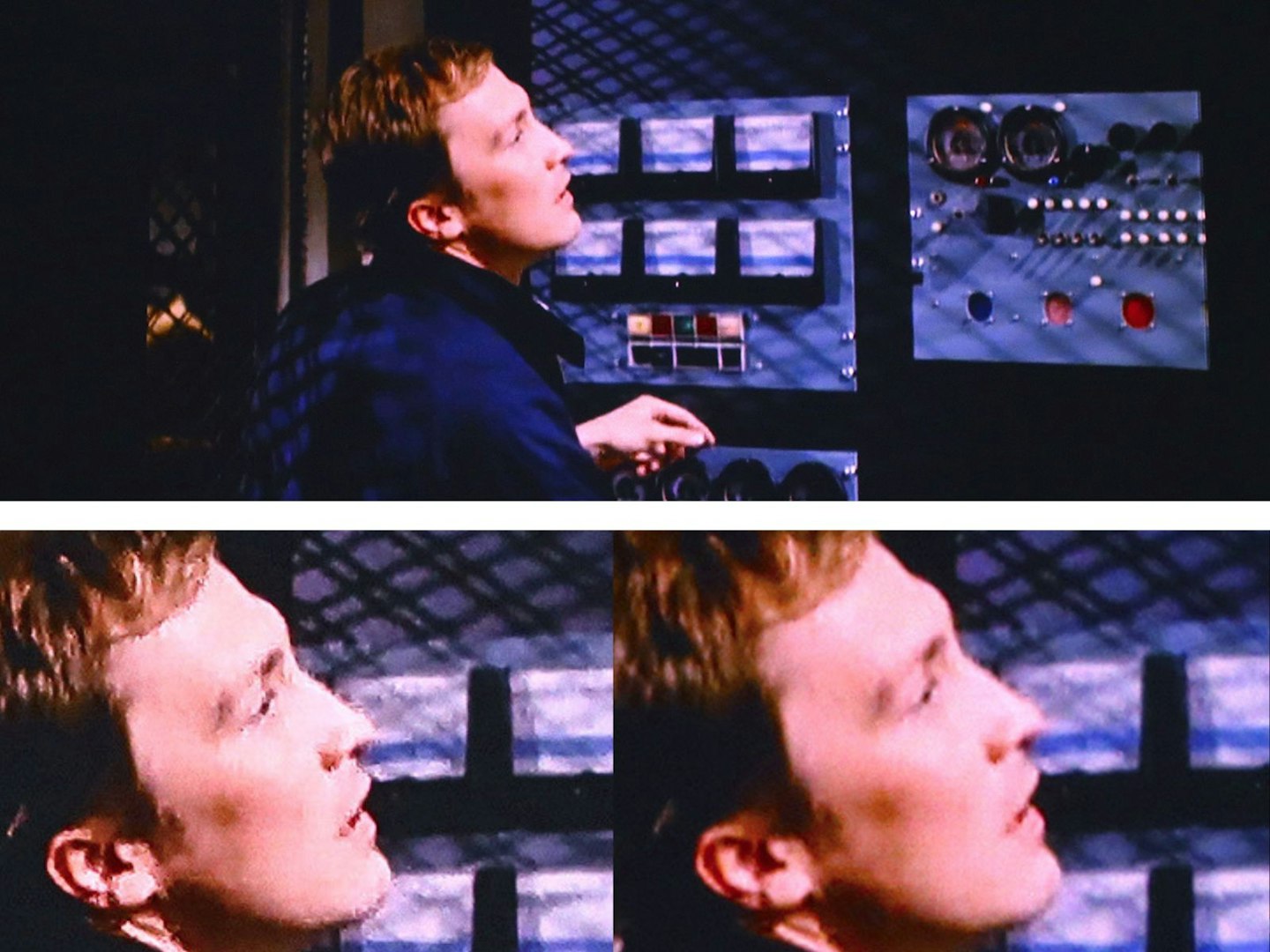
Standard definition scaled up and improved, with before and after below. ©Chris Duffill, Empire
For those who like streaming older content, we returned to the late sixties and lone crusader David Vincent’s mission to track down and expose a secret alien invasion, stiff little fingers and all. Broadcast live by the Legend TV channel via the Freely app, the picture was a rather roughly compressed version of Standard Definition (720 x 576). Its original 4:3 ratio was handled well by the Hisense, with no awkward attempts to stretch it to fill its native 16:9 format.
Although we switched off artificial AI clarity enhancements for our other tests, we were able to polish up this episode by adding a little noise reduction and sharpening, and by turning the AI auto optimisation on. Given the limited resolution of the source material, 4K upscaling is just enhancing blocking and artifacts – so we were happy to be able to enjoy this adventure on a huge screen without being so distracted by the lack of definition. Our screen would dwarf the TV sets this show was originally broadcast to, so the Hisense did an admirable job here.
Performance test: Gaming
Star Trek: Voyager – Across the Unknown – Xbox Series X, 4K, 60Hz
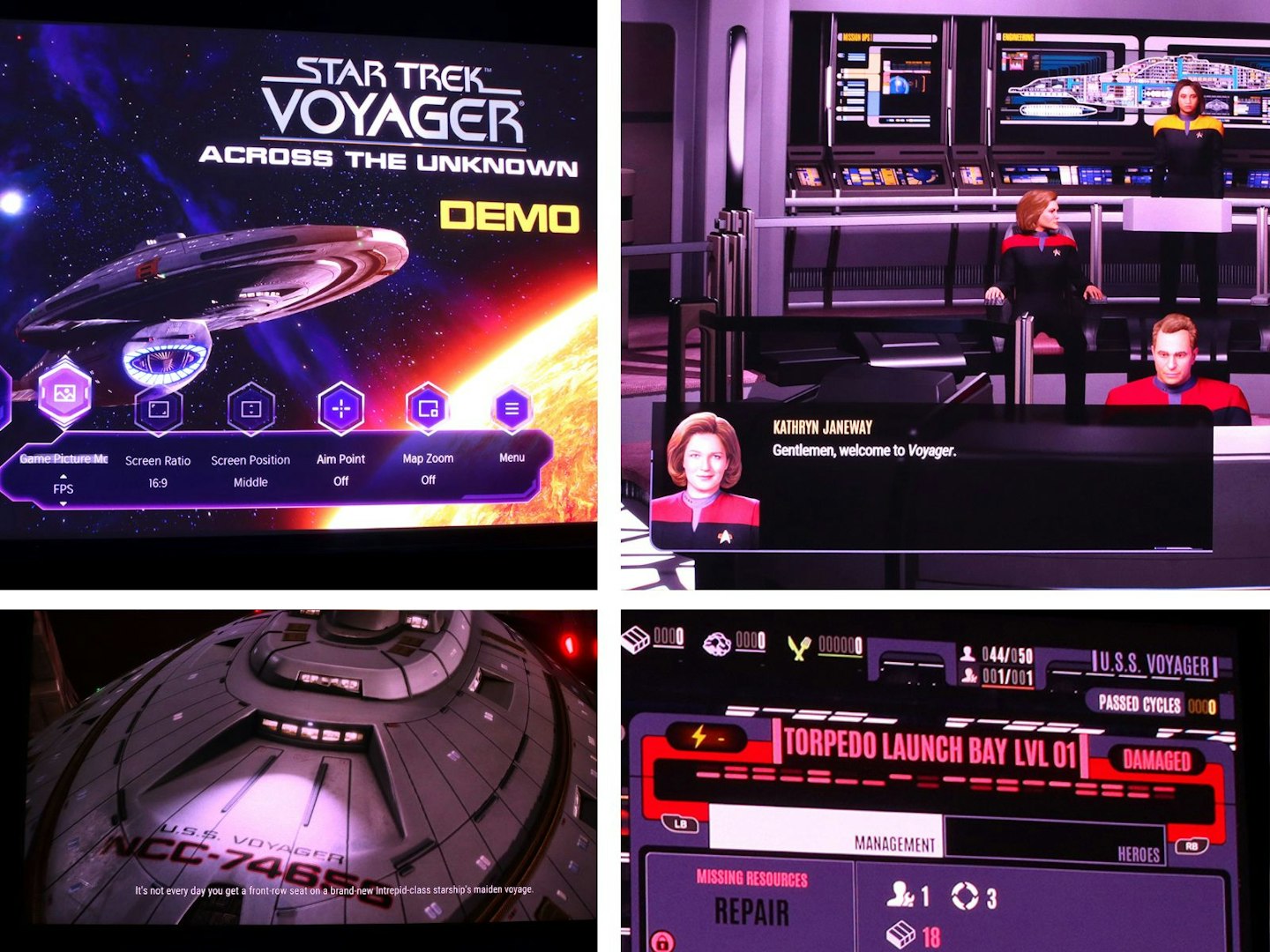
©Chris Duffill, Empire
With a latency of roughly 10 milliseconds, this projector isn’t going to compete with the high-end gaming monitors or high-spec TVs that hardcore competitive gamers seek with latencies as low as 1 millisecond. But any projector (or TV) that offers under 20 milliseconds is going to be great for everyday gamers. The 10 milliseconds here is sharp enough to play everything from First-Person Shooters to racing games like Forza Horizon 5 and still come out on top. But we haven’t focussed on that here, deciding instead to explore how well the M2 Pro handles highly complex interfaces, high contrast visuals and cinematic cutscenes. This latest Trek outing for consoles really put that 4K resolution and 100-inch screen to the test. We were not disappointed, with the larger screen and highly legible text becoming our preferred way to play, all from the comfort of our sofa. It pushed the TV (and even a gaming monitor) into second place, if only for the sheer spectacle and readability on offer.
A note for pro gamers
While the projector accepts 4K/60Hz signals and supports auto low latency mode, it does not offer 4K/120Hz. What you will get is 4K at 60Hz, and up to an amazing 240Hz at 1080p, with input lag as low as 10ms depending on your resolution – that’s more than acceptable for console gaming, but perhaps not quite as fast as some pro or serious competitive players might hunger for.
Overall picture quality
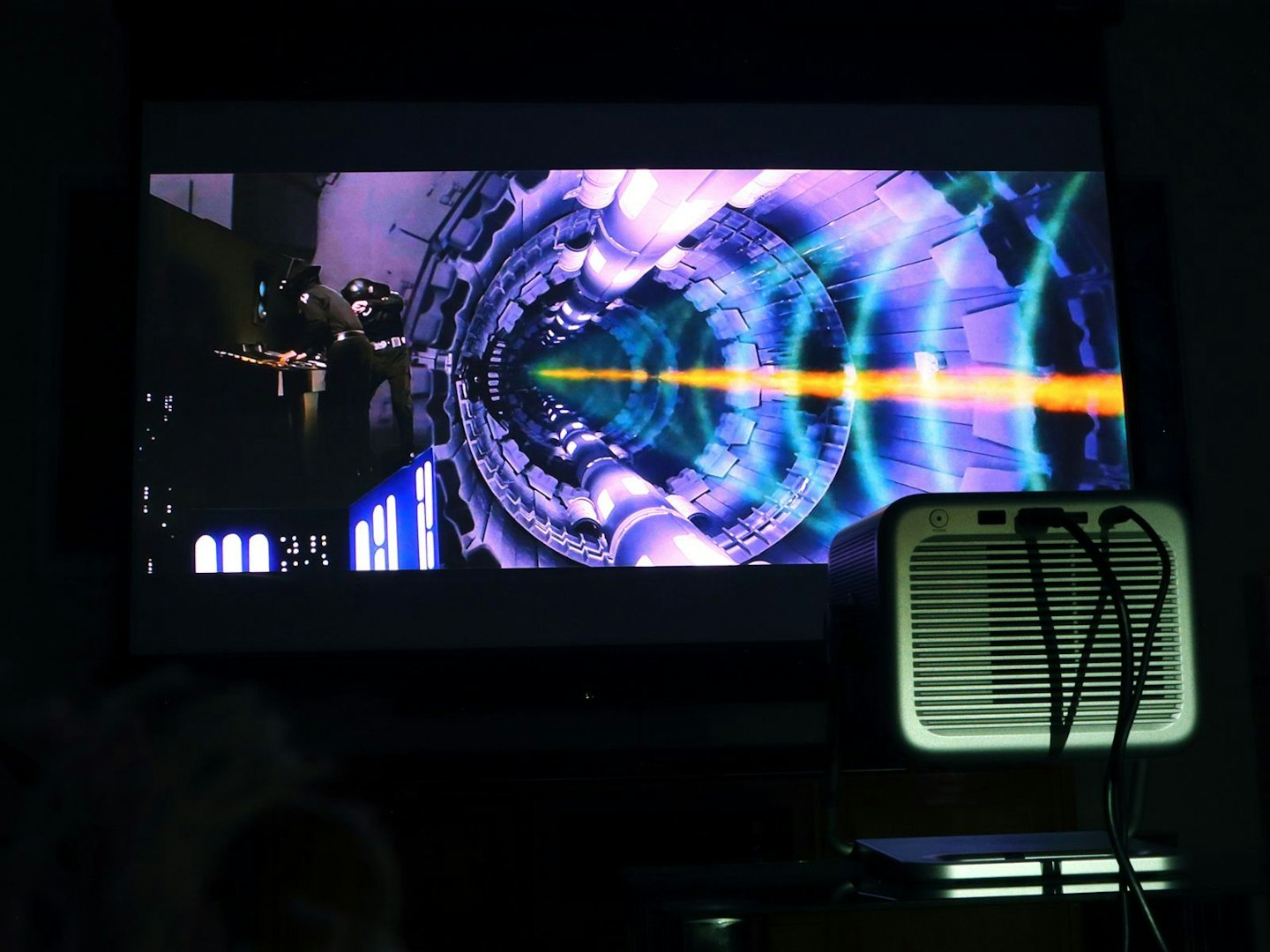
Bright enough? Yes. To destroy Alderaan? No. ©Chris Duffill, Empire
We did have to play around with the colour space, as it’s default setting is BT.2020 (a wider colour gamut than regular TV) which we felt was a little overcooked in terms of colour vibrancy. Switching to ‘auto’ we tweaked things manually from there, including setting the colour balance to ‘warm’ and adjusting the red saturation. With a little patience, we recommend watching your favourite content as you do this, to get things just right.
And continuing with colour performance, the triple‑laser light source of the M2 Pro delivers in spades. Despite needing to tweak things to taste, this projector produces rich and delicate hues without any rainbow artefacts during our testing – a perfect partner for the HDR support here.
In our tests we covered Dolby Vision and HDR10/HDR10+ content, with dynamic tone mapping turned on to further enhance shadow detail and accuracy. In tandem with optional settings like Dark Level Enhancer (that did just what it promised) and bumping the laser brightness up to the 80 per cent mark, we enjoyed bright specular highlights and excellent dark levels – providing we controlled our room’s ambient light levels. For evening viewing, this it has more than enough punch for a sharp 4K 100‑inch image.
Overall audio performance
One thing’s for sure – this Hisense is not short on volume. We found we rarely pushed the volume dial higher than he 20 per cent mark for all of our testing. Having selected Theatre Mode for a more expansive sound profile most of the time, plus tweaking the EQ to suit, the audio on offer here is very well rounded, spacious and with very respectable bass – it’s perfectly listenable for movies or casual viewing, but pushing the volume beyond 50 per cent resulted in overcooking some of the lower frequencies. That said, it’s easily on-par with some of the best small soundbars out there.
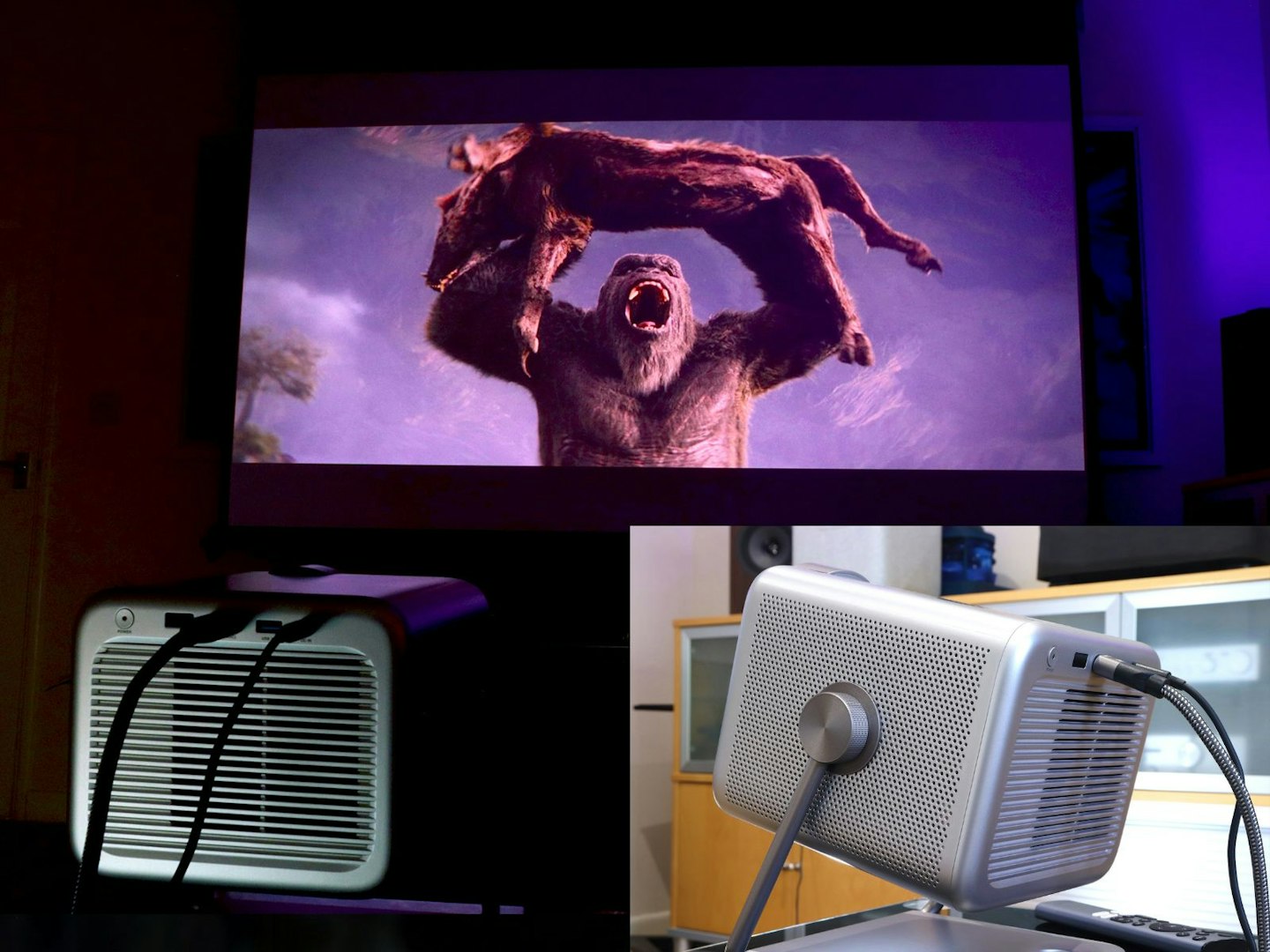
The roar of big-screen creatures is probably best enjoyed via a soundbar. ©Chris Duffill, Empire
While the native support for the DTS Virtual: X (faux-spatial surround) format is more than welcome, we do wish that Dolby Atmos support was also onboard. That said, if you’re going to hook this up to a DTS: X and Atmos soundbar as we did, that’s not a relevant omission. Those who love their epic blockbusters with cinematic sound to match will definitely want to invest in one of the best Dolby Atmos soundbars for their movie marathons.
Fan noise
Ventilation is discreet, and in regular use the projector is relatively quiet. In standard and Filmmaker viewing modes, fan noise was low enough to fade into the background – especially crucial for quiet dialogue scenes. Ramping up brightness settings and so on, or using dynamic mode, did increase the fan noise a little – but, even sitting less than a metre away from the back of the M2 Pro, this was minimal and didn’t distract from our entertainment.
Who is it for?
©Chris Duffill, Empire
We think that the Hisense M2 Pro is a very well balanced projector for the price – and for that reason it’ll suit anyone who wants to make the leap into smart 4K projection. It retains many of the high-end features often seen in premium models, but without having to break into serious home cinema territory wallet-wise. It’s also an attractive design that will fit into any living room – compact enough to stow away when needed but flexible enough to set back up again in seconds.
Despite its considerable smarts it’s not a 24/7 TV replacement though, and that’s all down to the brightness on offer. With its 1,300 ANSI lumens, the M2 Pro is best suited to dim environments, with excellent performance in a darkened room. That said, we tested it at early evening and dusk in a room with the curtains open, and it had more than enough brightness to comfortably watch. Again, at this price, you’ll be hard-pushed to find a compact 4K projector as bright and portable as this one.
Final verdict
After more than a week of testing with all of our viewing and gaming, we have to say that this compact little projector is a real trooper. Not only did it give us access to all of our content, whether streaming or from external devices, but it was also fast and intuitive to navigate. It threw that glorious 4K with HDR colour onto our 100-inch screen with the sort of confidence we normally see in slightly pricier models.
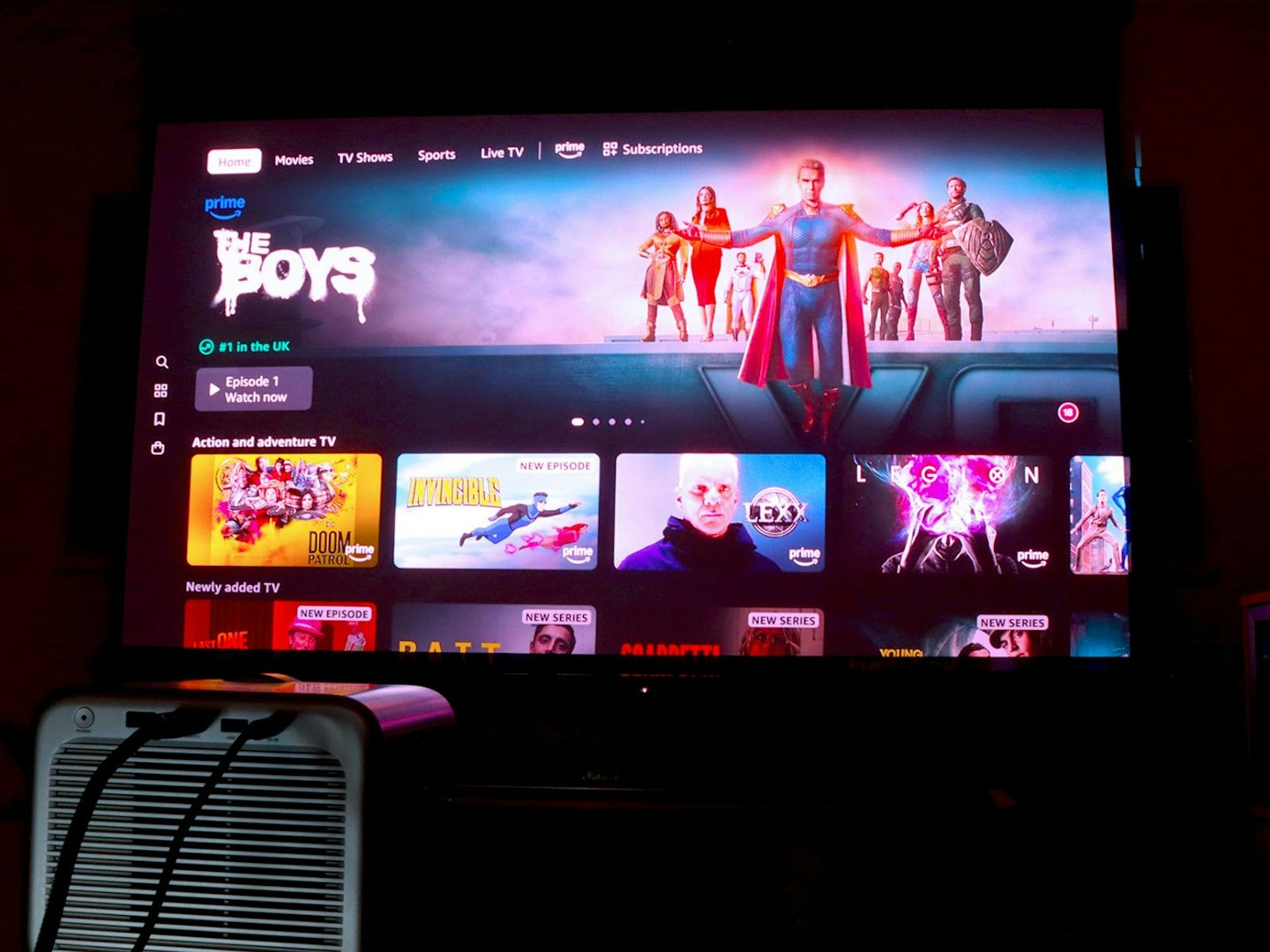
The Hisense M2 Pro Amazon Prime app. ©Chris Duffill, Empire
Perhaps the only practical limitations though are the brightness level and limited HDMI inputs. That said, its triple lasers and 1300 ANSI lumen rating are better than most for the money. So, while we can always compare it against 4K projectors costing closer to £2000, that’s not really a fair assessment. As it is, we were super-happy with our evening’s viewing, the image having plenty of detail, brightness and finesse. We were also impressed with the deeper level of control provided by the settings of the M2 Pro – especially features like Dark Level Enhancement, HDR Tone Mapping and the multitude of customisable settings. One of our favourite features is also one of the simplest: being able to set the H2 Pro to return to whatever source were watching the next time we powered it up.
Speaking of sources, we do wish that the M2 Pro had included a second HDMI 2.1 input, which would have made having our soundbar hooked up at the same time as a game console a little easier. As it was, we were relying on the HDMI input of the soundbar to pass the video signal back up to the projector. Luckily for us the Marshall Heston 120 has low latency HDMI passthrough, otherwise this may have introduced a more problematic issue that a second port on the M2 would avoid.
All that said, this is primarily a compact smart projector, so we can live without the extra HDMI port. The onboard speaker system is powerful enough for everything, other than serious big-screen blockbusters that demand spatial audio like Dolby Atmos. Hook this up to a surround sound system or even a budget soundbar that supports Atmos and you’ll have a true home cinema experience on your hands. For avid streamers who like tech that’s as well designed on the outside as it is on the inside, the Hisense M2 Pro is a plug-and-play dream
©Chris Duffill, Empire
Alternatives to the Hisense M2 Pro 4K projector
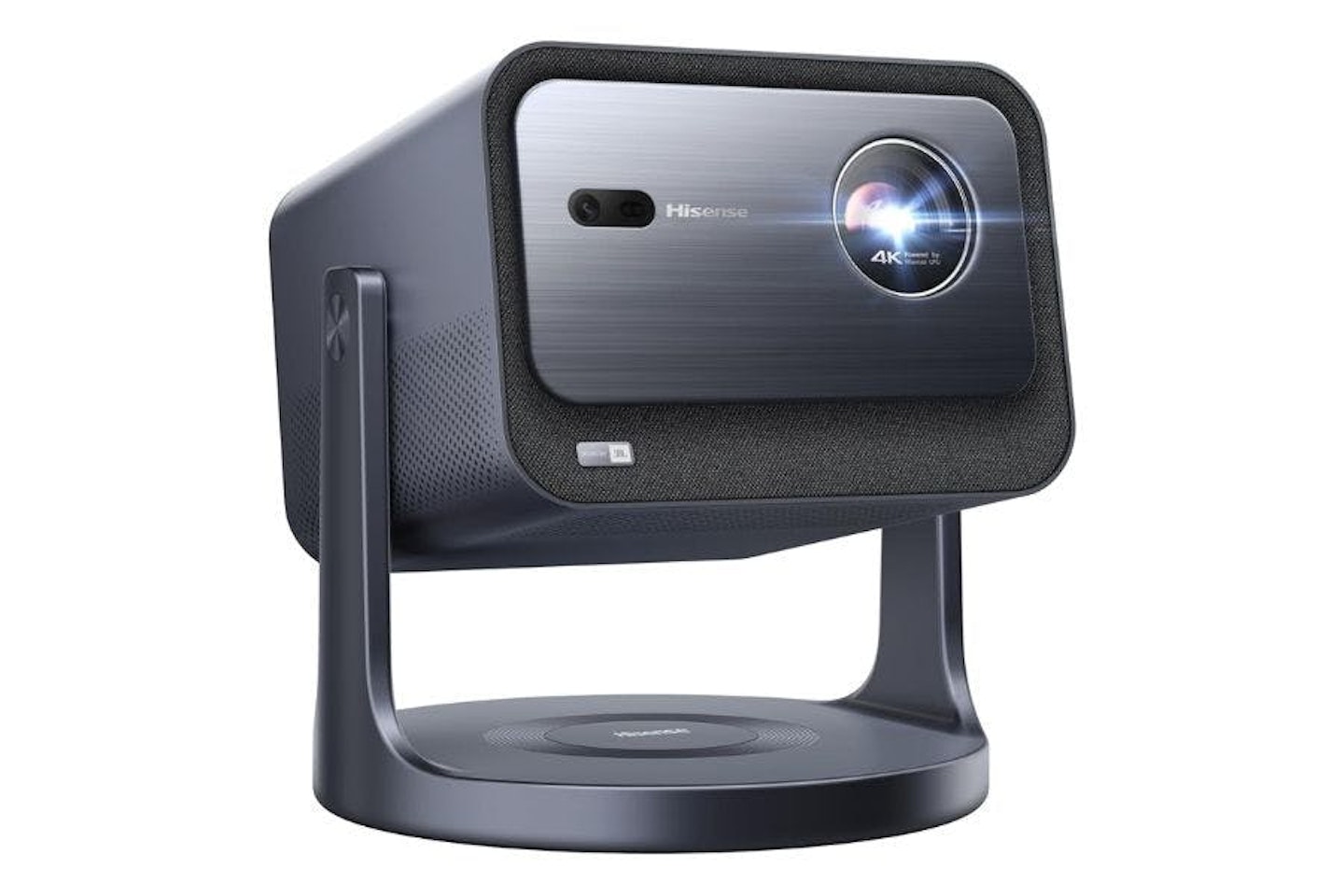
The Hisense 4K C2TUK and the Nebula Cosmos 4K SE we mentioned earlier are excellent alternatives that sit on either side of the M2 Pro in terms of price. However, they do have a few key differences – including both having an extra HDMI port.
The Hisense C2 costs almost £200 more, but that buys you a slightly more premium look (including a front fabric speaker grille), a 300-inch maximum screen size and, crucially, 700 more lumens than the M2 Pro.
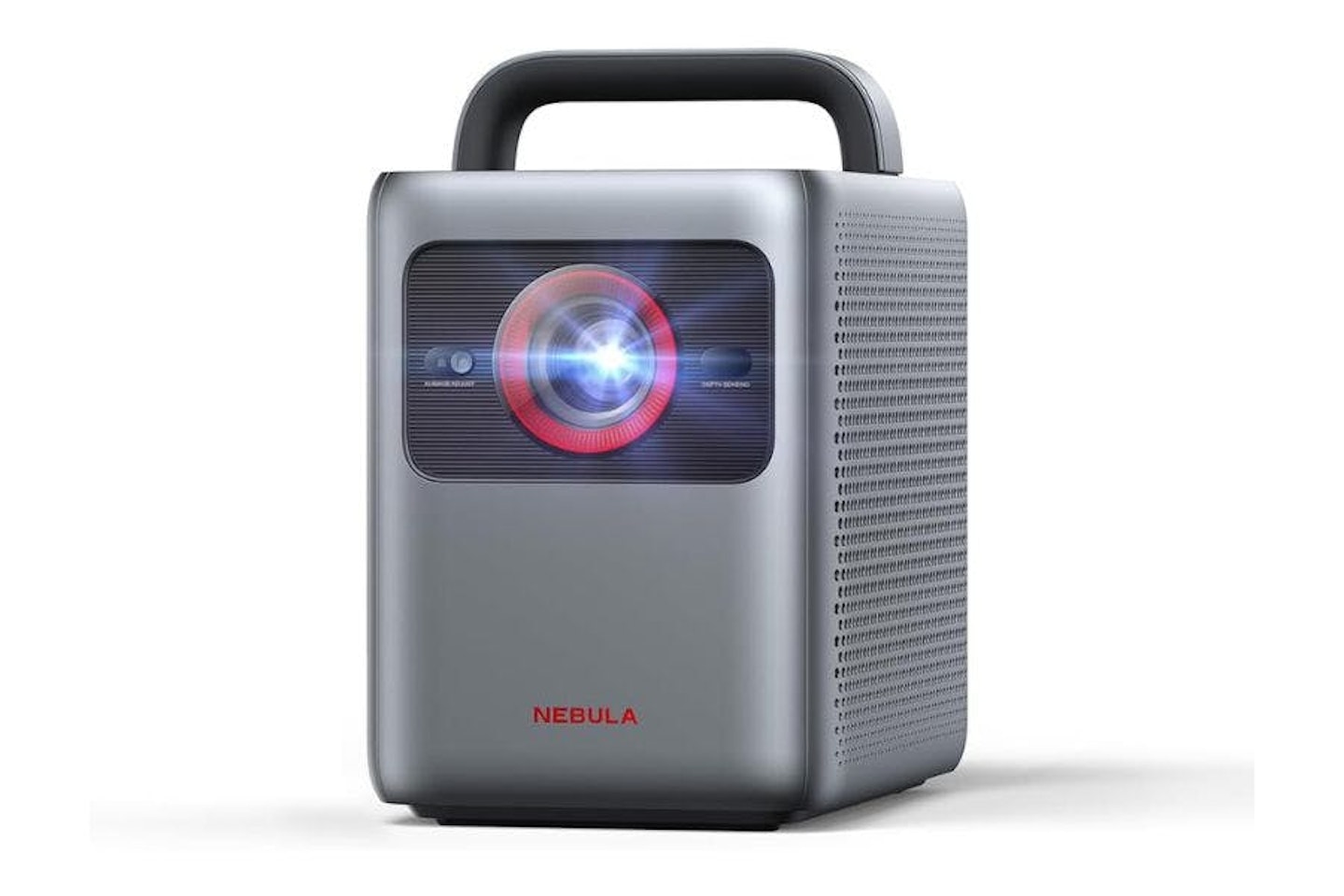
Undercutting the M2 Pro by more than £100 is the smaller and brighter 1800 ANSI lumen NEBULA Cosmos 4K SE. While that brightness boost is welcome, the lower price and extreme portability of the Cosmos cuts some corners – notably by using a single (LED enhanced) laser instead of the M2 Pro’s triple laser system, which means you might see some rainbow effect during fast-moving high-contrast scenes. It also has a higher latency of around 19-20 milliseconds, making it less suitable for serious gaming.
| Projector Comparison: Hisense 4K M2 Pro vs Hisense 4K C2TUK vs Nebula Cosmos 4K SE | |||
|---|---|---|---|
|
Hisense 4K M2 Pro |
Hisense 4K C2TUK |
Nebula Cosmos 4K SE |
|
| Resolution & Type | 4K (3840 x 2160) | 4K (3840 x 2160) | 4K (3840 x 2160) |
| Brightness & Source | 1300 ANSI lumens, triple laser | 2000 ANDI lumens, Triple Laser | 1800 ANSI lumens, Single laser + LED |
| Max Image Size | 200 inches | 300 inches | 200 inches |
| Refresh Rate & Latency | 60 Hz, ~10-12 ms | 60 Hz, ~5-12 ms | 60 Hz, ~20 ms |
| Audio | Dual 10 W speakers, DTS Virtual X | Dual 10 W JBL speakers, DTS Virtual X, Dolby Atmos | 2 x 15W speakers, Dolby Digital Plus |
| HDR Support | HDR10, HDR10+ Dolby Vision | HDR10, HDR10+, Dolby Vision | Dolby Vision, HDR10 |
| Smart Features | VIDAA OS, Vidaa Voice Assistant | VIDAA OS, Vidaa Voice Assistant | Google TV (Google Assistant, Chromecast) |
| Connectivity | HDMI x1, USB 3.0 x1, Wi‑Fi, Bluetooth 5.0 | HDMI eARC x1, HDMI x1, USB 3.0 x2, Optical, LAN, Wi‑Fi 6E, Bluetooth 5.3 | HDMI 2.0 x2, USB x2, AUX out, Bluetooth, Dual-band Wi-Fi |
| Dimensions (mm) | 230 x 193 x 218 | 247 x 247 x 254 | 252 x 170 x 176 |
| Weight | 3.9 kg | 5.3 kg | 2.6 kg |
| Verdict | |||
| The C2TUK justifies its higher price with a slightly more premium design, brighter output, faster latency for low-lag gaming responses and a larger maximum image size. The Cosmos 4K SE offers more portability and brightness for less, but sacrifices some colour performance and has a slower latency than the M2 Pro. | |||
Researched & recommended
 Hisense
Price: £999.00
Alternative retailers
The Hisense C2TUK offers a high-end 4K home cinema experience that you can move from room to room, with an expansive projection size range of 65 to 300 inches and an impressive 2,000 ANSI lumen output.
Price: £999.00
Researched & recommended
 Anker Nebula
Rrp: £999.00
Price: £949.00
The Cosmos 4K SE uses a single laser plus LED HybridBeam technology to project at 4K resolution with 1800 ANSI lumens of brightness, but has some rainbowing and slower latency than the M2 Pro.
Rrp: £999.00
Price: £949.00
How we tested the Hisense M2 Pro 4K projector
We tested the Hisense M2 Pro 4K projector for two weeks. It was set up on a side table in a living room measuring around 21 x 16 ft. The projector was placed just over two metres from a 100-inch wall-mounted 16:9 ratio projector screen that faces a large north-facing panoramic window with non-blackout curtains. The M2 Pro was connected to a Wi-Fi network for streaming and to a Dolby Atmos soundbar and subwoofer via the M2 Pro’s eARC HDMI port and a 5.5 metre HDMI 2.1 cable. The soundbar was a connection hub for a Xbox Series X and Panasonic Blu-Ray player used for our tests. Screenings took place during night with controlled ambient light, early evenings with minimal daylight, and in the daytime with curtains drawn.
Various apps were downloaded to the projector, including Amazon Prime, Disney+, YouTube, and Netflix. The Hisense M2 Pro projector was loaned to us by a PR agency for the purposes of this review. Neither the agency or Hisense had any oversight or editorial control over the content of this review. Find out more about how we test and choose products.
Latest Updates
This review was first published in April 2026. Any future updates and additions will be added here.
Chris Duffill is a senior tech reviewer, writing for Empire, What’s The Best, Yours, Closer, Heat and other brands. He specialises in home entertainment and audiovisual tech, including TVs, projectors, speakers, amplifiers, turntables and more.