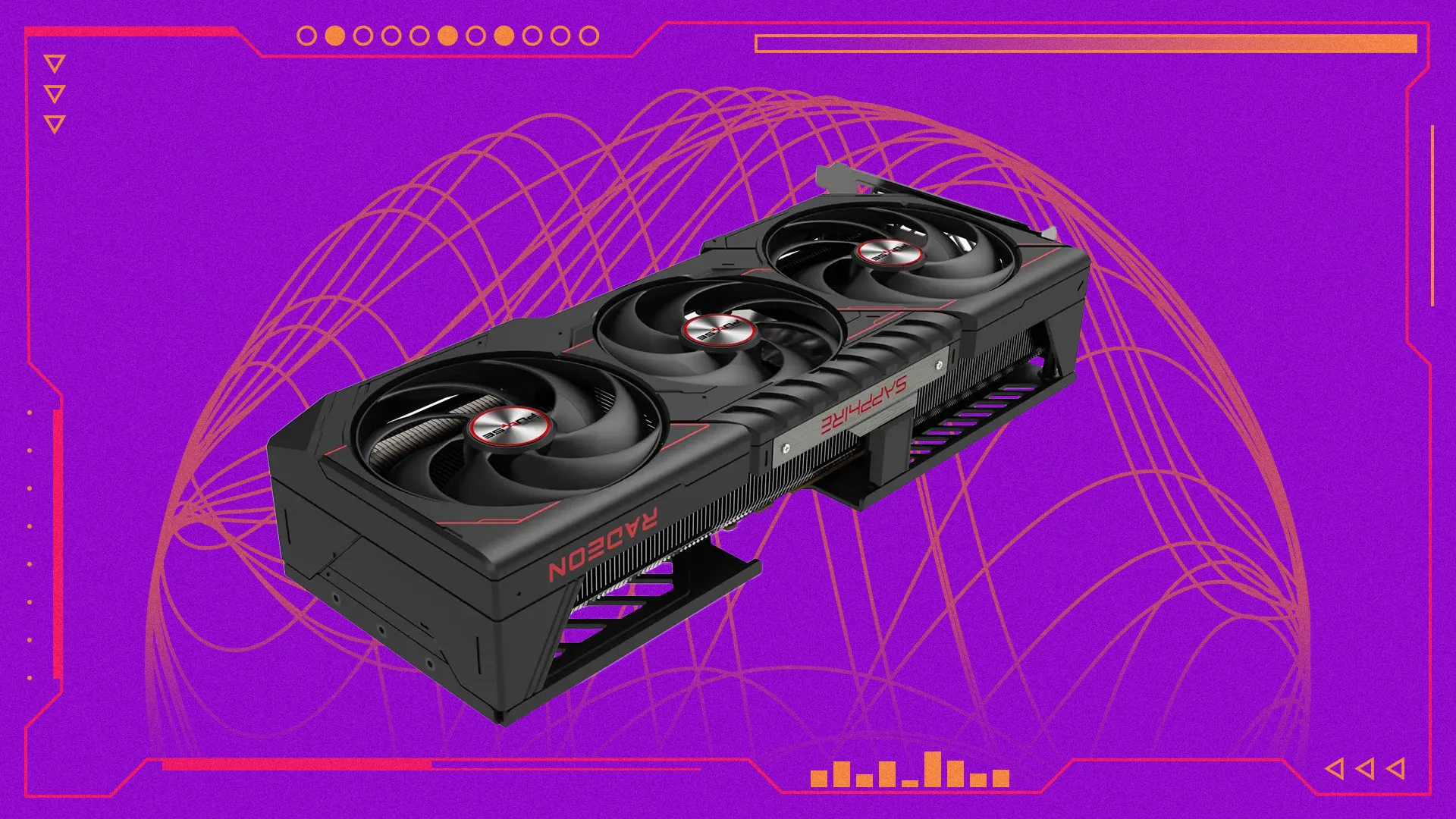

Graphics cards are the most important part of any gaming PC. I’ll tell you right off the bat that the AMD Radeon RX 9070 XT is the best graphics card for most people, but picking the right GPU for your rig changes a lot depending on what you’re looking for. The 9070 XT, in particular, is a great way to get into 4K gaming without having to sacrifice too much on quality settings. There are more powerful GPUs, of course, but high-end cards like the Nvidia GeForce RTX 5080 and RTX 5090 will really start ramping up the amount of cash you need to spend.
Then again, if you want to save some cash when building your gaming PC, and you’re good with playing games at a lower resolution, you can grab something like the Intel Arc B580 and still get some great gaming performance – even if you have to turn down some of the settings to get there.
Everything We Recommend
Why You Should Trust Me
I’ve been testing and reviewing graphics cards for about a decade, and even before that I was an avid PC builder that benchmarked them for fun. After all, there’s nothing quite like a spreadsheet with a bunch of framerate data to really get your blood pumping in the morning. I’ve also been doing the hardware thing here at IGN for three years now, making my debut with the RTX 4070 back in 2023.
When it comes to recommending people a good graphics card, I’m less interested in telling you to just grab the fastest card money can buy, but rather trying to help you find the right solution for your needs – whether that means something affordable, or just something that’ll run everything at 1440p. Because it would be so simple to just say “the RTX 5090 is the best graphics card,” but that only really helps people that have thousands of dollars burning a hole in their pocket.
How I Test Graphics Cards
On the surface, it seems like testing to decide the best graphics card is just a matter of seeing which is fastest and calling it a day. And, if that’s all you’re looking for, the RTX 5090 is right there. But it’s important to keep in mind that graphics cards are tools, and sometimes the right GPU for the job isn’t necessarily the best and most expensive one. For most people, the fastest graphics card at the right price is what matters, and increasingly software support is a huge factor, too.
When I test a graphics card, I run it through a gamut of 10-12 games, along with a couple ‘synthetic’ benchmarks like 3DMark. That way, I get a good idea of how the GPU will perform in a wide variety of games, and the synthetic benches give me a rough idea of the maximum potential of the card.

For each game, I test at each mainstream 16:9 resolution that’s reasonable for that card. That means 1080p, 1440p and 4K for something like the RTX 5080, but only 1080p and 1440p for something like the RTX 5060.
Those two graphics cards are so close in performance, yet the RTX 5070 Ti is quite a bit more expensive, costing around $999 right now, compared to the $799 Radeon card. I don’t think flashy software is quite worth that $200 jump right now, especially with everything else in your computer getting more expensive these days.
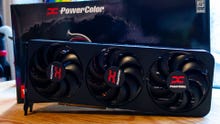
The Best Graphics Card For Most People: AMD Radeon RX 9070 XT
The Best Graphics Card For Most People
AMD Radeon RX 9070 XT
54
The AMD Radeon RX 9070 XT is an excellent 4K graphics card that won’t cost you an arm and a leg
AMD Radeon RX 9070 XT Specs
CUDA Cores/Stream Processors
4,096
Base Clock
1,660MHz
Boost Clock
2,970MHz
Video Memory
16GB GDDR6
Memory Bandwidth
664.6 GB/s
Memory Bus
256-bit
Power Connectors
2 x 8-pin
Outputs
1 x HDMI 2.1b, 3 x DisplayPort 2.1a
Excellent 4K performance for the money
Even better 1440p performance
Supports FSR Redstone for better upscaling and frame generation
FSR suite is a little less advanced than DLSS
Not the fastest, but the best for most people. The best graphics card isn’t just the most powerful GPU on the market, otherwise everyone would go out and buy a $2,000+ RTX 5090. Instead, what really matters is how much performance you’re getting for your money, especially when you have a limited budget in the first place. And the Radeon RX 9070 XT is just an excellent 4K graphics card, without having to drop a thousand bucks to get in the door.
The price hasn’t gone up that much since launch. Back when the 9070 XT came out in March 2025, it blew me away because it kept trading blows with the Nvidia GeForce RTX 5070 Ti, but at a much lower price. Since then, because of the ongoing RAM crisis, the prices for graphics cards have gone up significantly, so you won’t be able to find it for $599 anymore, but it’s still more affordable than the 5070 Ti.
FSR unfortunately isn’t as good as DLSS. To be fair, you do lose out on a couple of software niceties by going with an AMD graphics card instead of Nvidia. Team Red’s FSR suite doesn’t have multi-frame generation, and its AI upscaling tech is still a couple generations behind Nvidia’s. But if the games you’re playing don’t rely on this tech, the 9070 XT’s strong rasterization performance carries it a long way.
In my benchmarking tests, the 9070 XT is able to get 71 fps in Cyberpunk 2077 with the ‘ray tracing ultra’ preset at 4K, compared to 75 fps from the RTX 5070 Ti. And, yeah, that is slower than Nvidia’s card, but the 9070 XT is also usually around $200-250 cheaper, too. With that kind of price difference, no amount of AI upscaling or frame generation can make the 5070 Ti a better value.
The middle ground. The 9070 XT isn’t some kind of ultra bargain or anything. There are plenty of more affordable graphics cards out there, albeit with a lot less oomph. But if you’re looking to play AAA games at 4K for the next few years, and you want to do it with a somewhat responsible budget, the 9070 XT is just the best option out there right now, especially if you’re not entirely sold on the necessity of ray tracing.
The Best Budget Graphics Card: Intel Arc B580

The Best Budget Graphics Card
Intel Arc B580
13
The Intel Arc B580 might not be the fastest GPU on the market right now, but it’s affordable, and still able to power through 1080p games with no problem.
Product Specifications
CUDA Cores/Stream Processors
2560
Base Clock
2670MHz
Boost Clock
2670MHz
Video Memory
12GB GDDR6
Memory Bandwidth
456 GB/s
Memory Bus
192-bit
Power Connectors
1x 8-pin
Outputs
1x HDMI, 3x DisplayPort
Affordable 1080p performance
12GB of VRAM on a budget card should be celebrated
Lackluster game and developer support
A budget GPU in the age of AI. For the amount of attention RAM is getting for its inflated pricing right now at the hands of AI, graphics cards have also been steadily going up in price over the last decade or so. And while it’s hard to call anything that costs $300 a “budget” product, the Intel Arc B580 is one of the last bastions of good budget GPUs. Because while both Nvidia and AMD do have budget 1080p options, they largely feel like an afterthought. But even though the B580 launched at just $249 – it’s up to about $300 these days – it’s always felt like the main event.
It is a gorgeous component. The shroud and the backplate both have this satin feel to them that is completely unlike any other graphics card I’ve used, and I’ve used a lot of them. Of course, how a GPU feels in my hands doesn’t matter much beyond first impressions, but this graphics card does hold up in most games.
In my benchmark testing, the B580 held its own in games like Forza Horizon 5, getting 109 fps, compared to 108 fps from the RTX 4060 – which is still about $100 more expensive right now. Even in Cyberpunk 2077, a game that just loves Nvidia silicon, the Arc B580 does great, netting 72 fps at 1080p, and that’s with the ray tracing ultra preset.
The catch is driver support. Because Intel GPUs aren’t as widely used as AMD or Nvidia cards, game support isn’t as ubiquitous. Just recently, Crimson Desert came under fire a bit from Intel users because the game didn’t support Arc GPUs at launch. Luckily, since launch, Pearl Abyss has added Arc support, and the game even supports XeSS, Intel’s answer to DLSS and FSR. Still, though, this is a GPU you get to maximize value, and that sometimes means you have to wait a couple weeks to play the new hotness. But after all, getting games on sale after release is a more economical way to do PC gaming anyways, so no real loss there.
If Money Is No Object: Nvidia GeForce RTX 5090

If Money Is No Object
Nvidia GeForce RTX 5090
9
The Nvidia GeForce RTX 5090 is now the most powerful graphics card on the market, even if it claims that title with a bit less force than in previous generations.
Nvidia RTX 5090 Specs
CUDA Cores/Stream Processors
21760
Base Clock
2017MHz
Boost Clock
2407MHz
Video Memory
32GB GDDR7
Memory Bandwidth
1.79TB/s
Memory Bus
512-bit
Power Connectors
1x 12V-2×6
Outputs
1x HDMI, 3x DisplayPort
The most powerful graphics card on the market right now
32GB of VRAM is great for longevity
Consumes a bunch of power
More expensive than many full gaming PCs
The most expensive GPU on the market, but… The Nvidia GeForce RTX 5090 is without a doubt the most powerful graphics card on the market right now, and the reason it’s not at the top of this guide is entirely due to its price. Even fresh out of CES 2025, it was expensive, launching at $1,999, and it’s only gone up since then. Now, because of the huge 32GB patch of VRAM, the RTX 5090 has more than doubled in price, with most models costing around $5,199. Most people can build a whole gaming PC for that much cash.
More powerful than everything else. If you do have the spare cash for it, though, the RTX 5090 is head and shoulders above everything else. At first, I was a little disappointed with the small lead over the last-generation RTX 4090, at least in terms of pure rasterization, but the 5090 has had a lot of time to stretch its legs since then, and has proven to be an absolute behemoth in every game I’ve ever tested it with.
Multi-Frame Generation keeps getting better. At launch, Nvidia promised a big game with multi-frame generation, and at the time I didn’t really take it all that seriously. But, I have to admit, the tech does work really well, and thanks to the improvements made with DLSS 4.5, I turn it on whenever I get the chance these days. There is a tradeoff when it comes to latency, but the RTX 5090 is fast enough that it’s not noticeable in most games, even with the added input lag.
Ray tracing is getting more popular, and the RTX 5090 is the best GPU for it. More games are implementing path tracing, or ‘full ray tracing’, which is incredibly heavy on your GPU. Even the RTX 5090 can struggle to break 40 fps in these games at a native 4K, but with the combination of upscaling and frame generation, you can run games at incredibly high frame rates. Just keep in mind that with frame generation, the generated frames are a bit of an illusion, since you don’t get the benefit of lower latency that typically comes with a higher frame rate through more traditional rendering. It still looks super nice on a high-refresh gaming monitor, though, trust me.
The RTX 5090 does consume a LOT of power, though. I do have to mention the power consumption though. It seems like every generation, Nvidia gets this urge to pump as much electricity into its flagship graphics cards as possible, and the 5090 has a default power budget of 575 watts. Just like with its price, there are entire gaming PCs out there that consume that much power, so that’s something you need to consider. Plus, with that much power being pumped through the little 12v-2×6 connector, if you’re not careful, you run the risk of melting it and damaging the card. I’ve done it, it’s not fun.
Just make sure to pair the RTX 5090 with a high-end power supply, bonus points if it has features that let you monitor power delivery through certain cables.
Best GPU For 1440p: Nvidia GeForce RTX 5070

Best GPU for 1440p
Nvidia GeForce RTX 5070
8
The RTX 5070 is an excellent 1440p graphics card, despite only having 12GB of VRAM. And DLSS helps push it over the edge, compared to the RX 9070.
Nvidia RTX 5070 Specs
CUDA Cores/Stream Processors
6144
Base Clock
2325MHz
Boost Clock
2512MHz
Video Memory
12GB GDDR7
Memory Bandwidth
672 GB/s
Memory Bus
192-bit
Power Connectors
1 x 12v-2×6
Outputs
1x HDMI, 3x DisplayPort
Good 1440p performance for the money
DLSS can help the 5070 stretch into 4K gaming
Only 12GB of VRAM is hard sell in 2026
Not a huge performance uplift over the RTX 4070
A toss-up with the RX 9070. For 1440p gaming, it’s hard to pick between the Radeon RX 9070 and the RTX 5070. They both have roughly equivalent performance, and they both cost around $630-650 right now. Either one is a great option, but for most people I think the needle is going to fall in the 5070’s favor.
DLSS seals the deal. The way I see it, with these two GPUs being so close in price and performance, software support is going to tip the scales in Nvidia’s favor. DLSS 4.5 is just better than FSR Redstone right now, both for upscaling and frame generation. And, look, I was disappointed with the RTX 5070 when it came out last year, but I’ve been impressed with how well it’s held up with recent games.
The RTX 5070 can stretch to 4K, sometimes. Typically, when I’m testing new games and swapping around graphics cards, I tend to use the last one I installed for a while. I usually don’t have the energy at the end of the day to swap back to my daily driver, just to swap out to another GPU the next morning. So, there have been plenty of days where I’ve been using the RTX 5070, even on a 4K monitor. That resolution does stress it out sometimes, but usually swapping to 1440p is more than enough to get great performance out of it. Crimson Desert, Pragmata, and Diablo 4 all run super well on it, getting more than 70-80 fps at 1440p. And those are just the games I’ve tried on the 5070 in the last few months.
The RTX 5070’s limited 12GB of VRAM is a hard sell at higher resolutions. The only real downside for the RTX 5070 is its memory. For some reason, this mid-range 1440p card has just 12GB of GDDR7 on it, compared to 16GB from the 9070. It’s not the end of the world, but I can definitely see a future where the 5070 is VRAM limited. I know there’ve been a couple games recently where I’ve hit its memory ceiling and had to lower textures to make sure it runs smoothly.
To be fair, that’s only really going to come up in a few AAA games every now and then, but it’s definitely something to think about. And that’s doubly true when you remember that the 4070 Super had 16GB of memory the year before the 5070 launched. Maybe that’s why there wasn’t much of a generational uplift. But, you know, hindsight is 20/20.
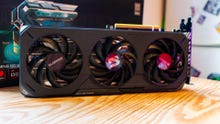
Best GPU For 1080p: AMD Radeon RX 9060 XT
The Best GPU for 1080p
Gigabyte AMD Radeon RX 9060 XT Gaming OC
7
The AMD Radeon RX 9060 XT is the 1080p graphics card to beat right now – assuming the price stays reasonable.
AMD Radeon RX 9060 XT Specs
CUDA Cores/Stream Processors
2048
Base Clock
1700MHz
Boost Clock
2530MHz
Video Memory
16GB GDDR6
Memory Bandwidth
322 GB/s
Memory Bus
128-bit
Power Connectors
1x 8-pin
Outputs
1x HDMI, 2x DisplayPort
Good 1080p performance for the money
16GB of VRAM on an affordable GPU is a massive bonus
Narrow memory bus
Can struggle in some demanding games
1080p is still the most popular resolution for PC gaming. According to the Steam Hardware Survey, most PC gamers still play games at 1080p. While 1080p gaming monitors aren’t as trendy as 4K panels, you don’t have to spend as much money to max out your games at that resolution. Something like the Radeon RX 9060 XT or the Nvidia RTX 5060 Ti will easily be able to max out everything, at a somewhat reasonable price – as reasonable as prices get these days anyways.
The Radeon RX 9060 XT is affordable, even with 16GB of VRAM. The Radeon RX 9060 XT launched at $349 for the 16GB model, which is definitely the one you should get, but the price has gone up a bit, thanks to the RAM crisis. Right now, the 9060 XT will run you about $450, thanks to the inflated prices on pretty much every PC component. That’d usually be a hard sell, but everything is more expensive right now, so it’s hard to get around that.
Not much better than the 7600 XT, but it doesn’t matter. The 9060 XT is another card I was a little disappointed with at launch. This current generation of graphics cards has this problem where most of the more affordable cards don’t actually have that much of a bump over their last-generation counterparts. The 9060 XT is definitely no different, but if you’re upgrading from an older card or building your first rig, that probably isn’t going to mean much anyway.
A 1080p powerhouse. What actually matters is how it performs in games. At 1080p, the Radeon RX 9060 XT trades blows with the 16GB version of the RTX 5060 Ti, even though AMD’s card is quite a bit cheaper. For instance, in Cyberpunk 2077, the 9060 XT gets 80 fps with the ray tracing ultra preset at 1080p, compared to 88 fps from the 5060 Ti 16GB. That is a 10% lead in favor of Nvidia, but keep in mind that for now at least, Team Green’s midrange card is 20% more expensive. That’s easy math as far as I’m concerned.
AMD did launch the 9060 XT with an 8GB model, too, and I haven’t tested that one. However, unless you really need to save an extra $100, I’d avoid it. Games are only getting more thirsty for VRAM as time goes on, and you probably want this graphics card to last you a few years before you have to upgrade again.
I Also Tested
Nvidia GeForce RTX 5080
While Nvidia’s penultimate Blackwell GPU is great, there just isn’t enough separating it from the RTX 5070 Ti to actually make it worth buying. I’d either grab a cheaper 5070 Ti or save up for the 5090 at this point.
Nvidia GeForce RTX 5070 Ti
I love the RTX 5070 Ti, and the only reason why this isn’t in the main list is because the Radeon RX 9070 XT is just a better deal. But if you’re sold on Nvidia’s software stack – and I sympathize – you really can’t go wrong with the 5070 Ti
Nvidia GeForce RTX 5060 Ti
The RTX 5060 Ti is another great 1080p card, just like the 9060 XT. In my testing, it’s typically around 5-10% faster than the comparable AMD chip, but it has a much higher price right now, so it’s not worth the trade-off.
AMD Radeon RX 9070
The RX 9070 trades blows with the RTX 5070, and so this was another tossup. I ultimately went with the 5070 because the prices are basically the same, which makes DLSS a very tempting value add.
AMD Radeon RX 9070 GRE
AMD’s latest graphics card is great, especially if you can get it at a decent price. But it’s not quite priced low enough that it’s automatically a better value than just saving up a bit more for the RTX 5070 or the RX 9070.
Upcoming Graphics Cards
Right now we’re sitting in between two generations of graphics cards. Both Nvidia and AMD will likely launch their new chipsets next year, but only time will tell when that’ll be. Hopefully, both Team Green and Team Red will follow this generation’s example and just launch their new graphics cards at CES 2027, but with how rocky the PC components world is right now, I could totally see both of them holding off until prices are a bit more manageable.
However, it’s not like either AMD or Nvidia have been shy about raising prices on their graphics cards in the past, so it’s totally possible that the new GPUs launch at the beginning of next year with absolutely ridiculous prices. I hope that doesn’t happen, but unfortunately I just wouldn’t be surprised.
Jackie Thomas is the Hardware and Buying Guides Editor at IGN and the PC components queen. You can follow her @Jackiecobra